
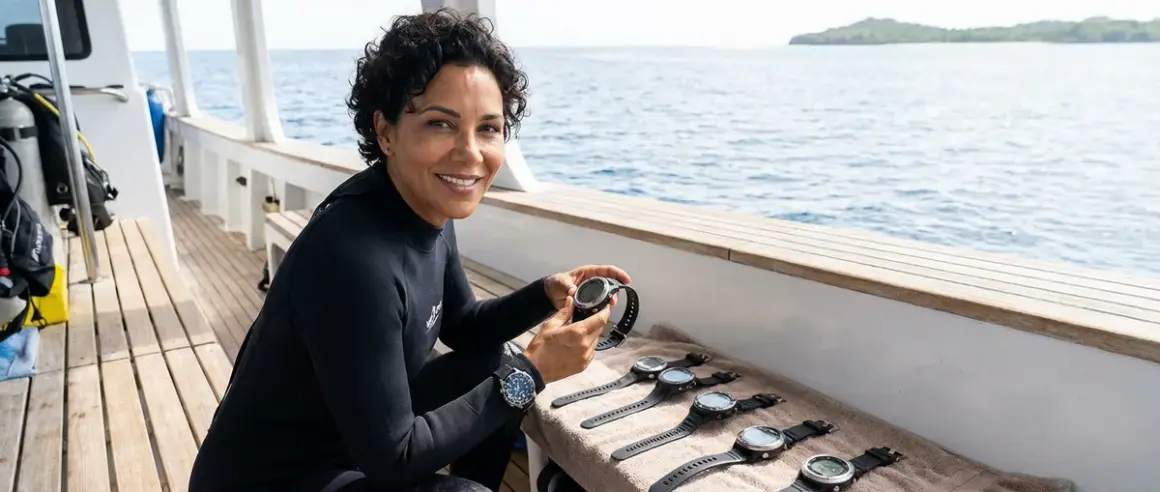

When I bought my first dive computer two years ago, I spent hours scrolling through forums and staring at spec sheets that might as well have been written in another language. I'm not embarrassed to admit I almost picked one just because it looked cool on my wrist. But choosing a dive computer isn't like picking out a watch—it's the piece of gear that literally keeps you safe underwater, tracks your nitrogen loading, and tells you when it's time to head up.
In this guide, I'll walk you through how to choose a dive computer that actually fits your diving style, budget, and experience level. Whether you're a brand-new Open Water diver like I was or someone who's starting to rack up more serious dive hours, I want to help you avoid the confusion I went through. We'll cover the features that actually matter, the ones that are just marketing fluff, and how to match a computer to the kind of diving you're doing right now—not the tech diving you might do someday.

Skill level: This guide is perfect for beginners through advanced recreational divers. No super technical background needed.
Time to read and apply: About 15 minutes to read, plus however long you want to spend researching specific models afterward.
What You'll Need
Before you start shopping, gather these things to make the process way easier:
- Your dive log (or at least a rough count of how many dives you've done and where)
- Your typical dive profile (depths you usually hit, whether you do multiple dives per day, cold vs warm water)
- Your budget range (be honest with yourself—computers range from around $200 to around $2,000+)
- Your future diving plans (staying recreational? thinking about nitrox? planning a liveaboard trip?)
- Basic understanding of dive tables and no-decompression limits (if you're shaky on this, review it first—your computer is making these calculations for you)
- List of must-have vs nice-to-have features (we'll build this together as we go)
Step 1: Decide Between Wrist-Mounted, Console, or Watch-Style
This was actually the first decision that tripped me up. I didn't realize how much the form factor would affect my actual diving experience.
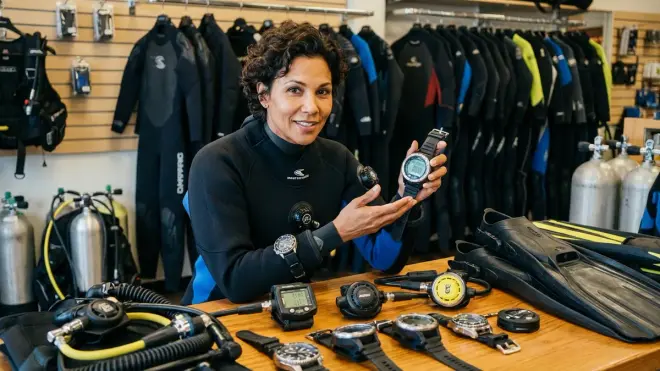
Wrist-mounted computers strap to your arm like a chunky watch. They're what most divers use these days, and honestly, they're what I recommend for almost everyone. You can glance at your computer without moving your arm away from your camera (huge for me as a photographer), and they don't add extra hoses to your first stage. I went with a wrist mount and haven't looked back.
Console computers integrate into a gauge cluster that connects to your first stage via a high-pressure hose. Some older divers prefer these because they're used to checking their SPG (submersible pressure gauge) and computer in one glance. The downside? More bulk, another hose to manage, and you have to physically hold the console up to read it. If you're learning buoyancy control for underwater photography, having both hands free is kind of important.
Dive computer watches look like regular smartwatches but have dive modes built in. Brands like Garmin make these now. They're sleek, you can wear them every day, and they track your surface intervals automatically. The trade-off is usually a smaller screen and sometimes fewer advanced features than dedicated dive computers. I'd only go this route if you want one device for diving and everyday fitness tracking.
My advice? Unless you have a specific reason to choose otherwise, go wrist-mounted. It's the most versatile option and gives you the clearest view of your data when you need it.
Step 2: Understand Algorithm Type and Conservative Settings
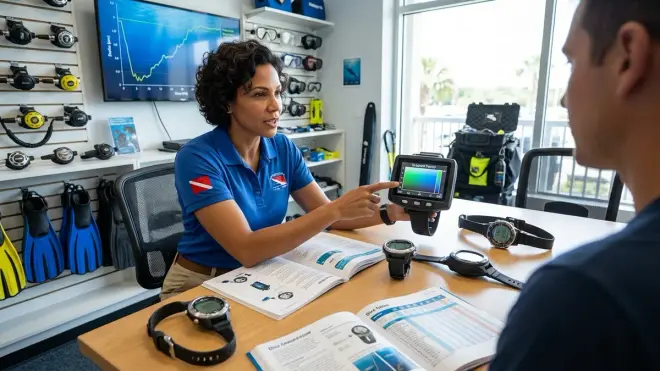
Okay, this part confused me at first too, but it's actually really important for how to choose a dive computer that matches your risk tolerance.
Every dive computer uses a decompression algorithm to calculate your no-decompression limits based on the nitrogen your body is absorbing. The two main types you'll see are Bühlmann-based algorithms (used by brands like Shearwater and Suunto) and RGBM-based algorithms (also Suunto, among others). For a deeper dive into this topic, check out our guide on dive computer algorithms.
Here's what matters for most recreational divers: some computers are more conservative than others. A conservative computer will give you shorter no-decompression limits and longer safety stops, which means you surface with a bigger safety margin. My Suunto, for example, is notoriously conservative—I'm usually the first one in my group to hit my NDL on repetitive dives. Some people find this annoying. I find it reassuring as a relatively new diver.
More liberal algorithms (like some Bühlmann implementations) let you stay down longer. That sounds great until you're diving with a buddy who has a conservative computer and you're the one holding up the group because your computer is screaming at you to ascend.
Most modern computers let you adjust conservatism settings. When you're figuring out how to choose a dive computer, think about:
- Your comfort level with cutting it close on NDLs
- Whether you dive in remote locations where the nearest chamber is far away
- Your age, fitness level, and personal DCS risk factors
I keep mine on the conservative setting. Yeah, sometimes I surface earlier than my buddies, but I sleep better after deep dive days.
Step 3: Match Features to Your Actual Diving Style
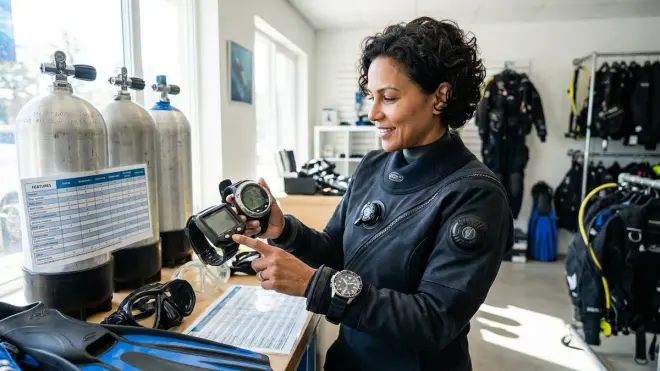
This is where a lot of people (including past me) go wrong. We get excited about features we'll never actually use.
Let's break this down by common diving profiles:
If you're a new recreational diver (0-50 dives): You need something simple with a clear display, audible alarms, and basic air integration if you want it. Look for computers that show your depth, dive time, NDL, and safety stop countdown in an easy-to-read format. Skip the tech features—you're not doing trimix dives yet, I promise. The screen readability matters more than you think. On my first computer, the numbers were too small and I constantly had to squint at it 20 meters down.
If you do 2-4 tank dives per day (liveaboards, vacation diving): You want something that handles repetitive dives well and tracks your surface intervals accurately. Multiple gas support is nice if you're thinking about trying nitrox soon—and you should, because it gives you longer bottom times on those third and fourth dives. Make sure the computer has a fast-tissue algorithm option or at least lets you see your actual nitrogen loading, not just the NDL countdown.
If you're getting into underwater photography like me: Get a computer with a good backlight or high-contrast display that you can read while you're focused on your subject. I can't tell you how many times I've gotten so absorbed in setting up my camera settings that I forget to check my computer. Audible alarms are crucial here. Also consider one with a compass—it helps when you're hunting for specific subjects and need to navigate back to your entry point.
If you dive cold water occasionally: Look for computers with algorithms that handle temperature changes well and that have buttons you can operate with thick gloves. Some touchscreens become useless when you're wearing 5mm gloves. Also make sure it has a good battery life rating in cold temps, because batteries drain faster when it's cold.
If you travel frequently: Weight matters. Some computers are plastic and light, others are stainless steel and heavy. When you're already dealing with travel BCD weight constraints and trying to keep your bag under the airline limit, every gram counts. Also consider battery type—computers with rechargeable batteries mean one less charger to pack, but you need to remember to charge it. Computers with user-replaceable batteries (usually CR2450 or similar) let you swap in a fresh battery before a trip, which I prefer.
The key is being honest about the diving you actually do versus the diving you think you might do someday.
Step 4: Evaluate Display Readability and Interface Design
I'm just going to say it: if you can't read your computer underwater, it doesn't matter how fancy its algorithm is.
Screen size and contrast are huge. When I'm 25 meters down trying to check my NDL while also composing a shot in my viewfinder, I need to be able to glance at my wrist and process the information in half a second. Color displays look pretty in the shop, but high-contrast monochrome displays (like Shearwater's) are often easier to read in varied light conditions, especially in that weird green murky water we sometimes get in the Caribbean.
Button layout matters more than you'd think. I learned this the hard way when I tried a computer with a single-button interface. Scrolling through screens mid-dive while trying to change my camera settings was infuriating. Multi-button interfaces (usually 2-4 buttons) are more intuitive once you learn them. Before you buy, watch some YouTube videos of people actually using the computer underwater. See if the menu system makes sense to you.
Backlight quality is another thing I didn't think about until my first night dive. Some computers have weak backlights that barely help. Others have bright LED backlights that actually let you read the screen in pitch black conditions. If you want to try night diving or dive in areas with poor visibility, test the backlight in the store by asking to see it in a dark corner.
One more thing: think about the information hierarchy. Your most critical info (depth, NDL, tank pressure if air-integrated) should be the biggest numbers on the screen. Less critical stuff can be smaller. Some computers let you customize what displays where, which is a feature I wish mine had.
If possible, try to see the actual computer in person or at least watch detailed review videos showing the display in different conditions before you commit.
Step 5: Decide on Air Integration and Wireless Features
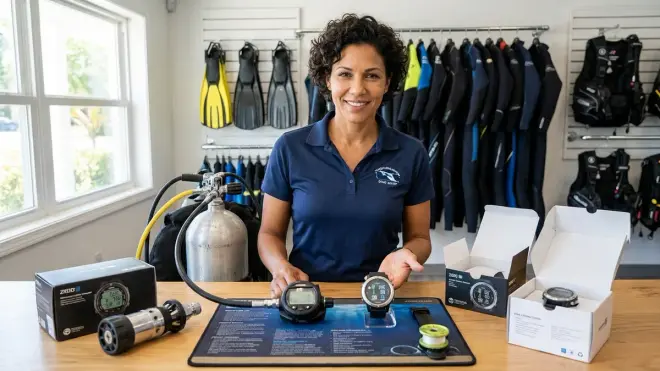
Air integration is one of those features that sounds like a luxury until you try it, and then it's hard to go back.
Non-air-integrated computers only track depth, time, and calculate your NDL based on that. You still need a separate SPG (pressure gauge) on a hose to monitor your tank pressure. This is totally fine and what I used for my first 40 dives. It's simpler, cheaper, and there's less that can go wrong.
Hoseless air-integrated computers use a wireless transmitter that screws into your first stage and sends tank pressure data to your wrist computer. The big advantage? Your computer can calculate your air time remaining based on your current breathing rate and depth. This is honestly super helpful when you're deep and trying to figure out if you have enough air to finish exploring that swimthrough or if you need to start heading up.
I switched to air integration about a year ago and I love it. The computer knows if I'm breathing harder than usual (maybe I'm swimming against current or I'm cold), and it adjusts the air time calculation accordingly. It's way more accurate than me trying to do tank pressure math in my head.
The downsides? Transmitters add around $300-400 to your total cost. The wireless signal occasionally drops out (I've had it happen maybe three times in 40 dives, and it reconnects within seconds). And you need to maintain the transmitter's battery and o-rings just like any other piece of gear. If you want to learn more about proper gear maintenance, we have a full checklist.
Hoseless vs hosed air integration: Some older systems use a hose to transmit data from your first stage to your computer. These are more reliable but add another hose to your rig. Hoseless is more modern and cleaner, but you need to make sure your buddy has an SPG so you can monitor their air in an emergency, since you can't see their transmitter signal.
My recommendation: if you're buying your first computer and budget is tight, skip air integration for now. Get a solid computer and a reliable SPG. If you're on your second computer or you do a lot of repetitive diving where air management matters, air integration is worth the investment.
Step 6: Consider Nitrox Capability and Future Upgrade Path
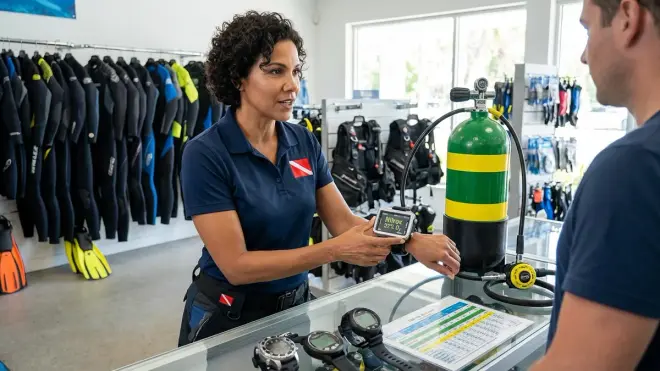
Even if you're not nitrox certified yet, get a computer that supports it. Trust me on this.
I made the mistake of buying a basic air-only computer because I figured I'd never use nitrox (enriched air). Then I went on a liveaboard in Honduras and realized that literally everyone else was diving nitrox because it gave them 10-15 extra minutes on the deeper dives. I was the one surfacing early every single dive. After that trip, I got nitrox certified and immediately needed a new computer.
Nitrox computers let you set your oxygen percentage (usually between 21-40% O2) and recalculate your NDLs accordingly. Most computers these days support at least two gas mixes, which is all you need for recreational diving. Some support unlimited mixes if you ever get into technical diving, but that's probably overkill unless you know you're heading in that direction.
Here's what to look for in nitrox features:
- Easy gas switching between air and nitrox (some computers make this ridiculously complicated)
- Clear display of your MOD (maximum operating depth) for your selected mix
- Audible alarm if you exceed your MOD
- Multiple gas support if you think you might try different blends
Gauge mode is another feature worth having. If your computer ever locks you out (yes, this can happen if you violate its algorithm), gauge mode lets you continue diving by showing depth and time without calculating NDLs. It's basically a backup option that means your expensive computer doesn't become a paperweight if something goes wrong.
Freediving mode is less critical unless you also do breath-hold diving, but it's a nice bonus if you want to try it someday. Some computers switch between scuba and freediving modes automatically.
Think about your upgrade path too. If you know you want to try technical diving in a few years, spending a bit more now on a computer that grows with you (like Shearwater Perdix or Suunto EON) might make sense. If you're pretty sure you're staying recreational, don't pay for features you'll never use.
Step 7: Set Your Budget and Evaluate Long-Term Costs
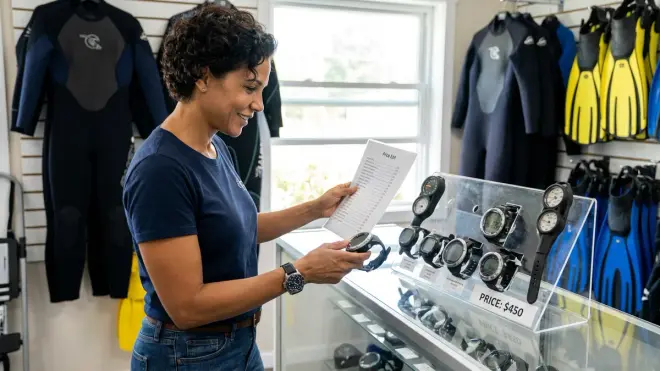
Let's talk money, because dive computers range from around $200 to well over $1,500, and it's easy to blow your budget if you're not careful.
Entry-level computers (around $200-400): These are perfect for new divers who want basic functionality—depth, time, NDL, maybe nitrox support. Brands like Cressi, Mares, and Aqua Lung make solid options in this range. The screen might be smaller, the display might be less sophisticated, and you probably won't get air integration, but they do the essential job. I started with a computer in this range and it served me well for two years. If you're looking for affordable options under $500, we've reviewed several good choices.
Mid-range computers (around $400-800): This is where you get nicer displays, air integration options, better battery life, and more customization. Most recreational divers should look in this range—it's the sweet spot of features versus cost. You'll find computers that can handle nitrox, have wireless transmitters available, and offer decent algorithms that give you flexibility without overwhelming you.
High-end computers (around $800-1,500+): These are either super-advanced recreational computers with every bell and whistle, or technical diving computers that support multiple gases, trimix, CCR modes, and detailed gradient factors. Shearwater dominates this space. Unless you're doing or planning serious technical diving, you probably don't need to spend this much. But if you're the kind of person who wants the best of the best and knows you'll be diving for years to come, a Shearwater is an investment that won't need upgrading.
Don't forget ongoing costs:
- Battery replacements every 1-2 years (usually around $5-50 depending on type)
- Transmitter battery replacement if you go air-integrated (usually around $15-20/year)
- Protective screen covers (usually around $10-20, but worth it to prevent scratches)
- Software updates (usually free, but some brands charge for major upgrades)
- Service/recalibration (most computers don't need this, but check your manual)
Here's my honest take: if you're a new diver on a budget, get a solid entry-level computer with nitrox support and spend the rest of your money on more dives. If you've got 50+ dives and you know you're committed to this hobby, invest in a mid-to-high-end computer that you won't outgrow. I'm on my second computer now and I wish I'd just spent the extra money upfront instead of upgrading a year later.
Also consider used computers, but be careful. Make sure you can test them in a pool or sink before buying, and avoid anything more than 3-4 years old—technology and algorithms improve quickly. Never buy a computer that's been locked out or has a history of flooding.
Step 8: Research Brands, Read Real Reviews, and Test Before Buying
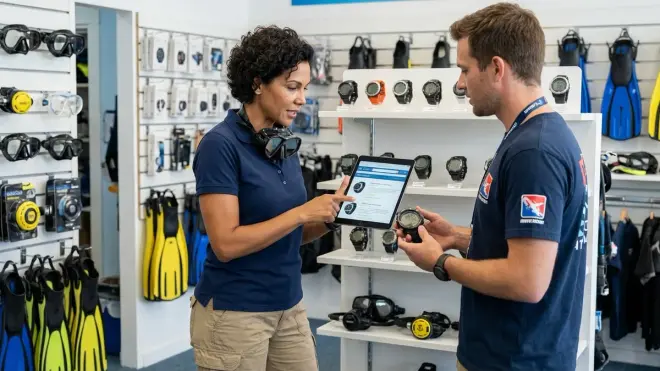
This is where you do your homework. Once you know what features you need and what you can spend, it's time to narrow down to specific models.
Reputable brands to start with: Shearwater (expensive but incredible), Suunto (conservative algorithms, reliable), Garmin (great for multi-sport), Mares, Aqua Lung, Cressi, Oceanic, and Ratio. Each brand has its own philosophy about algorithms and interface design. For example, Shearwater is beloved by tech divers for its customization and display quality. Suunto has a reputation for being very conservative, which some people love and others hate.
Where to research:
- ScubaBoard forums (search for "computer recommendations" and filter by recent posts)
- YouTube reviews from actual divers, not just product unboxings
- Your local dive shop's rental fleet (if they rent a lot of one brand, it probably holds up well)
- Your dive buddies' experiences (ask them what they love and hate about their computers)
Red flags to watch for:
- Computers with tons of bad reviews about early failures or battery issues
- Brands with no clear service/warranty support in your area
- Computers where the user interface is universally described as confusing
- Companies that seem to be discontinuing their dive product lines
Once you've narrowed it down to 2-3 models, try to see them in person before buying. Many dive shops have demo units you can look at, even if they don't let you take them in the water. Pay attention to:
- Can you read the screen easily?
- Can you press the buttons while wearing your dive gloves (if you use them)?
- Does the strap feel secure on your wrist?
- Does the menu system make intuitive sense?
If your local shop doesn't carry the brand you want, consider ordering from an online retailer with a good return policy. Some companies offer 30-day trial periods where you can dive the computer and return it if it doesn't work for you.
Before you commit to a purchase, also check out our pre-dive computer checklist to understand what you'll need to do before each dive, and our guide on how to read a dive computer display underwater—it'll help you judge whether a particular interface design works for you.
Pro Tips & Common Mistakes
Don't get seduced by features you won't use. I almost bought a computer with compass, GPS, and Bluetooth logging because it sounded cool, but I've literally never wished I had GPS tracking on my dives. Focus on the essentials first.
Conservative algorithms aren't a bad thing. When I was first learning how to choose a dive computer, I thought conservative meant "paranoid" or "limiting." Now I see it as "gives me an extra safety margin on repetitive dives." Especially if you're newer to diving, a conservative computer is your friend.
The biggest mistake I see is people buying computers that are way too complex for their current diving level. A new diver with a technical computer that supports trimix and gradient factors is like someone who just got their driver's license buying a Formula 1 car. Start simple, upgrade later if you need to.
Battery management matters. I learned this the hard way when my computer died on day three of a dive trip because I forgot to check the battery beforehand. Always check your battery level before a trip, and carry a spare if your computer uses user-replaceable batteries. Add this to your dive gear bag packing checklist.
Don't rely on your computer as your only depth gauge or timer. Computers can and do fail. Always dive with a buddy who also has a computer, and know how to do basic dive table calculations as a backup. My instructor drilled this into me, and I'm glad she did—I've seen two computer failures in real dives (neither was mine, thankfully).
Test all the functions before your first real dive. Figure out how to check your logbook, set alarms, switch gas mixes, activate the backlight, and read the battery status while you're sitting on your couch, not 15 meters underwater.
One last thing: don't cheap out on a protective screen cover. Scratched screens are way harder to read, and computers bang against rocks, tanks, and boat railings more than you'd expect.
Frequently Asked Questions
Do I really need a dive computer as a beginner, or can I just use dive tables?
You can technically dive with just tables, but I genuinely don't recommend it for anyone diving regularly. Dive computers calculate your nitrogen loading in real-time based on your actual depth profile, while tables assume you spent your entire dive at your maximum depth—which means you're getting way less bottom time than you actually could safely have. Plus, computers track your surface intervals automatically and handle repetitive dives much better than trying to do table math between dives. If you're doing more than a handful of dives per year, a computer is worth the investment for both safety and getting more time underwater.
Can I use my smartwatch as a dive computer if it has a dive mode?
Some smartwatches like Garmin Descent models are actually legit dive computer watches with proper algorithms and depth sensors, so yes, those work. But regular fitness watches with "swim modes" or basic water resistance are absolutely not safe for scuba diving—they don't track nitrogen loading or calculate no-decompression limits. If you want a watch-style computer, make sure it's specifically designed and rated for scuba diving, not just water sports. The real question is whether you want a device that prioritizes dive features or daily wearability, because you're usually compromising one for the other.
Is it worth spending more for air integration or should I just get a separate pressure gauge?
This depends on your budget and how much you value convenience. I dove for two years with a separate SPG and it was completely fine—reliable, simple, and cheaper. When I upgraded to air integration, the biggest benefit wasn't just seeing my tank pressure on my wrist (though that's nice), it was the air time remaining calculation that factors in my actual breathing rate. If you're on a tight budget, put your money toward a better core computer and use an SPG. If you can afford the around $300-400 extra for a wireless transmitter and your computer supports it, it's a genuinely useful feature that I personally wouldn't give up now that I have it.
How often should I replace my dive computer, and can I sell my old one?
There's no set replacement schedule—some people dive the same computer for 10+ years if it still works and meets their needs. You'd upgrade when you outgrow its capabilities (like wanting nitrox when you have an air-only computer), when the battery or display starts failing, or when newer technology offers significant safety or convenience improvements. As for selling, yes, used dive computers hold decent resale value if they're in good condition and not too old. Just make sure you reset all your personal data, include the manual, and be transparent about its age and any issues. Personally, I kept my first computer as a backup—it's nice to have a second computer on trips just in case.
Summary
Learning how to choose a dive computer doesn't have to be overwhelming, even though it definitely feels that way when you're staring at dozens of options online. Start by figuring out your form factor preference (wrist-mounted for most people), understand whether you want a conservative or liberal algorithm, and then match features to your actual diving style—not the diving you imagine you might do someday.
Focus on display readability, intuitive controls, and nitrox support even if you're not certified yet. Decide if air integration is worth the extra cost for your situation. Set a realistic budget that includes ongoing maintenance costs, and don't forget to read real user reviews from divers who use the computer in conditions similar to yours.
The computer that's right for you is the one that matches your current diving frequency, your budget, and your comfort level with technology. I've learned that the "best" computer is the one you'll actually understand and trust underwater—which might not be the fanciest or most expensive one.
Take your time with this decision. Talk to your dive buddies, test interfaces in person if you can, and remember that your computer is one of the most important pieces of safety equipment you'll own. It's worth getting right.