


When I bought my first dive computer three years ago, I thought I was just getting a fancy depth gauge and timer. Then my dive buddy mentioned something about "algorithms" and "decompression models," and I realized there was this whole invisible system running behind the screen that was literally calculating whether I'd get bent or not. Understanding how dive computer algorithms work changed the way I think about dive planning completely—and honestly, it made me feel a lot safer knowing what my computer was actually doing down there. If you've ever wondered what's happening behind that no-deco limit countdown, this dive computer algorithm explained guide will break it down in a way that actually makes sense.
What Is a Dive Computer Algorithm?
A dive computer algorithm is basically the mathematical model your computer uses to track nitrogen absorption in your body during a dive. Think of it as the brain of your dive computer—it's constantly calculating how much nitrogen you're taking on at depth, how fast you're off-gassing during your ascent or surface interval, and whether you're getting dangerously close to decompression sickness (DCS) risk.

The algorithm is based on decompression theory, which models how inert gases (mostly nitrogen when we're breathing regular air) dissolve into your tissues under pressure and then come back out as you ascend. Different algorithms use different assumptions about how fast this happens in various parts of your body—some are more conservative, giving you shorter bottom times but theoretically lower DCS risk, while others are more liberal, allowing longer dives but with slightly higher theoretical risk.
I'll be honest, when I first heard "algorithm," I thought it was some complicated computer science thing I'd never understand. But really, it's just a set of rules the computer follows to keep you safe. Your dive computer is tracking tissue compartments—imaginary sections of your body that absorb and release nitrogen at different rates—and making sure none of them are getting overloaded.
What confused me at first was realizing that different computers can give you different no-deco limits on the exact same dive profile. That's because they're using different algorithms with different assumptions about human physiology. There's no single "correct" answer—just different models trying to predict something incredibly complex: how your unique body will handle nitrogen loading.
How Dive Computer Algorithms Work

Here's where it gets interesting. Most modern dive computer algorithms are based on one of two main approaches: the Haldane model or the bubble model. The Haldane approach (which includes popular algorithms like Bühlmann, RGBM, and DSAT) assumes your body is made up of multiple tissue compartments that absorb nitrogen at different speeds. Some tissues (like blood and muscle) load quickly, while others (like joints and cartilage) take much longer.
The algorithm assigns each compartment a half-time—the time it takes to reach 50% saturation at a given depth. Fast tissues might have half-times of 5 or 8 minutes, while slow tissues can be 480 minutes or more. During your dive, the computer is simultaneously tracking all these compartments (usually between 8 and 16 of them), calculating nitrogen pressure in each one based on your current depth and dive time.
The M-value (maximum value) is the critical threshold for each compartment—the maximum nitrogen pressure that tissue can theoretically handle at a given depth before you risk DCS. Your computer is constantly comparing actual nitrogen loading against these M-values. When you get close to the limit in any compartment, that's when your no-deco time starts counting down fast.
What really clicked for me was understanding that your computer isn't just tracking your current dive—it's tracking residual nitrogen from previous dives too. That's why your no-deco limits are shorter on repetitive dives. The slower tissue compartments are still loaded from earlier, so you hit those M-value limits faster.
Bubble models like VPM (Variable Permeability Model) and some versions of RGBM take a different approach. Instead of focusing purely on dissolved nitrogen, they account for microscopic bubbles that form in your tissues even on no-deco dives. These models tend to favor deeper safety stops and sometimes allow slightly longer bottom times at depth, but they're more restrictive in the final ascent phase.
During ascent, the algorithm calculates your off-gassing rate for each compartment. If you ascend too fast, nitrogen can't leave your tissues quickly enough, and you risk forming bubbles—that's why computers beep angrily when you exceed safe ascent rates (typically around 30 feet per minute). The algorithm is constantly recalculating based on your actual depth profile, adjusting your no-deco limits in real-time.
I learned this the hard way when I accidentally went deeper than planned on a second dive and watched my no-deco time drop from 25 minutes to 8 minutes in about thirty seconds. My computer wasn't broken—it was doing exactly what it should, warning me that my slow tissues were approaching their limits faster than expected.
Why Understanding Algorithms Matters for Your Safety
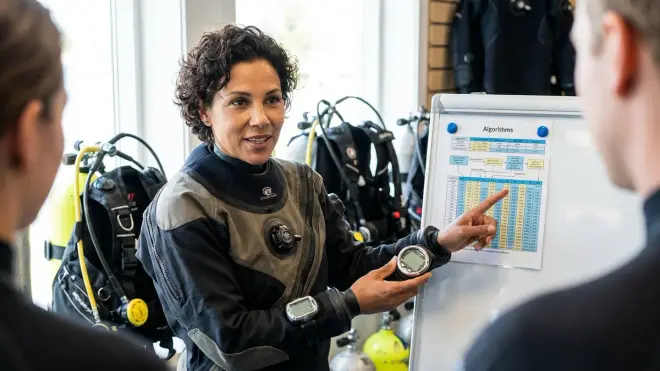
Knowing how your dive computer algorithm works isn't just nerdy technical stuff—it actually affects your safety and dive planning in real ways. I used to just blindly follow whatever my computer told me, but once I understood the logic behind it, I started making smarter decisions about how to choose a dive computer and how to dive within its limits.
First off, not all algorithms are equally conservative. If you're diving with a buddy who has a different computer brand, you might notice your no-deco limits don't match. My boyfriend uses a Suunto (which runs RGBM, a fairly conservative algorithm), and I use a computer with Bühlmann ZHL-16C with gradient factors—his computer regularly puts him into deco before mine does on repetitive dive days. Neither of us is wrong; we're just following different models with different safety margins built in.
This matters especially on multi-dive days or liveaboards, where those differences compound. I've seen dive groups where one person is in deco obligation while everyone else still has bottom time left. Understanding that this is an algorithm difference—not a computer malfunction—helps you plan dives together more effectively.
Altitude and temperature adjustments are another reason to understand your algorithm. Some computers automatically adjust for altitude diving (which requires more conservative profiles because you're starting with less atmospheric pressure), while others need manual settings. Cold water can reduce circulation and potentially increase DCS risk, but not all algorithms account for this—some just warn you to dive more conservatively without actually changing the calculations.
For me personally, understanding algorithms made me much more careful about dive computer setup and safety verification before getting in the water. I now check my altitude settings when diving mountain lakes and manually add conservatism when I'm cold or tired, rather than blindly trusting the default calculations.
According to Divers Alert Network (DAN), most recreational DCS incidents happen within algorithm limits—meaning the diver technically followed their computer but still got bent. This isn't because algorithms are wrong; it's because they're probabilistic models, not guarantees. Individual factors like dehydration, exertion, age, and body composition affect your actual DCS risk in ways no algorithm can perfectly predict.
Popular Dive Computer Algorithms and Their Differences
There are several major algorithms you'll encounter in recreational dive computers, and they each have distinct personalities. Bühlmann ZHL-16 (and its variants) is probably the most common in modern computers. Developed by Swiss physician Albert Bühlmann, it uses 16 tissue compartments and tends to be moderately liberal, especially with shorter, shallower dives. Many computers let you adjust Bühlmann with gradient factors, which add conservatism by reducing the M-values—basically giving you a safety buffer before you hit the theoretical limits.
RGBM (Reduced Gradient Bubble Model) is used by Suunto and Mares computers. It's a bubble model that tracks both dissolved gas and bubble formation, and it tends to be more conservative, especially on repetitive dives and sawtooth profiles (where you yo-yo up and down). RGBM penalizes you for rapid ascents and rewards you for consistent, smooth profiles. I have friends who swear by Suunto's conservatism, especially for cold-water diving, while others find it too restrictive on vacation dive trips where you're doing 3-4 dives a day.
DSAT (Spencer/Powell algorithm) was developed by DSAT (Diving Science and Technology) and is used in some Oceanic and Aeris computers. It's generally considered one of the more liberal recreational algorithms, often giving longer no-deco limits than Bühlmann or RGBM on the same profile. DSAT uses fewer tissue compartments and was specifically designed for no-decompression diving, which makes it popular for recreational vacation diving.
VPM (Variable Permeability Model) is another bubble model, originally developed for technical diving but now appearing in some recreational computers. It emphasizes deeper safety stops (typically around half your max depth) and can give you more bottom time at depth compared to Bühlmann, but it's stricter during the final ascent phase.
PZ+ (Z+ algorithm) is Mares' proprietary variation that adapts based on your workload and temperature. If you're breathing hard or diving in cold water, it automatically adds conservatism. I haven't personally used this one, but I like the concept of an algorithm that accounts for exertion—that's a real-world factor that definitely affects DCS risk.
When comparing Suunto vs Shearwater dive computers, you're essentially comparing RGBM versus Bühlmann with gradient factors—two very different approaches to the same problem. Neither is objectively "better," but they suit different diving styles and risk tolerances.
Frequently Asked Questions
What does it mean when a dive computer algorithm is "conservative"?
A conservative dive computer algorithm means it uses stricter safety margins and will give you shorter no-deco limits and longer surface intervals compared to more liberal algorithms on the same dive profile. Conservative algorithms are designed to reduce theoretical decompression sickness risk by keeping you further from the calculated physiological limits, which is especially valuable for repetitive diving, cold water exposure, or when you have additional risk factors like age or fitness level.
Can I switch algorithms on my dive computer?
Most recreational dive computers have a fixed algorithm that cannot be changed, though some models allow you to adjust conservatism settings like gradient factors or safety factor levels that modify how the algorithm behaves. Technical dive computers like Shearwater models often let you choose between different algorithms (such as Bühlmann with various gradient factors or VPM), but switching algorithms between dives with residual nitrogen is dangerous because each algorithm tracks tissue loading differently—you should never switch mid-trip when you still have nitrogen loading from previous dives.
Why do my buddy's dive computer and mine show different no-deco limits?
Different dive computers show different no-deco limits because they use different decompression algorithms with varying assumptions about tissue compartment behavior, nitrogen absorption rates, and safety margins. A computer running RGBM will typically be more conservative than one using DSAT or standard Bühlmann, and even computers using the same base algorithm may differ if one has conservative settings enabled or gradient factors adjusted—this is completely normal and doesn't mean either computer is malfunctioning.
Should I add extra conservatism to my dive computer algorithm?
You should add extra conservatism to your dive computer algorithm if you're diving in cold water, doing multiple deep dives per day, over 50 years old, significantly overweight or out of shape, tired or hungover, have any history of DCS, or are doing strenuous underwater activities like strong currents or buoyancy control practice. Most dive computers offer adjustable conservatism levels, and using a more conservative setting adds safety margin to the algorithm's calculations at the cost of shorter bottom times.
What happens if I ignore my dive computer's algorithm limits?
If you ignore your dive computer's algorithm limits and exceed your no-deco time, you enter decompression obligation and must complete mandatory safety stops at specific depths before surfacing, or you significantly increase your risk of decompression sickness. If you violate the algorithm by ascending past required deco stops or exceeding maximum ascent rates, most computers will go into violation mode and lock you out for 24-48 hours, refusing to provide dive information because the algorithm can no longer accurately track your nitrogen loading—at that point you've essentially gone outside the model's safe predictive range.
Making Peace with the Math Behind Your Dive Computer
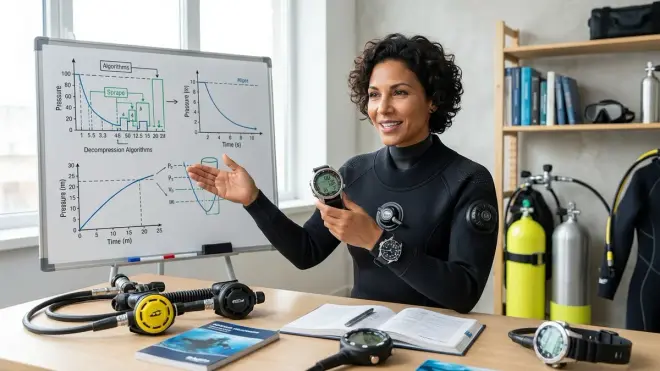
I'll admit, I still don't fully understand all the math behind decompression algorithms, and honestly, you don't need to be able to calculate M-values by hand to dive safely. What matters is understanding that your dive computer algorithm is a predictive model based on decades of research and real-world data, but it's not a perfect crystal ball for your individual physiology.
Since I started paying attention to how my algorithm works, I've become much more intentional about choosing computers and settings that match my diving style. For vacation diving in warm water with multiple shallow dives, I'm comfortable with a moderately liberal algorithm. For cold water diving or when I'm tired, I manually add conservatism or do longer safety stops than required.
The dive computer algorithm explained in this article is the invisible safety net working constantly beneath your dive—tracking multiple tissue compartments, calculating nitrogen loading and off-gassing, and warning you before you approach dangerous limits. Understanding even the basics of how it works helps you make smarter decisions about dive planning, computer selection, and when to add extra safety margin beyond what the algorithm mandates. Your computer is an incredible tool, but it works best when you understand what it's actually calculating down there in the blue.