
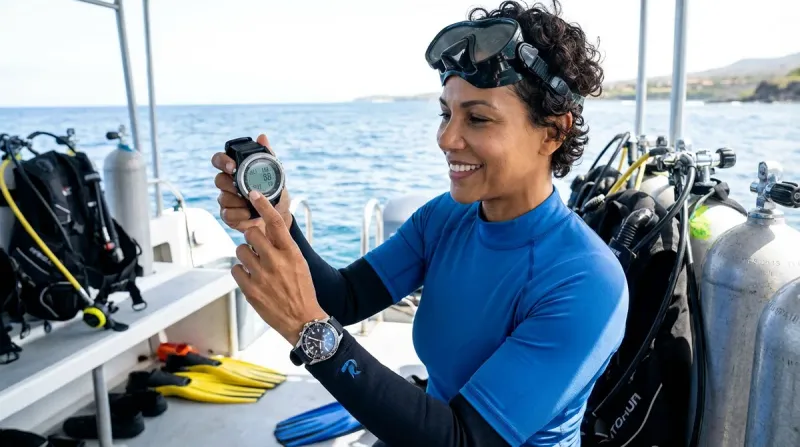

I remember standing in the dive shop in San Pedro, staring at a wall of dive computers with price tags that made my stomach drop. I'd just finished my Open Water certification, and everyone kept telling me I needed a computer—but the good ones seemed to cost more than my entire gear setup combined. Here's what I wish someone had told me then: you absolutely can find reliable, feature-packed affordable scuba dive computers that won't drain your equipment fund. After three years of diving on a budget and watching what works for my dive buddies, I've learned that the sweet spot sits right around $300-$500, where you get real functionality without paying for tech features you probably won't use for years.
Quick verdict: The Shearwater Peregrine🛒 Amazon offers the best overall value if you can stretch to around $450, while the Suunto Zoop Novo remains the most bulletproof beginner option under $300.
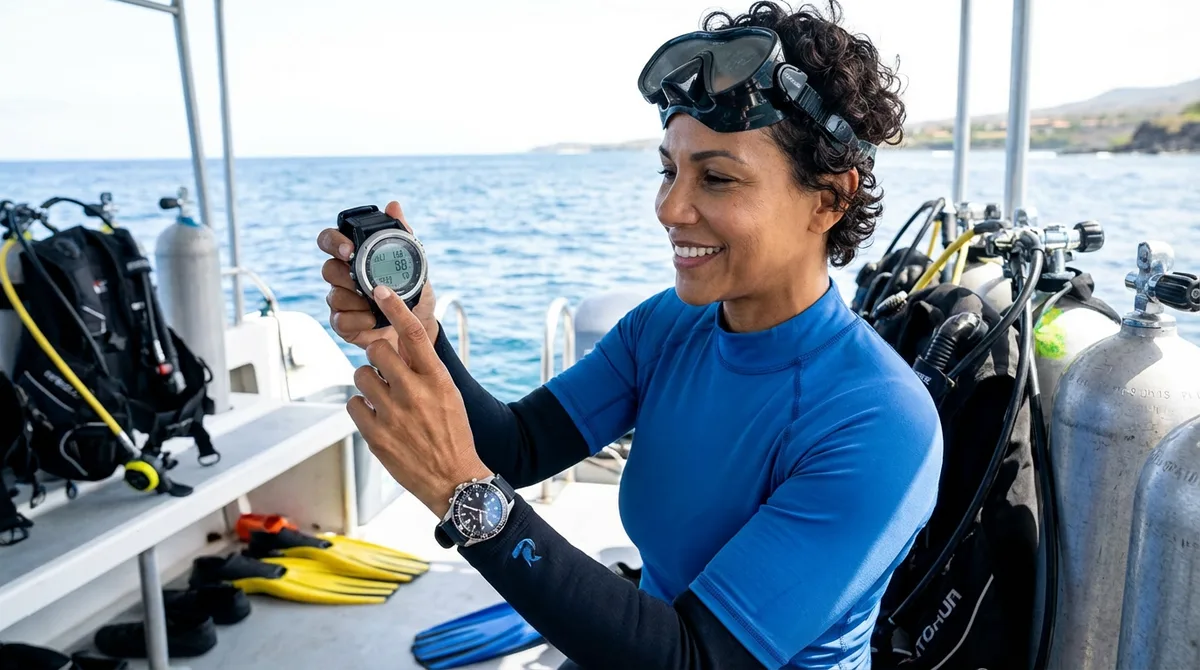
What to Look For in Affordable Scuba Dive Computers
Display Readability
This confused me at first too, but your display needs to work in actual dive conditions—not just under the bright lights of a shop. I learned this the hard way on a murky cenote dive where my borrowed computer's tiny digits basically disappeared below 20 meters. Look for high-contrast screens with adjustable backlighting that you can actually read when visibility drops or you're peeking under a ledge for that perfect photo opportunity.
Screen size matters more than I expected. My first computer had a 1.2-inch display that seemed fine on the surface, but when you're trying to monitor your no-decompression limit (NDL) while also checking your air and depth, cramped numbers become a real problem. Most budget computers now offer 2-inch or larger displays, which makes a massive difference when you're task-loading during a safety stop. Color screens look gorgeous, but monochrome displays with good contrast often perform better in bright Caribbean sunlight—something to consider if you dive tropical waters like I do.
The viewing angle is something people don't mention enough. Some computers wash out completely unless you're looking at them straight-on, which is annoying when your computer's mounted on your wrist at an angle. Before buying, try tilting the display in the shop—you should still be able to read it at 45 degrees.
Algorithm Conservatism and Nitrox Capability
This is where affordable scuba dive computers start showing real differences. Most budget models use either the RGBM algorithm (like Suunto) or Bühlmann ZHL-16C (like most others), and they calculate your nitrogen loading pretty differently. The RGBM tends to be more conservative, especially on repetitive dives, which meant shorter bottom times when I was doing three-tank days in Ambergris Caye. That's not necessarily bad—I'm still here and not bent—but it's something to know before you buy.
Nitrox mode used to be a premium feature, but now it's basically standard even on entry-level computers. Most budget options support at least 32% and 36% EAN mixes, which is perfect for recreational diving. I didn't think I'd use nitrox when I started, but now I dive it whenever it's available—it makes a real difference on those long reef days. If you're planning to get your nitrox certification, make sure your computer supports it. Some models only support air mode, which will limit you down the road.
Battery Life and Replacement
Here's something that bit me: my first computer had a rechargeable battery that needed charging after every dive weekend. Sounds convenient, right? Wrong. I forgot to charge it before a liveaboard trip and spent three days borrowing someone else's backup. Now I prefer user-replaceable batteries that last 200-300 dives—you can swap them yourself with a CR2032 battery (costs around $3) and keep spares in your gear bag.
Rechargeable batteries have their place, though. They're better for the environment, and if you're diving regularly, you'll probably remember to charge them. Just know that rechargeable units typically need manufacturer service to replace the battery when it degrades after 2-3 years, which adds to long-term cost. The Shearwater Peregrine has a rechargeable battery that lasts about 30 hours of diving per charge, but I keep a charging cable in my camera bag now so I never forget.
Battery life specs are usually given in "dive hours," but that assumes you're not constantly checking your computer on the surface between dives. I'm guilty of compulsively checking mine, which definitely drains it faster. Look for at least 200 hours of dive time on replaceable batteries, or 25+ hours per charge on rechargeable models.
Wireless Air Integration vs Wrist-Only
This is where you need to be honest about your budget and priorities. Wireless air integration (where your computer reads your tank pressure from a transmitter on your first stage) is incredibly convenient—you get all your info on one display. But it nearly doubles the price. Even "affordable" air-integrated computers push past around $500, and you still need to buy the transmitter separately (usually around $300-400).
I dive with a regular wrist computer and a basic SPG clipped to my BCD. Is it as sleek? No. Does it work perfectly fine? Absolutely. For newer divers building their kit piece by piece like I did, spending an extra $600-700 for air integration means delaying other gear purchases. Your money might be better spent on a quality regulator or camera housing.
That said, if you're planning to get serious about underwater photography like me, having one less gauge dangling can reduce clutter. I'm still figuring this out myself—maybe I'll upgrade to air integration when my current computer needs replacing, but for now, I'm genuinely fine without it.
Additional Features Worth Considering
Logbook capacity varies wildly. Some budget computers store only 10-20 dives, while others hold 200+. I dive about 30 times a year, and I like being able to review old dive profiles when I'm planning return trips to sites. Most modern computers let you download your logs via Bluetooth or USB, which is fantastic for tracking your diving history and sharing data with your dive operator if needed.
Altitude adjustment matters if you dive mountain lakes or fly shortly after diving. Most affordable scuba dive computers handle this automatically, but some cheaper models require manual setting changes. I learned about this when planning a trip to Lake Atitlán in Guatemala—fortunately my computer adjusted automatically, but it's worth checking if you dive at elevation.
Audible alarms can be lifesavers or annoyances, depending on the situation. My computer beeps when I'm ascending too fast, which has definitely saved me from a few rushed ascents when I got distracted by a passing eagle ray. Some models let you turn alarms off, which I appreciate during night dives when I don't want to startle marine life.
Our Top Picks
Shearwater Peregrine
The Shearwater Peregrine🛒 Amazon is the computer I upgraded to last year, and honestly, I wish I'd started with it. The Peregrine brings Shearwater's legendary display quality and user interface to the under-$500 market, and it's completely changed how I dive. The 2.3-inch color screen is absurdly readable—I can check my NDL in full sunlight without squinting, and the layout makes sense even when I'm a bit narced at 30 meters.
Pros:
- Massive, vibrant color display that's readable in any conditions (seriously, it's like having a tiny TV on your wrist)
- Rechargeable battery with 30+ hours per charge and USB-C charging
- Four dive modes including recreational nitrox, freediving, and gauge mode for future tech diving
- Bluetooth connectivity with the Shearwater Cloud app for easy logbook syncing
- Bühlmann ZHL-16C algorithm with adjustable gradient factors (you can make it more or less conservative)
- 120-meter depth rating (way beyond recreational limits)
Cons:
- At around $450, it pushes the upper limit of "budget" territory
- No air integration option available (this is a wrist-only model)
- The vibrant screen drains battery faster than monochrome displays if you max out the brightness
- Bigger profile than ultra-slim models—I've caught mine on reef edges a few times
Suunto Zoop Novo
The Suunto Zoop Novo🛒 Amazon was my first computer, and I dove it for two full years before upgrading. The Zoop Novo is basically the Honda Civic of dive computers—not exciting, but ridiculously reliable and practical for new divers on a budget. I never once had it fail or do anything weird, even after I accidentally left it in my wet gear bag for a week (don't do this).
Pros:
- Rock-solid reliability with thousands of beginner divers using them worldwide
- Large, clear display with adjustable backlighting (not color, but very readable)
- User-replaceable CR2450 battery lasting 200-300 dives
- Four dive modes: air, nitrox (up to 50% O2), gauge, and freediving
- Optional wireless air integration compatible with Suunto tank pods (though that adds significant cost)
- Depth rating to 80 meters
Cons:
- RGBM algorithm can be quite conservative on repetitive dives—I routinely had shorter NDLs than my buddies using different computers
- The interface uses a single-button navigation system that's not intuitive at first (took me about 10 dives to get comfortable with it)
- Slightly bulky design that looks dated compared to newer models
- No Bluetooth connectivity (you need a USB cable and their software to download logs)
Mares Puck Pro Plus
The Mares Puck Pro Plus🛒 Amazon is something I've watched several dive buddies use over the past year, and it punches above its weight class for around $280. The Puck Pro Plus offers a nice middle ground between the basic Zoop Novo and the pricier Peregrine, with some modern conveniences like Bluetooth connectivity that you don't always get at this price point.
Pros:
- Excellent price-to-feature ratio (often found under $300)
- RGBM algorithm with three levels of conservatism you can adjust
- Bluetooth Smart connectivity for easy logbook downloads to your phone
- Matrix display that's very clear underwater with strong backlighting
- User-replaceable CR2450 battery
- Nine dive modes including air, nitrox (up to 99% O2), gauge, and freediving
Cons:
- The single-button interface requires cycling through menus, which gets tedious
- Screen is smaller than premium models at 1.7 inches (readable, but not as comfortable when you're monitoring multiple parameters)
- The plastic casing feels less premium than higher-end options—mine has survived fine, but it doesn't inspire confidence
- Button placement on the side means you can accidentally press it when adjusting your wetsuit cuff
Cressi Leonardo
The Cressi Leonardo🛒 Amazon sits at the true entry-level of reliable affordable scuba dive computers, typically running around $250-270. I borrowed one for a week when my Zoop was being serviced, and I was pleasantly surprised by how well it performed for such a no-frills device. If you're just getting certified and want something dependable without any features you won't use yet, this is worth considering.
Pros:
- One of the most affordable computers from a reputable manufacturer
- Simple, straightforward interface that's genuinely beginner-friendly (my 16-year-old cousin figured it out in one dive)
- Cressi RGBM algorithm with adjustable safety factors
- Large, easy-to-read segmented LCD display
- User-replaceable CR2450 battery lasting 200-300 dives
- Nitrox capability up to 50% oxygen
Cons:
- Absolutely zero connectivity—no Bluetooth, no USB, no logbook downloading (you can review dives on the device, but that's it)
- Limited to 50 dive profiles stored in memory (fills up fast if you dive regularly)
- Very basic feature set—you're not getting freediving modes or gauge options here
- The single button can be stiff to press underwater, especially with cold fingers or thick gloves
Atmos Mission One
The Atmos Mission One🛒 Amazon is a newer player in the budget computer game that I only discovered last year when a dive guide in Placencia showed me his. The Mission One offers some genuinely innovative features at the around $350 price point, including social dive features and smartphone integration that appeal to younger divers like me who are used to connected devices.
Pros:
- Modern, sleek design that doesn't scream "dive computer" (I've worn it as a regular watch)
- Excellent smartphone app integration with detailed dive analytics and 3D dive profiles
- Bright color display (1.9 inch) with good readability
- Rechargeable battery with 20-30 hour dive time per charge
- Bühlmann ZHL-16C algorithm with conservative, moderate, and aggressive settings
- Social features let you share dive profiles and connect with other Atmos users
Cons:
- As a newer brand, there's less long-term reliability data (though no major issues reported so far)
- Battery life is shorter than advertised if you use continuous GPS tracking surface intervals
- The touchscreen doesn't work with thick gloves, which hasn't been an issue in Belize but could matter for cold water divers
- Some users report the app can be glitchy with certain Android phones
Aqua Lung i300C
The Aqua Lung i300C🛒 Amazon rounds out my list as another solid mid-range option around $350 that brings Bluetooth connectivity to a conservative price point. I haven't used this one personally, but it's extremely popular at my local dive shop and several photographers I know swear by it for its straightforward interface that doesn't distract during dives.
Pros:
- Easy-to-navigate interface with a single button and clear menu structure
- Bluetooth LE connectivity with the free DiVING Log app
- Water-activated backlight (turns on automatically when submerged)
- Four operating modes: watch, dive, gauge, and freediving
- User-replaceable CR2450 battery
- Available in multiple colors beyond black, which is kind of fun
Cons:
- Uses a proprietary algorithm (PZ+ with Deep Stop) that some divers find overly conservative
- Screen, while readable, is on the smaller side at 1.6 inches with lower resolution than color displays
- Button requires a firm press that can be awkward with neoprene-covered fingers
- The watch mode functions are pretty basic—don't expect smartwatch features
Frequently Asked Questions
Do I really need a dive computer as a beginner, or can I use dive tables?
You absolutely can dive with tables—people did it safely for decades—but a dive computer gives you significantly more bottom time and flexibility, especially on multi-dive days. I dove with tables during my Open Water course and it was fine for those controlled training dives, but on my first real reef trip I was the one sitting on the boat while everyone else was still underwater because my table calculations were so conservative. A basic affordable scuba dive computer pays for itself in just a few dive trips through the extra dive time you get. Plus, computers calculate your nitrogen loading continuously in real-time, adjusting for your actual depth profile rather than assuming you spent your entire dive at maximum depth like tables do. For around $250-300, it's genuinely worth prioritizing a computer early in your gear purchases—I'd get a computer before I'd buy my own BCD or regulator.
Should I get a wrist computer or a console-mounted one?
Wrist-mounted all the way, in my opinion. I started with a console computer attached to my SPG, and switching to a wrist mount changed my diving experience completely. Wrist computers are easier to check without contorting your body (especially important for underwater photography when you're trying to hold still), they're more comfortable, and you can check your surface interval time between dives without digging through your gear. Console computers made sense in the old days, but modern wrist computers are so compact and readable that there's really no advantage to having your computer dangling from your first stage. The only exception might be if you're getting wireless air integration—then having everything displayed on your wrist becomes even more valuable since you don't need an SPG at all.
Can I fly with a dive computer in my carry-on luggage?
Yes, absolutely—and you definitely should keep it in your carry-on rather than checked luggage. I always pack my computer, camera gear, and regulator in my carry-on because those are the items I absolutely need and can't replace easily if my checked bag gets lost (which happened to me once in Belize City—not fun). Dive computers contain lithium batteries which actually belong in the cabin rather than checked luggage anyway according to FAA regulations. Just make sure your computer is in dive mode or storage mode, not actively logging, when you go through security. I've traveled with dive computers through dozens of airports across Central America and never had anyone question them. For more packing advice, check out our dive gear bag packing checklist.
How long do dive computers last before needing to be replaced?
A quality dive computer should last 5-10 years with proper care, sometimes longer. My dive guide in San Pedro has a Suunto that's over 12 years old and still going strong. The main factors are battery maintenance, avoiding hard impacts (I'm looking at you, boat ladders), and rinsing thoroughly after salt water exposure. The technology doesn't become obsolete quickly—a computer from 2020 still does everything a recreational diver needs in 2026. Eventually you might want to upgrade for better display technology, additional features, or connectivity options, but that's want, not need. The biggest killer of dive computers is actually flooding from deteriorated battery compartment o-rings, which is totally preventable if you replace the o-ring every time you change the battery and keep it lubricated. When my Zoop's battery cover o-ring started looking flat and cracked after two years, I replaced it immediately—that around $5 o-ring protected my $300 computer.
What's the difference between recreational and technical dive computers?
Recreational computers are designed for no-decompression diving within 40 meters (130 feet) and handle air and nitrox mixes. Technical dive computers support decompression diving, multiple gas mixes (trimix, heliox), and deeper depth ratings—capabilities you won't need unless you pursue technical training. The algorithms are also different: recreational computers use simpler calculations that assume you'll surface at the end of the dive, while tech computers calculate mandatory decompression stops. Here's the thing I wish someone had explained to me earlier: you don't need tech features until you're actually doing tech diving, which requires specialized training beyond recreational certifications. All the affordable scuba dive computers in this guide are recreational models, and that's perfectly appropriate for the vast majority of divers. Some models like the Shearwater Peregrine can be upgraded later with technical diving features through firmware updates, which is a nice future-proofing option, but don't let tech capabilities drive your purchase decision unless you're already enrolled in technical training courses.
The Verdict
Building your dive kit piece by piece doesn't mean compromising on the essentials, and a dive computer is absolutely essential. After diving with budget computers for three years and watching what works for other recreational divers, I genuinely believe the $300-450 range offers incredible value right now.
If you can stretch your budget to around $450, the Shearwater Peregrine is hands-down the best investment—that display quality and user interface will make every dive more enjoyable, and you won't outgrow it if you decide to pursue more advanced diving down the road. For tighter budgets, the Suunto Zoop Novo around $260 remains the most proven beginner computer out there, reliable as sunrise and dead simple to use.
The most important thing? Get a computer that fits your budget and start diving with it. You'll learn more about what features actually matter to you after 20 dives than you ever will reading reviews. And if you're still figuring out how to get the most from your dives like I am, understanding your computer is just as important as the gear itself—check out our complete guide on how to read a dive computer display underwater to really maximize what these affordable scuba dive computers can do for you.