


If you've picked up a dive computer in the past twenty years, you've probably noticed a "nitrox" or "EAN" setting staring back at you from the menu. I've watched countless divers fumble through this feature—or worse, ignore it entirely—because nobody bothered explaining what dive computer nitrox mode actually does. Here's the thing: this isn't some optional extra for technical divers. If you're breathing enriched air nitrox, your computer needs to know about it, or the calculations it's making are fundamentally wrong. I've seen people end up with undeserved decompression hits because they didn't understand this basic principle. Let me walk you through what nitrox mode is, how it works, and why getting it right matters more than most dive shops will admit.
What Is Dive Computer Nitrox Mode?
Dive computer nitrox mode is a programmable setting that adjusts your computer's decompression algorithm to account for breathing gas mixtures with higher oxygen percentages than standard air. Regular air contains approximately 21% oxygen and 79% nitrogen. Nitrox—technically called Enriched Air Nitrox (EAN)—increases that oxygen percentage, typically to 32% or 36%, though you'll see mixtures anywhere from 22% to 40% in recreational diving.

When you activate nitrox mode and input your specific gas mixture (say, EAN32), your computer recalculates your no-decompression limits, nitrogen loading, and surface intervals based on the reduced nitrogen content in your breathing gas. The computer still tracks nitrogen absorption—that's what causes decompression sickness—but it knows you're absorbing less nitrogen per breath than you would on air at the same depth.
I tell people this is one of the most misunderstood features on modern dive computers. Some divers think nitrox mode is only necessary if they're doing multiple deep dives or technical diving. Wrong. If you're breathing anything other than 21% oxygen, your computer needs to be set for that specific mixture. The math doesn't work otherwise. Your computer is making real-time calculations about tissue loading and off-gassing, and if you feed it the wrong input data, those calculations become dangerously inaccurate.
The flip side matters just as much: if you're breathing regular air, you should never leave your computer set to a nitrox mixture from a previous dive. I've seen this more times than I care to count—someone forgets to switch their computer back to air mode, and they're unknowingly giving themselves less no-decompression time than they actually have. That's wasteful at best, and at worst it breeds sloppy habits around a life-support device.
How Dive Computer Nitrox Mode Works
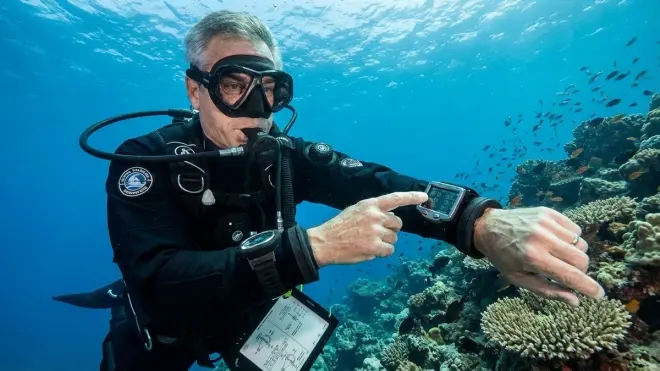
The underlying mechanism is straightforward: your dive computer's algorithm models nitrogen uptake and elimination across multiple theoretical tissue compartments. Some tissues (like blood and the central nervous system) absorb and release nitrogen quickly; others (like joints and bone) do it slowly. The computer tracks all of these simultaneously, comparing your current exposure to established safe limits.
When you're breathing air, the computer assumes a fixed nitrogen partial pressure at any given depth. At 60 feet on air, for example, you're breathing nitrogen at approximately 2.3 bar partial pressure (roughly 79% of 2.9 bar absolute pressure). But if you're breathing EAN32 at that same depth, your nitrogen partial pressure drops to about 1.97 bar—because nitrogen now represents only 68% of your breathing mix instead of 79%.
This difference has a compounding effect over the duration of your dive. Less nitrogen entering your tissues means slower saturation, which translates to longer allowable bottom times before you approach no-decompression limits. Your computer's algorithm adjusts continuously, updating your remaining no-deco time based on the specific EAN percentage you've programmed.
Most recreational computers use a variant of the Bühlmann ZHL-16C algorithm or the RGBM (Reduced Gradient Bubble Model), both of which accommodate user-defined FO₂ (fraction of oxygen) inputs. When you enter "32" into your computer's nitrox settings, you're telling it to recalculate every tissue compartment using 68% nitrogen and 32% oxygen instead of the default air ratio. The computer also begins tracking oxygen partial pressure (PO₂), because high oxygen percentages create their own toxicity risks at depth—something air divers rarely have to worry about.
Here's where it gets practical: I've been diving EAN32 for multi-dive days since the mid-1990s, back when nitrox certification was still considered exotic. On a typical three-tank reef day to 60-70 feet, the difference in accumulated nitrogen loading is substantial. Where air might give me around 40 minutes of no-deco time on the first dive, EAN32 extends that to nearly an hour. By the third dive of the day, I'm often showing 25-30 minutes of available bottom time when my air-breathing buddy is already pushing mandatory safety stops.
Your computer displays this in real time. Most modern units show current depth, elapsed dive time, remaining no-decompression time (NDL), and a running calculation of nitrogen loading across tissue groups—often represented as a bar graph or percentage. When you're in nitrox mode with a proper gas setting, those NDL numbers will be noticeably longer than they would be on air at the same depth profile.
One critical point: nitrox mode also enforces a maximum operating depth (MOD) based on oxygen toxicity limits. Most recreational computers default to a PO₂ limit of 1.4 bar during the dive phase (some allow you to set 1.6 bar for short exposures). If you're diving EAN32, your MOD is approximately 111 feet; EAN36 drops that to around 95 feet. Your computer will alarm—loudly—if you approach or exceed this depth. I've had students panic when that alarm goes off, thinking their computer malfunctioned. It didn't. It's doing exactly what it's supposed to: keeping you from oxygen toxicity convulsions.
Why Nitrox Mode Matters for Your Diving
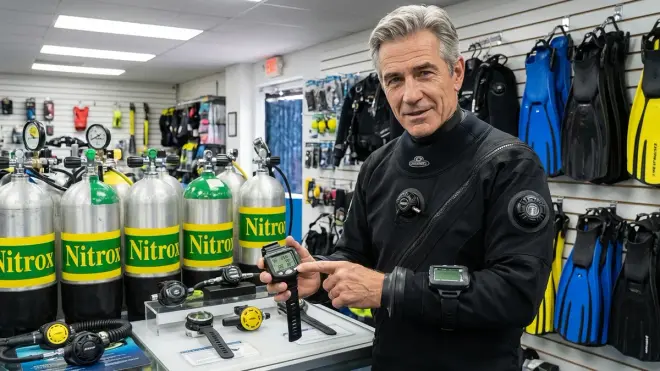
The practical significance breaks down into three categories: safety, performance, and post-dive recovery.
On the safety front, using dive computer nitrox mode correctly means your decompression calculations match your actual nitrogen exposure. This isn't theoretical—decompression sickness occurs when dissolved nitrogen forms bubbles during ascent, and those bubbles cause tissue damage. Accurate tracking matters. If you're breathing EAN32 but your computer thinks you're on air, you're being overly conservative, which is harmless but wasteful. If you're breathing air but your computer is set to EAN32, you're giving yourself credit for less nitrogen than you're actually absorbing. That's how people get bent.
I've responded to two DCS incidents in my career where the diver later admitted they'd either forgotten to set their computer to nitrox or hadn't bothered because "it was just a shallow reef dive." Both ended up in the chamber. One required three recompression treatments and missed a month of work. Don't be that person.
Performance-wise, nitrox mode unlocks longer bottom times and shorter surface intervals on repetitive dive days. If you're paying for a charter with three or four dives, that extra 10-15 minutes per dive adds up. I log this constantly on wreck trips: the photographers shooting on EAN32 get an extra pass through the interior while the air divers are already ascending to their safety stops. It's not a minor difference—it fundamentally changes how you can structure your dive plan.
The post-dive recovery angle is harder to quantify but impossible to ignore after a few thousand dives. Reduced nitrogen loading means less micro-bubble formation, which anecdotally translates to less fatigue, fewer headaches, and generally feeling better after a long dive day. This isn't scientifically proven the way NDL calculations are, but I'll tell you this: I'm in my sixties, I've been diving since Carter was president, and I genuinely notice a difference in how I feel after a day on nitrox versus a day on air. Whether that's reduced nitrogen, placebo effect, or simply the discipline that comes with proper gas management, I don't particularly care—it works.
Types of Nitrox Mode Settings and Variations
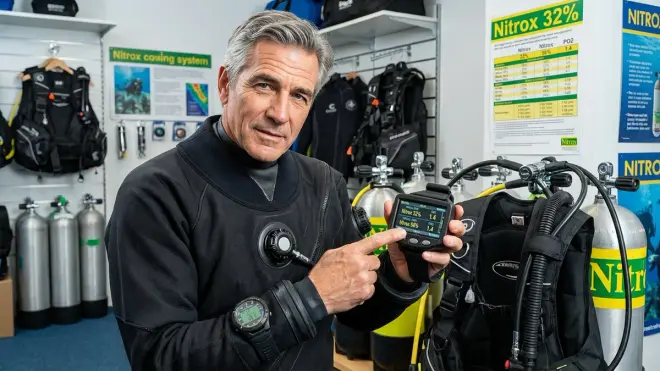
Not all dive computers handle nitrox mode the same way. Understanding the differences helps you avoid confusion when you're standing on a dive deck trying to set your gas mix while the boat's already pulling anchor.
Single-gas nitrox computers are the standard recreational setup. You input one EAN percentage before the dive—typically EAN32 or EAN36—and the computer uses that value for all calculations throughout the dive. This is what you'll find on most entry-level to mid-range recreational computers. Models like the Suunto Zoop Novo, Cressi Leonardo, and Mares Puck Pro all function this way. It's simple: set your FO₂, dive, surface, reset if you're changing gases on the next dive.
Multi-gas computers allow you to program two or more gas mixtures and switch between them during a dive. This is where you start crossing into technical diving territory. A typical recreational example might be starting a dive on EAN32 at depth, then switching to EAN50 during your ascent and safety stop to accelerate off-gassing. The computer recalculates your decompression status in real time when you signal a gas switch. Shearwater Perdix, Garmin Descent series, and higher-end Suunto models offer this capability. If you're only doing recreational single-tank dives, you'll never need this—but if you're progressing toward deco diving or extended-range wreck penetration, it becomes essential.
Air-integrated nitrox mode is worth mentioning separately. Some computers with wireless transmitter integration can pull your tank pressure and calculate gas time remaining (GTR) based on your current consumption rate and remaining gas supply. When you're in nitrox mode, this calculation adjusts for the specific gas you're breathing. It's a convenience feature more than a necessity, but if you're using how to read a dive computer display already shows you tank pressure, having GTR adapt to your nitrox mix prevents you from mentally doing the math.
Conservative factor adjustments are another variable. Some computers allow you to add conservatism to your nitrox calculations—essentially padding your safety margin by treating your EAN32 as if it were EAN30, for example. I've seen this feature marketed as a safety enhancement, and while it's not harmful, I think it misses the point. If you're already breathing a more conservative gas (nitrox instead of air), adding algorithmic padding on top of that is usually overkill unless you have specific risk factors like age, obesity, or a history of DCS.
One last variation: altitude adjustment in nitrox mode. If you're diving at elevation—say, Lake Tahoe at 6,200 feet—your computer needs to adjust for both reduced atmospheric pressure and your nitrox mix. Most modern computers handle this automatically when you enable altitude mode, but older units required manual input. I mention this because I've seen divers activate nitrox mode at altitude and panic when their MOD seemed absurdly shallow. The math is correct—your allowable oxygen partial pressure doesn't change with altitude, but the depth at which you reach it does.
Frequently Asked Questions
Do I need to activate nitrox mode if I'm only diving EAN32 occasionally?
Yes, you need to activate dive computer nitrox mode every single time you're breathing anything other than standard air, regardless of how shallow the dive or how infrequently you use nitrox. Your computer's decompression algorithm calculates nitrogen loading based on the gas mixture you tell it you're breathing—there's no automatic detection. If you skip this step and dive EAN32 with your computer set to air, you're accepting nitrogen loading credit that doesn't reflect reality, which increases your DCS risk. I've seen people rationalize this by saying "it's just a 40-foot reef dive," but decompression illness doesn't care about your depth—it cares about your total nitrogen exposure over time and your ascent profile. Set your computer correctly, every time, no exceptions.
Can I leave my dive computer in nitrox mode all the time?
No, you should reset your computer to air mode (21% O₂) whenever you're diving standard air. Leaving it set to EAN32 when you're breathing air gives you artificially inflated no-decompression limits, which means you'll absorb more nitrogen than your computer thinks you are. This is backward from the safe direction—you're eroding your safety margin rather than padding it. The only scenario where leaving nitrox mode active makes sense is if you're diving nitrox exclusively for an extended period, like a week-long liveaboard where every tank is filled with EAN32. Even then, verify your mix with an oxygen analyzer before every dive and confirm your computer setting matches.
What happens if I exceed the maximum operating depth in nitrox mode?
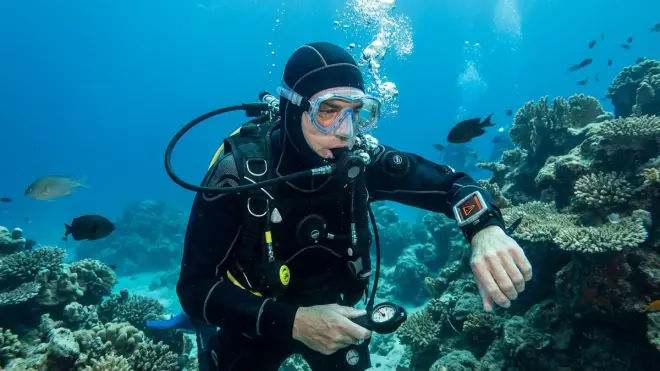
Your computer will trigger an audible and visual alarm when you approach the maximum operating depth (MOD) for your programmed gas mixture, which is calculated based on a PO₂ limit—typically 1.4 bar for recreational diving. If you continue descending past the MOD, you're entering oxygen toxicity risk territory, which can cause convulsions, unconsciousness, and drowning. Most computers will continue tracking your dive data but will display persistent warnings. Some models lock you out from future dives until a specified surface interval has passed. The alarm is not a suggestion—it's a hard safety limit based on physiology, not conservatism. If you're routinely hitting MOD alarms, you're either diving too deep for your gas mix or you've set your computer incorrectly. Neither is acceptable.
Does nitrox mode affect my surface interval calculations?
Yes, your computer's surface interval calculations adjust based on the residual nitrogen remaining in your tissues, which is lower when you've been diving nitrox. This means you'll generally have shorter required surface intervals between dives when using enriched air compared to diving air with the same depth profile. Your computer continuously models nitrogen off-gassing during surface intervals, and when you begin your next dive, it loads the appropriate residual nitrogen value into its tissue compartment calculations based on what you were breathing previously. This is one of the major advantages of nitrox for multi-dive days—you not only get longer bottom times, but you also spend less time sitting on the boat between dives waiting for your nitrogen levels to drop to safe repetitive dive thresholds.
Can I use nitrox mode with a rental dive computer?
Yes, nearly all rental dive computers manufactured in the past decade include user-adjustable nitrox mode—it's become a standard feature even on budget models. Before splashing, confirm with the dive shop or boat crew that the rental computer supports nitrox and ask them to show you how to access the gas setting menu if you're unfamiliar with that specific model. Every manufacturer uses different button combinations and menu structures, so what works on your Suunto vs Shearwater computer won't necessarily translate to the rental unit. Write down the gas percentage you analyzed in your tank and double-check that your computer display shows the same FO₂ before you enter the water. Don't assume the previous renter reset it to air mode—verify it yourself.
Summary
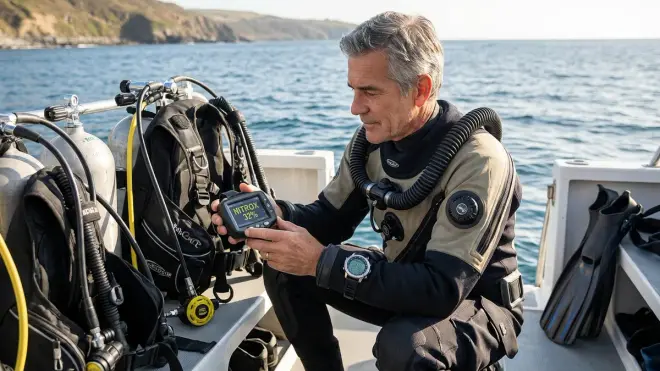
Dive computer nitrox mode isn't an advanced feature or an optional convenience—it's a fundamental safety requirement any time you're breathing enriched air. Your computer's decompression algorithm depends on accurate gas mixture data to calculate nitrogen loading, no-decompression limits, and oxygen toxicity risks. Set it wrong or ignore it entirely, and you're either wasting the benefits nitrox provides or—far worse—diving with incorrect safety calculations that put you at risk for decompression sickness.
I've been breathing nitrox for nearly thirty years, and I've watched the feature evolve from clunky add-on modes on early digital computers to seamless, intuitive settings on modern wrist units. The technology has gotten better, but the underlying principle hasn't changed: your computer needs to know what you're breathing. Take the thirty seconds before every dive to verify your gas mix with an analyzer, set your computer to match, and confirm the MOD makes sense for your planned depth. That simple habit will keep you safer, extend your bottom time, and let you get the most out of every dive. If you're still diving air exclusively, that's fine—but the moment you decide to try nitrox, make sure you understand how to choose a dive computer that handles gas switching cleanly and learn the specific menu path for your model. Your tissues will thank you for it.