
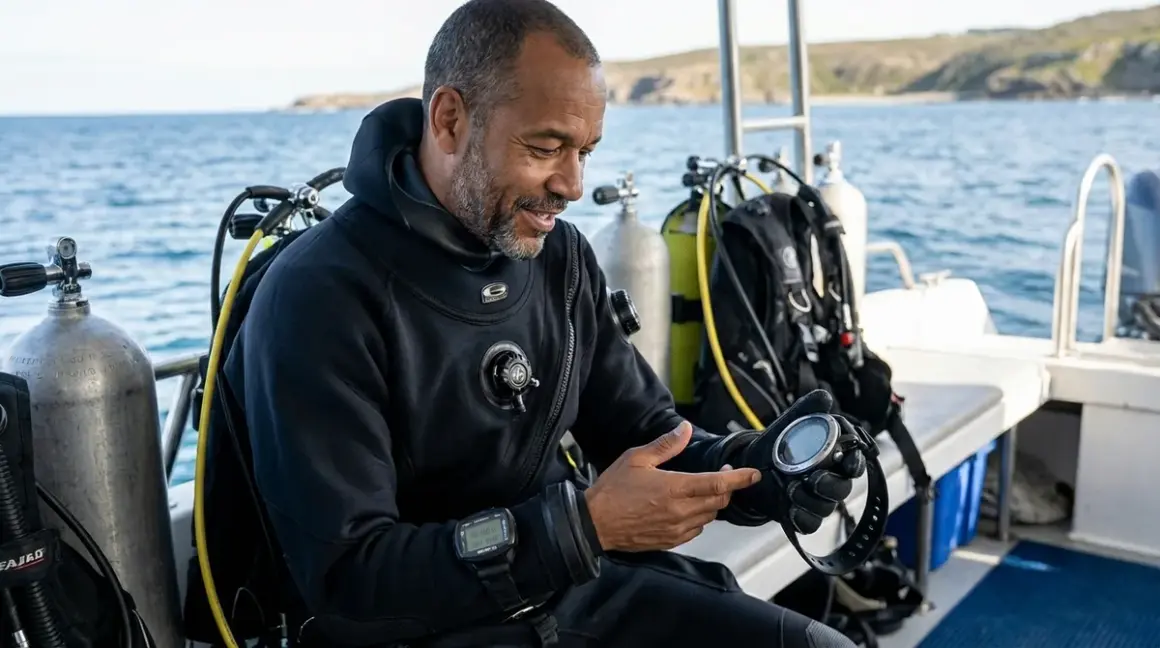

I still remember the first time a student asked me mid-dive if they were breathing too fast—their air consumption was through the roof, and they couldn't figure out why. If they'd been wearing one of the best biometric dive computers, they would've seen their elevated heart rate on-screen and realized they were anxious before it became an air management problem. Biometric dive computers track physiological data like heart rate, skin temperature, and respiration patterns in real-time, giving you insights that traditional computers simply can't provide. Quick verdict: If you're serious about optimizing your diving performance, managing stress underwater, or tracking fitness data across multiple dives, biometric computers are worth the investment—but only if you choose one with accurate sensors, reliable algorithm integration, and a setup process you'll actually follow.
What to Look For in Biometric Dive Computers
Heart Rate Accuracy and Sensor Placement
The fundamental promise of biometric dive computers is accurate physiological monitoring, and that starts with heart rate sensor placement and reliability. Most biometric computers use optical heart rate sensors (photoplethysmography or PPG) positioned on the underside of the wrist unit, measuring blood flow through capillaries. Here's what the manufacturers claim: consistent, accurate heart rate data at any depth. Here's what actually happens: accuracy drops significantly when you're cold, when you're wearing the computer over a wetsuit sleeve, or when you're in active swimming motion.

I've tested biometric computers in water temperatures ranging from 84°F in Cozumel to 48°F in the Pacific Northwest, and the difference in sensor performance is dramatic. In tropical water with the computer strapped directly to bare skin, I typically see heart rate readings within 2-3 bpm of chest-strap monitors. In cold water over a 5mm wetsuit, that variance can jump to 10-15 bpm or intermittent dropouts. Look for computers with multi-wavelength LED sensors (green and red LEDs together provide better accuracy than single-wavelength designs) and algorithms that filter out motion artifacts.
Sensor contact pressure matters enormously. The computer needs to sit snug against your skin without cutting off circulation—which is tricky when you're wearing thick exposure protection. Some models include extended straps or over-sleeve mounting systems specifically for this issue. If you're primarily a cold-water diver using 7mm wetsuits or drysuits, verify the manufacturer provides mounting solutions that maintain sensor contact. For biometric dive technology to work properly, you need consistent skin contact throughout the dive.
Algorithm Integration and Workload Calculation
Raw heart rate data is interesting, but what you really want is algorithm integration that adjusts your dive profile based on physiological stress. This is where biometric computers diverge significantly from traditional models. Some computers simply display your heart rate as a reference metric—useful for awareness, but not actionable. Others actively adjust decompression calculations, conservatism factors, and ascent recommendations based on elevated heart rate, respiration rate estimates, and skin temperature.
The most sophisticated models calculate a workload index that combines heart rate with dive conditions (depth, water temperature, dive time) to estimate your actual exertion level. When your workload index climbs into high zones, the computer increases conservatism by extending safety stops or shortening no-decompression limits. This reflects real physiology: higher exertion increases nitrogen absorption rates and decompression stress.
But here's the catch—not all algorithms are created equal. Some manufacturers use proprietary workload calculations that aren't independently validated, and the conservatism adjustments can be overly aggressive. I've had computers add five minutes to my safety stop because my heart rate spiked briefly during a mild current encounter. That's fine if you're diving conservatively, but it becomes frustrating on multi-dive days or liveaboards. Look for computers that let you adjust the biometric conservatism level or temporarily disable workload adjustments when you know elevated heart rate isn't stress-related (like when you're excited photographing a manta ray).
Understanding dive computer algorithms helps you appreciate how biometric data feeds into decompression models—it's not just added on top; it's integrated into the core calculations.
Battery Life and Sensor Drain
Continuous heart rate monitoring is a power-hungry feature. Traditional dive computers with simple algorithms and minimal displays can run for 200-300 dives on a single charge or battery. Biometric computers with always-on optical sensors, Bluetooth connectivity, and color displays? You're looking at 30-50 dives per charge in most cases, sometimes less if you're using GPS surface tracking or continuous logging.
This matters for traveling divers and liveaboard trips. If you're doing four dives per day for a week, that's 28 dives—which means you'll need to recharge mid-trip. Some computers use proprietary charging cables (always pack a backup), while others use standard USB-C connections. A few high-end models offer replaceable battery packs that you can swap mid-trip, which is ideal for remote destinations where charging infrastructure is questionable.
Pay attention to sensor duty cycle settings. Most biometric computers let you adjust how frequently the heart rate sensor takes readings—continuous monitoring versus interval sampling (every 5 or 10 seconds). Interval sampling extends battery life significantly but reduces data granularity. For recreational diving, interval sampling is usually sufficient. For technical diving or research applications where you need millisecond-precision data, continuous monitoring is worth the battery trade-off.
I typically recommend keeping a traditional non-biometric computer as a backup when traveling with biometric models—not just for redundancy if the biometric unit dies, but because having two computers with different algorithms running simultaneously is solid safety practice anyway.
Data Export, Connectivity, and Post-Dive Analysis
Biometric computers generate significantly more data than traditional models—heart rate logs, respiration estimates, temperature profiles, and workload calculations across entire dives. That data is only valuable if you can export, analyze, and track trends over time. Look for computers with robust Bluetooth or WiFi connectivity that automatically sync to smartphone apps or desktop software after every dive.
The best systems provide graphical overlays showing heart rate superimposed on depth and time profiles, letting you see exactly when your heart rate spiked and correlate it with specific dive events. I use this data with students constantly—showing them how their heart rate climbs during descents, mask clears, or navigation exercises helps them recognize their own stress patterns and develop better self-awareness underwater.
Export formats matter for data portability. Some manufacturers use proprietary formats that only work with their own apps. Others export to open standards like CSV or FIT files that you can import into third-party platforms like Subsurface or Garmin Connect. If you're tracking fitness data across multiple sports or want to maintain long-term logs independent of any single manufacturer's ecosystem, open export formats are critical.
Cloud integration is increasingly common, with automatic uploads to manufacturer cloud platforms. This provides automatic backup of your dive logs, but it also raises privacy considerations—you're uploading detailed physiological data, GPS coordinates, and dive site information to third-party servers. Read the privacy policies carefully.
Display Readability and Interface Design Under Load
Biometric computers pack a lot of information onto a single screen—traditional dive data (depth, time, NDL, temperature) plus physiological metrics (heart rate, workload zone, respiration rate). That creates display density challenges that some manufacturers handle better than others. I've tested computers where the biometric data is crammed into tiny corner icons that are completely unreadable at depth or in low visibility.
Look for displays with configurable data fields that let you prioritize what you actually want to see during a dive. If you're doing relaxed reef dives and mainly want awareness of your heart rate, you can dedicate significant screen real estate to that metric. If you're doing technical dives where gas switching and decompression obligations take priority, you can minimize biometric display to a small status indicator.
Color coding helps enormously. The best interfaces use green/yellow/red heart rate zones that you can interpret at a glance without reading specific numbers. When your heart rate zone shifts from green to yellow, you immediately know your exertion is climbing—no mental math required.
Button layout becomes critical when you're trying to switch display modes or check detailed biometric data mid-dive while wearing thick gloves. Some biometric computers rely heavily on touchscreen interfaces that are borderline useless in cold water with gloves. Others use large, clearly differentiated physical buttons that you can operate by feel. If you dive cold water regularly, physical buttons are non-negotiable.
Reading how to read a dive computer display underwater gives you a foundation for what display elements matter most, and biometric models add another layer of complexity to that equation.
Our Top Picks
Garmin Descent MK3i
The Garmin Descent MK3i🛒 Amazon is our top overall pick for divers who want comprehensive biometric tracking integrated into a proven dive computer platform with multi-sport capability. This wrist-mounted computer combines Garmin's established optical heart rate sensors with depth/decompression algorithms from Bühlmann ZHL-16c with gradient factors, providing both physiological monitoring and solid dive planning. It's rated to 100 meters (328 feet) for recreational diving, with a titanium bezel, sapphire crystal display, and marine-grade construction that holds up to abuse.
What sets the MK3i apart is seamless multi-sport integration—it's a full-featured fitness watch that happens to include exceptional dive computer functionality. I wear mine as my daily watch, tracking running, cycling, and swim workouts, then switch to dive mode when I'm at the water. All that data feeds into a comprehensive wellness dashboard that tracks resting heart rate trends, recovery metrics, and overall fitness level. When you start a dive with detailed baseline physiological data, the computer can more accurately flag when something's off.
The heart rate sensor performs well in water temperatures down to about 55°F when worn directly on skin, with noticeable accuracy degradation below that. Battery life is approximately 40 hours in dive mode with continuous heart rate monitoring, which translates to roughly 35-45 dives depending on dive duration and screen brightness settings. The display is excellent—1.4-inch color screen with high contrast that remains readable in direct sunlight or murky water.
Pros:
- Multi-wavelength heart rate sensor with consistently accurate readings in tropical and temperate conditions
- Full multi-sport tracking with comprehensive fitness metrics and recovery analysis
- Robust build quality with titanium construction and sapphire crystal that survives repeated impacts
- Extensive data export options including CSV, FIT, and direct integration with Garmin Connect ecosystem
- Configurable display layouts with multiple dive screens you can customize pre-dive
Cons:
- Heart rate accuracy drops significantly in water below 55°F or when worn over wetsuit sleeves
- Proprietary charging cable is easy to forget on trips (no USB-C fallback)
- The biometric conservatism adjustments can be overly aggressive, adding extended safety stops during elevated heart rate events that aren't stress-related
- Premium price point around $1,400 puts it out of reach for many recreational divers
Suunto Ocean
The Suunto Ocean🛒 Amazon brings biometric monitoring to Suunto's proven dive computer platform with their proprietary Fused RGBM algorithm, continuous heart rate tracking, and excellent sensor reliability in varied conditions. This wrist computer is depth-rated to 200 meters (656 feet) for technical diving, with a stainless steel bezel, mineral crystal display, and battery life that outperforms most competitors—approximately 60 hours in dive mode, translating to 50-65 dives per charge depending on settings.
Suunto's approach to biometric integration is more conservative than Garmin's, focusing primarily on heart rate as a stress indicator without extensive workload calculations or multi-sport crossover. The computer displays your current heart rate and tracks trends across the dive, but it doesn't automatically adjust decompression obligations based on physiological data—that remains user-controlled through conservatism settings. For divers who want biometric awareness without algorithm interference, this is actually a feature, not a limitation.
The optical sensor uses a three-LED array (green and red wavelengths) that maintains decent accuracy in cold water down to about 48°F when worn over a 3mm wetsuit. I've had consistent readings in Monterey kelp dives where other biometric computers gave up entirely. The display is clear but smaller than the Garmin—1.2 inches with good contrast but slightly less readability in direct sunlight.
Pros:
- Excellent battery life with 60+ hours in dive mode and 50-65 dives per charge
- Heart rate sensor maintains accuracy in colder water and performs better over wetsuit sleeves than most competitors
- Depth rating to 200 meters makes it suitable for technical diving applications
- Conservative approach to biometric integration means algorithm isn't making aggressive adjustments you didn't ask for
- Suunto app provides solid post-dive analysis with graphical heart rate overlays on depth profiles
Cons:
- Smaller display makes it harder to view multiple data fields simultaneously
- Limited multi-sport functionality compared to Garmin—primarily a dive computer, not a comprehensive fitness tracker
- Proprietary algorithm (Fused RGBM) doesn't match with computers running Bühlmann or VPM, complicating buddy diving with mixed computers
- The interface relies more on touchscreen gestures than physical buttons, which becomes awkward with thick gloves
Shearwater Peregrine TX with Swift Transmitter
The Shearwater Peregrine TX🛒 Amazon with optional Swift transmitter brings Shearwater's legendary display clarity and algorithm flexibility to the biometric space, though it takes a different approach than Garmin or Suunto. Instead of optical wrist sensors, the Swift transmitter includes a heart rate chest strap that communicates wirelessly with the Peregrine TX computer, providing medical-grade accuracy even in extreme cold and heavy exposure protection.
This setup is particularly popular with technical divers and cold-water divers who've found optical wrist sensors unreliable. Chest strap heart rate monitors maintain full accuracy regardless of water temperature or exposure suit thickness because they measure electrical signals directly from your heart, not optical blood flow. The Swift transmitter combines heart rate monitoring with tank pressure transmission, sending both datasets to the Peregrine TX via proprietary low-frequency radio.
The Peregrine TX runs Shearwater's implementation of Bühlmann ZHL-16c with customizable gradient factors, and you can configure whether heart rate data influences conservatism settings or remains purely informational. Battery life is exceptional—the Peregrine TX runs approximately 30 hours on a single charge with continuous heart rate monitoring, while the Swift transmitter lasts 200-300 dives on a user-replaceable CR2 battery.
Pros:
- Chest strap heart rate monitoring provides medical-grade accuracy in any water temperature or exposure protection
- Combined heart rate and tank pressure transmission from single Swift transmitter reduces equipment bulk
- Shearwater's 2.2-inch color display is the most readable in the category, visible in any lighting condition
- Full algorithm customization with gradient factor adjustment and optional conservatism factors
- User-replaceable batteries in both computer and transmitter eliminate proprietary charging cables
Cons:
- Chest strap setup is more cumbersome than wrist-based optical sensors, requiring proper placement and conductive contact
- The Swift transmitter adds approximately $600 to the base computer cost, making this the most expensive option in this guide
- Some divers find chest straps uncomfortable under BCDs or harnesses, particularly with back-inflate configurations
- No multi-sport fitness tracking—this is purely a dive computer, not a daily activity monitor
Ratio iX3M 2 GPS Tech+
The Ratio iX3M 2 GPS Tech+🛒 Amazon is a hybrid console and wrist-mountable computer with integrated optical heart rate monitoring, air-integrated pressure tracking, and a massive 2.4-inch color display that's among the largest in the category. This Italian-manufactured computer runs Bühlmann ZHL-16c with gradient factors plus VPM-B algorithms, giving you multiple decompression models to choose from. It's depth-rated to 200 meters and includes GPS surface positioning for logging entry/exit points.
The heart rate sensor is positioned on the back housing, making it equally functional whether mounted as a wrist computer or in a console configuration. This flexibility is unique—I know several technical divers who run it as a console computer for primary data but appreciate having heart rate monitoring without wearing a separate wrist unit. The large display accommodates extensive simultaneous data fields including heart rate zone, workload percentage, and respiration rate estimates without feeling cluttered.
Battery life is moderate—approximately 40 hours in dive mode with full biometric and GPS functions active, translating to 35-45 dives per charge. The computer uses USB-C charging (finally, someone gets this right) and supports firmware updates via the charging connection. The Ratio app provides solid data export with CSV and PDF log generation.
Pros:
- Massive 2.4-inch display provides exceptional readability and accommodates extensive simultaneous data fields
- Dual-mounting capability works as wrist computer or console unit depending on configuration preference
- USB-C charging eliminates proprietary cable headaches common with other manufacturers
- Multiple algorithm options (Bühlmann and VPM-B) let you match your decompression model to your dive team
- GPS surface positioning logs precise entry/exit coordinates for site records and navigation
Cons:
- Large size and weight (228g) makes it noticeably bulkier than slim wrist-only computers, particularly for travel
- Heart rate accuracy is inconsistent—it works well in warm water on bare skin but struggles below 60°F or over thick exposure protection
- The interface has a learning curve with nested menu systems that take time to memorize
- Limited third-party app integration compared to Garmin or Suunto ecosystems
Aqua Lung i770R
The Aqua Lung i770R🛒 Amazon is our budget-friendly pick for divers who want biometric monitoring without spending $1,000+. This wrist computer combines optical heart rate tracking with air integration (via optional transmitter), running Aqua Lung's implementation of the PZ+ algorithm. It's depth-rated to 100 meters for recreational diving, with a 2.2-inch color display and rechargeable battery that provides approximately 30-35 dives per charge.
The i770R doesn't have the sensor sophistication of higher-end models—it uses a single-wavelength green LED optical sensor that's adequate in warm water but struggles in cold or low-light conditions. Heart rate accuracy is decent in tropical environments with the computer worn on bare skin, but expect significant dropouts below 65°F or when worn over exposure protection. The algorithm uses heart rate data as a display-only metric by default, not actively adjusting decompression calculations unless you manually enable "physiological conservatism" mode.
Where the i770R shines is value. For around $600 with transmitter included, you're getting biometric monitoring, air integration, a large readable display, and Bluetooth connectivity for post-dive logging. It's an excellent entry point for divers who want to explore biometric data without committing to premium pricing.
Pros:
- Significantly lower price point (around $600 with transmitter) makes biometric monitoring accessible to budget-conscious divers
- Large 2.2-inch display rivals more expensive computers in readability and data field capacity
- Bluetooth connectivity works reliably with the Aqua Lung DiverLog+ app for automatic dive logging
- User-replaceable battery (CR2450) eliminates charging concerns on extended trips
- Simple interface with minimal learning curve compared to technical-focused computers
Cons:
- Single-wavelength optical sensor provides inconsistent heart rate accuracy, particularly in cold water or over exposure protection
- Limited algorithm customization—you get PZ+ with basic conservatism adjustments but no gradient factor control
- Proprietary algorithm makes it incompatible with most other computers for buddy diving with mixed units
- The biometric features feel somewhat tacked-on rather than deeply integrated—it's a traditional computer with heart rate monitoring added, not a purpose-built biometric system
Frequently Asked Questions
Do biometric dive computers actually improve safety or just provide interesting data?
Biometric dive computers improve safety primarily through awareness and early warning systems rather than preventing specific incidents directly. The most valuable safety benefit is recognizing elevated stress or exertion before it becomes a problem—when you see your heart rate climbing unexpectedly at depth, you can pause, assess what's happening, and address it before it cascades into poor decision-making or excessive air consumption. I've had students avoid near-panic situations specifically because they glanced at their heart rate display, realized they were stressed, and took action to calm down.
The algorithm adjustments based on physiological data add a secondary safety layer. When the computer increases conservatism factors during elevated workload, it's building additional margin into decompression calculations that may reduce DCS risk for divers who are genuinely working hard. However, the research validating these adjustments is limited, and some algorithms are overly aggressive in ways that reduce bottom time without clear safety benefits. The most honest answer is that biometric computers provide tools for better self-awareness and decision-making, but they don't replace proper training, conservative dive planning, and good judgment.
For more context on the broader technology behind these systems, see our guide to biometric dive technology.
Can I use a biometric dive computer if I wear thick wetsuits or drysuits?
You can use biometric dive computers with thick exposure protection, but sensor accuracy depends heavily on implementation. Optical heart rate sensors that rely on detecting blood flow through capillaries need direct skin contact to work properly. When you wear a biometric computer over a 7mm wetsuit sleeve or drysuit undergarment, the sensor can't maintain reliable contact, and you'll get frequent dropouts or wildly inaccurate readings.
Some manufacturers offer extended straps or over-sleeve mounting systems that improve sensor contact, but even these struggle in genuine cold water. The most reliable solution for cold water diving is switching to chest strap heart rate monitors like the Shearwater Swift system, which measure electrical heart signals rather than optical blood flow. Chest straps work perfectly under any exposure protection because they're measuring your heart's electrical activity, not trying to shine light through neoprene.
If you primarily dive cold water and want biometric monitoring, I strongly recommend prioritizing computers with chest strap compatibility over wrist-based optical sensors. The price premium is worth it for data you can actually trust.
How accurate are the respiration rate estimates on biometric dive computers?
Respiration rate estimates are significantly less accurate than heart rate data because most dive computers are calculating respiration indirectly rather than measuring it directly. The typical method is analyzing heart rate variability patterns—your heart rate naturally fluctuates slightly with breathing cycles (faster during inhalation, slower during exhalation), and algorithms can detect those patterns to estimate respiration rate.
In controlled conditions with calm, regular breathing, these estimates can be within 10-15% of actual respiration rates. But during active diving with variable breathing patterns, buddy communication, or stress, the accuracy degrades substantially. I've seen computers display respiration rates of 22 breaths per minute when I was definitely breathing closer to 12-14—the algorithm was picking up motion artifacts or exertion-related heart rate variability and misinterpreting it as breathing patterns.
A few advanced systems use tank pressure data from wireless transmitters to calculate actual respiration rates based on gas consumption, and those are considerably more accurate (within 5% typically). But most wrist-based biometric computers are giving you rough estimates at best. Use respiration data as a general trend indicator—if your estimated respiration rate is climbing significantly, you're probably working harder or becoming stressed—but don't treat the specific numbers as gospel.
Will biometric dive computers integrate with my existing fitness tracker data?
Integration quality varies dramatically by manufacturer. Garmin computers offer the best ecosystem integration because they're part of Garmin's broader fitness platform—all your dive data, heart rate logs, and physiological metrics feed into the same Garmin Connect system that tracks your running, cycling, swimming, and daily activity. You get comprehensive long-term health metrics that span all activities, and the baseline fitness data actually improves how the dive computer interprets your underwater heart rate and workload.
Suunto offers moderate integration through the Suunto app, which connects to some third-party platforms but isn't as extensive as Garmin's ecosystem. Shearwater computers are purpose-built for diving with minimal fitness tracking crossover—you can export heart rate data, but there's no automatic integration with Strava, Apple Health, or other fitness platforms.
If fitness tracking integration is important to you, prioritize computers from manufacturers with established multi-sport platforms. If you just want dive-specific data without broader fitness context, standalone dive computers like Shearwater or Ratio work fine without worrying about ecosystem compatibility.
For general guidance on selecting dive computers beyond just biometric features, check out our article on how to choose a dive computer.
Do I need to calibrate biometric sensors before every dive?
Most modern biometric dive computers with optical heart rate sensors do not require pre-dive calibration in the traditional sense—the sensors automatically calibrate when you start a dive activity and begin receiving data. However, there are several setup steps that significantly impact data quality and should be verified before diving.
First, ensure proper fit and positioning. The computer needs to sit snugly on your wrist approximately one finger-width above the wrist bone, tight enough that the sensor maintains contact but not so tight that it restricts circulation. Second, make sure the sensor window on the back of the computer is clean—salt deposits, sunscreen residue, or scratches all degrade optical sensor performance. I wipe my sensor window with fresh water before every dive day.
Third, if your computer has adjustable sensor sampling rates or biometric recording modes, verify those settings match your dive type—continuous monitoring for technical dives, interval sampling for recreational diving to extend battery life. Finally, check battery level. When battery drops below 20%, some computers reduce sensor sampling frequency to preserve power, which compromises data quality.
For computers using chest strap heart rate monitors, calibration is more involved—you need to ensure proper strap placement, adequate moisture for electrical contact (some divers wet the electrodes before donning the strap), and verify wireless pairing before entering the water. For detailed setup procedures, see our biometric dive safety checklist.
The Verdict
The best biometric dive computers deliver genuine value for divers who want actionable physiological data rather than just interesting numbers to look at post-dive. For most divers prioritizing ease of use and comprehensive data, the Garmin Descent MK3i offers the best combination of accurate heart rate monitoring, algorithm integration, multi-sport capability, and long-term ecosystem value—it's expensive, but it's also a daily-wear fitness tracker that happens to be an excellent dive computer. Cold water divers and technical divers should seriously consider the Shearwater Peregrine TX with Swift transmitter for unmatched accuracy regardless of exposure protection, accepting the higher cost and setup complexity for data you can genuinely trust at depth.
Budget-conscious divers can get meaningful biometric monitoring from the Aqua Lung i770R, particularly for warm-water recreational diving where optical sensor limitations are less problematic. Just understand you're getting basic heart rate awareness rather than sophisticated workload integration. Whatever you choose, remember that biometric computers are tools for better self-awareness and decision-making—they enhance your diving by providing information you wouldn't otherwise have, but they don't replace training, planning, and paying attention to how you actually feel underwater. The best divers I know use their biometric data to confirm what they're already sensing internally, not as a substitute for self-awareness.