

I still remember the heartbreak of surfacing after my first night dive in Belize, absolutely buzzing with excitement to see my photos—only to discover every single shot looked like an underwater snowstorm. Those weren't magical bioluminescent particles I'd captured. That was backscatter underwater photography's most frustrating problem, and I had no idea what caused it or how to fix it. If you've ever scrolled through your dive photos and wondered why they're filled with bright white spots that ruin otherwise amazing shots, you're dealing with the same issue that plagued my early attempts at underwater photography and video. Let me walk you through what backscatter actually is and, more importantly, how to avoid it.
What Is Backscatter in Underwater Photography?
Backscatter is those annoying bright spots that appear in your underwater photos, looking like floating orbs, specks, or streaks of light scattered throughout your image. It happens when your camera's flash or strobe illuminates tiny particles suspended in the water—things like plankton, sand particles, silt, algae, or other microscopic debris—and that light reflects directly back into your camera lens.

Think of it like trying to take a photo during a snowstorm with your car's high beams on. The light bounces off all those snowflakes right in front of you, creating a wall of bright spots that obscure everything beyond them. That's exactly what's happening underwater with backscatter underwater photography issues.
The ocean is never truly clear—there's always something floating in the water column, even on the clearest Caribbean reef dives. Most of the time, these particles are invisible to our eyes because they're so small or transparent. But the moment you blast them with a powerful strobe or flash positioned close to your camera lens, they light up like tiny mirrors, completely overwhelming the actual subject you're trying to photograph.
I didn't understand this concept until my dive instructor in Caye Caulker explained that underwater visibility and photo clarity are two completely different things. You can have what looks like incredible 30-meter visibility to your eye, but still end up with backscatter-filled images if you're using your lighting wrong.
How Backscatter Works: The Science Behind Those Annoying Spots
The physics behind backscatter is actually pretty straightforward once you break it down, and understanding it completely changed how I approached my underwater photography camera settings.
Here's what happens: When you fire your camera's flash or strobe, light travels outward from the source in all directions. Any particle between your light source and your subject—and there are millions of them in every cubic meter of seawater—can reflect that light. The particles closest to your camera lens receive the most intense light and reflect it most directly back toward the lens, appearing as bright, out-of-focus spots in your final image.
The closer your light source is to your camera lens, the worse this problem becomes. This is why compact cameras with built-in flashes are notorious for creating backscatter. The flash sits maybe two inches from the lens, creating the perfect angle for light to bounce off particles straight back into the camera. It's like pointing your headlights straight ahead while driving through fog—you're just illuminating the problem.
The particles that cause backscatter are typically between 0.5mm and 5mm in size—small enough that you might not notice them while diving, but large enough to reflect significant light. According to NOAA, ocean water contains countless suspended particles including phytoplankton, zooplankton, sediment, and organic matter, all of which can contribute to backscatter.
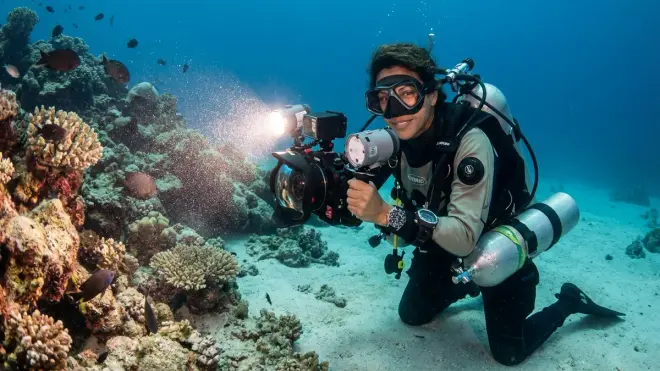
The angle of illumination is critical here. When your strobe fires perpendicular to your lens axis—meaning the light travels outward at an angle rather than straight ahead—particles are still illuminated, but the reflected light bounces off at an angle that misses your lens entirely. The light that does reach your subject then reflects back to your camera along a different path, one that doesn't pass through the same illuminated particle field.
There's also a depth factor involved. I've noticed way more backscatter in shallow reef zones (3-10 meters) where wave action stirs up particles, compared to deeper walls where the water tends to be calmer and clearer. Surge and current also make this worse by keeping particles suspended in the water column.
Temperature layers can concentrate particles too. I learned this the hard way during a cenote dive where I kept dropping through the halocline (the boundary between fresh and salt water) and stirring up particles that hung there like a cloud. My photos from that dive looked like I'd photographed a galaxy instead of a cavern.
Why Backscatter Matters to Your Underwater Photography
If you're investing time, money, and effort into capturing underwater memories, backscatter is one of the fastest ways to ruin shots that could've been incredible. I've had photos of nurse sharks, spotted eagle rays, and beautiful coral formations completely ruined because I didn't understand how to manage this issue.
Backscatter reduces image clarity and sharpness by creating visual noise that distracts from your subject. Instead of seeing the details in a seahorse's texture or the vibrant colors of a reef scene, the viewer's eye is drawn to dozens of bright spots floating in the foreground. It cheapens the overall look of your images and makes them appear amateurish—trust me, I know because my early attempts definitely had that problem.
For newer photographers like me, it's also incredibly frustrating and discouraging. You're already dealing with buoyancy control challenges, finicky camera settings, and the limited bottom time to get your shots. Coming back from a dive with an entire memory card of backscatter-ruined photos makes you question whether underwater photography is even worth pursuing.
From a practical standpoint, heavy backscatter is almost impossible to fix in post-processing. Unlike color correction issues that you can address with white balance adjustments, backscatter spots are baked into your image. You can clone-stamp out a few spots if you're patient, but when you've got 50+ particles scattered across your frame, editing becomes a nightmare. I tried this once and gave up after 20 minutes on a single photo.
The good news? Once you understand what causes backscatter underwater photography problems, avoiding it becomes much easier. Small adjustments to your technique—which I'll cover in the FAQ section—can dramatically improve your results.
Types and Variations of Backscatter
Not all backscatter looks the same, and recognizing the different types helps you diagnose what's going wrong with your technique or conditions. I've encountered several distinct variations during my dives:
Hard, bright circles are the classic backscatter appearance. These are usually larger particles (sand grains, plankton with harder bodies) that are relatively close to your lens and in sharp focus relative to the background. They appear as well-defined white or sometimes colored orbs and are the most distracting type. I see these constantly when diving after storms or in shallow areas with sandy bottoms.
Soft, diffuse spots look like hazy blobs of light rather than sharp circles. These are particles that are either very close to the lens (out of focus) or semi-transparent. They create a general haziness across your image rather than distinct spots. This type is common in areas with high plankton concentrations, especially during night dives when plankton is more active near the surface.
Streaking or motion blur backscatter appears when particles are moving through the frame while your shutter is open, or when you're moving relative to the water. Instead of circles, you get light trails or elongated spots. I've gotten this type a lot when shooting in current or when I haven't quite nailed my buoyancy control and I'm drifting while shooting.
Suspended sediment backscatter creates a more uniform, foggy appearance rather than distinct spots. This happens when you're shooting in water with very fine silt or sand particles that are smaller and more evenly distributed. It's particularly common in rivers, cenotes, or after someone's fins have stirred up the bottom. This is probably the hardest type to avoid since the particles are everywhere.
Different environments produce different backscatter profiles too. Tropical reefs tend to give you plankton-based backscatter, especially at dawn and dusk. Temperate waters might have more suspended organic matter. Wrecks and caverns can have accumulated silt that creates dense particle clouds. Knowing what to expect in each environment helps you adjust your approach before you even enter the water.
Frequently Asked Questions
Q: Can I eliminate backscatter completely from my underwater photos?
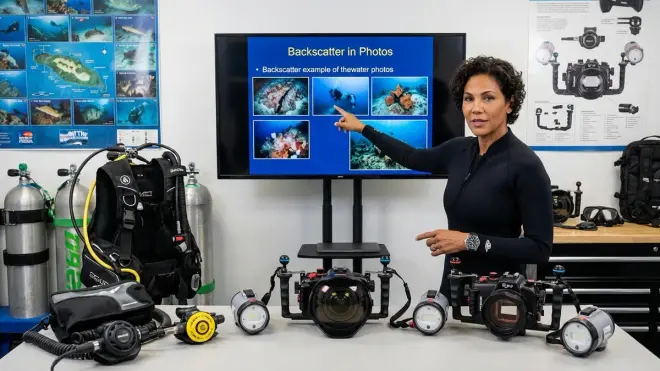
A: You can't eliminate backscatter entirely because there will always be particles in the water, but you can reduce it dramatically by positioning your strobes or lights at wider angles from your camera lens—ideally at 45 degrees or more to the side. External strobes on arms give you this flexibility, while built-in flashes on compact cameras will almost always produce some backscatter. Checking your underwater photography gear checklist before each dive to ensure your strobe positioning is correct makes a huge difference.
Q: Why do I get more backscatter at night than during the day?
A: Night dives produce more backscatter because plankton and other microscopic organisms become more active and concentrated in the water column after sunset, plus you're completely dependent on artificial light which illuminates all those particles. During day dives, ambient sunlight comes from above at different angles than your strobe, so backscatter is less obvious even though particles are still there. I've learned to expect heavier backscatter on night dives and position my lights even more carefully during those conditions.
Q: Is backscatter worse with a strobe or a continuous video light?
A: Continuous video lights typically produce less noticeable backscatter than strobes because the light is less intense and your camera's shutter speed is faster, which doesn't give moving particles as much time to appear in the frame. However, strobes are generally better for still photography because they provide more powerful, color-accurate light. If you're curious about the tradeoffs, we compared strobes vs continuous video lights in detail, and each has its place depending on whether you're shooting stills or video.
Q: Does backscatter mean the water quality is bad or unsafe?
A: Not necessarily—backscatter just means there are particles in the water, which is completely normal in all marine environments. Even pristine tropical reefs with excellent visibility will have microscopic plankton and other particles that cause backscatter when illuminated. That said, unusually heavy backscatter from sediment might indicate recent storms, strong currents, or disturbed bottom conditions, but it's not a water safety issue for diving.
Q: Can I fix backscatter in Lightroom or Photoshop after the dive?
A: You can remove individual backscatter spots using the healing brush or clone stamp tool in Photoshop, but it's extremely time-consuming when you have dozens of spots per image, and the results often look unnatural if you're not careful. It's much more effective to avoid backscatter during the shoot by using proper strobe positioning and technique rather than trying to fix it later. I've wasted hours trying to clean up backscatter-heavy images and now I just focus on getting it right underwater in the first place.
Don't Let Backscatter Ruin Your Underwater Memories
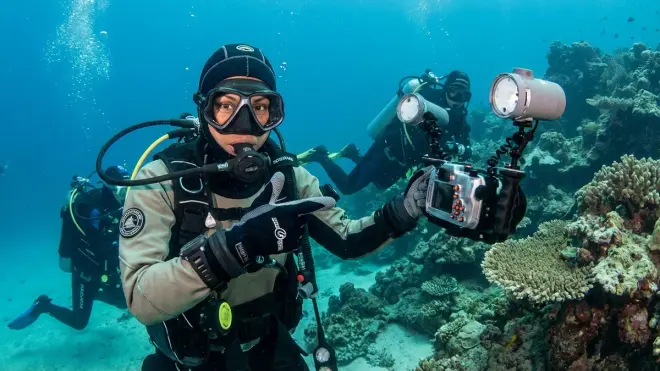
Backscatter underwater photography frustration is something almost every underwater photographer deals with when they're starting out—I certainly did, and I still get caught by it when I'm diving in particularly murky conditions or forget to angle my strobes properly. The key difference now is that I understand what causes those bright spots and I have practical techniques to minimize them.
The biggest game-changer for me was investing in external strobes with adjustable arms so I could position the lights away from my lens axis. Combined with being more conscious of water conditions (avoiding sandy bottoms when possible, not kicking up silt, choosing dive times when plankton is less active), my success rate improved dramatically.
Just remember that some amount of backscatter is inevitable—water is never perfectly clear, and that's part of the underwater environment. The goal isn't perfection, it's capturing the incredible marine life and reef scenes you're experiencing in a way that shares that beauty with others. With practice and the right approach to lighting, you'll spend less time frustrated by those annoying white spots and more time celebrating the amazing shots you're bringing back from every dive.