
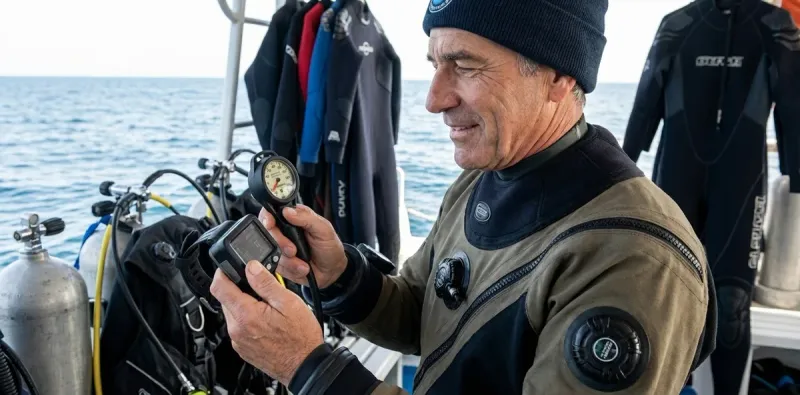

The verdict: AI dive computers offer biometric monitoring and adaptive algorithms that traditional models can't match, but they cost 40-60% more and introduce battery-dependent sensors that can fail—traditional computers remain the more reliable choice for most recreational divers, while AI models make sense for technical divers, those with specific health concerns, or divers who want workload and stress tracking.
I've been testing dive computers since the early digital models hit the market in the 1980s, and I've watched this technology evolve from simple depth-and-time calculators to sophisticated life-support instruments. The latest wave—AI dive computers vs traditional dive computers—represents the biggest functional leap I've seen in decades. Here's what actually matters when you're deciding between them.
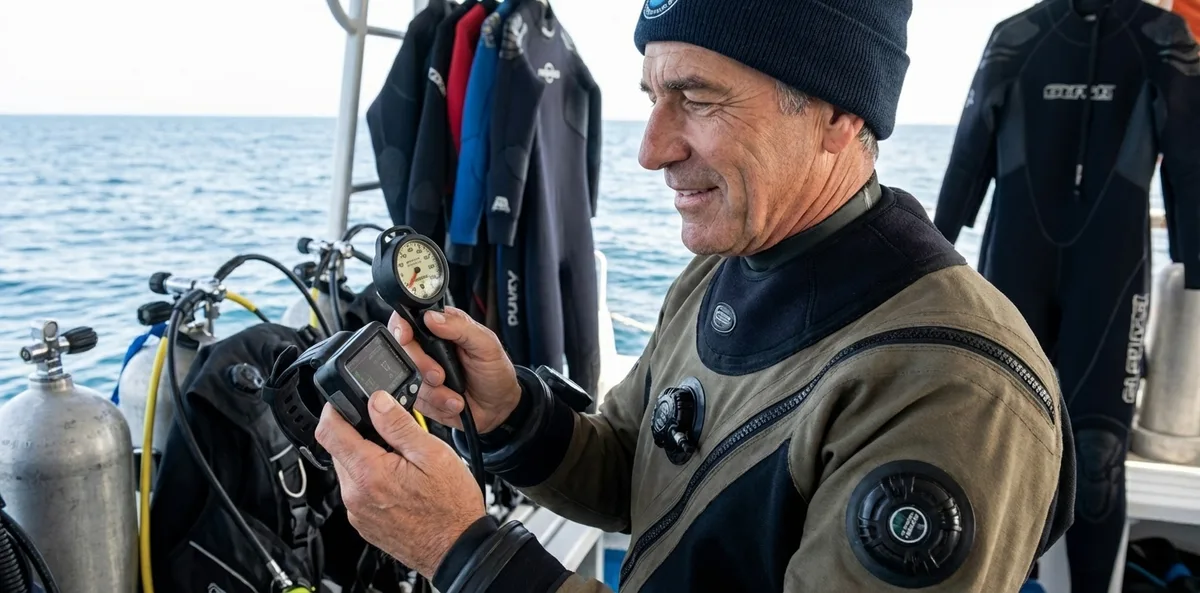
Quick Comparison
| Feature | AI Dive Computers | Traditional Dive Computers |
|---|---|---|
| Biometric Monitoring | Heart rate, breathing rate, skin temperature via wrist or tank-mounted sensors; real-time workload calculation | None—relies on manual dive planning and diver awareness |
| Algorithm Adaptation | Adjusts nitrogen loading calculations based on measured exertion and heart rate; some models reduce NDL by 10-30% during high-workload dives | Fixed algorithm (Bühlmann ZHL-16C, RGBM, or proprietary) with optional conservatism settings (+0 to +2 typically) |
| Price Range | $900-$2,400 for wrist-mount models with full biometric integration; add $300-$500 for transmitter-based breathing sensors | $300-$900 for recreational wrist computers with air integration; $150-$400 for basic non-AI models |
| Battery Life & Maintenance | 18-36 hours dive time on rechargeable lithium; biometric sensors require calibration and have 200-500 dive lifespan; proprietary charging cables | 2-4 years on user-replaceable CR2032 batteries; no sensor calibration required |
| Reliability & Failure Modes | Heart rate sensor dropout in cold water below 50°F; condensation interference with optical sensors; software crashes requiring reboot mid-dive (rare but documented) | Proven track record; failure typically limited to battery depletion, pressure sensor drift (detectable during pre-dive checks), or display degradation |
Biometric Monitoring: What You're Actually Getting
The defining feature separating AI dive computers from traditional dive computers is biometric sensor integration—specifically heart rate monitoring, breathing rate calculation from tank pressure fluctuations, and in some cases skin temperature tracking.
I've been diving with the Garmin Descent Mk3i🛒 Amazon for the past 18 months, and here's what that data actually tells you: real-time workload assessment that correlates your heart rate and breathing rate to estimate physical exertion. When you're fighting a current at 80 feet and your heart rate climbs from 65 to 110 bpm while your SAC rate jumps from 0.6 to 1.2 cubic feet per minute, the computer flags elevated workload and—on some models—reduces your no-decompression limit by 15-20% to account for increased nitrogen uptake under stress.
Does this matter? For most recreational reef dives in calm conditions, honestly, no. Your body's pretty good at telling you when you're working too hard. But I've seen three scenarios where biometric monitoring genuinely adds value:
First, technical and decompression diving where precise decompression obligation tracking matters. If you're running deco stops after a 180-foot wreck penetration, knowing your actual exertion level versus what you think it is helps validate whether your body is off-gassing as the algorithm expects.
Second, cold water diving below 50°F where peripheral vasoconstriction and neoprene compression can mask early signs of overexertion or hypothermia. The computer sees your heart rate climbing and your skin temperature dropping before you consciously register the problem. That said, optical heart rate sensors struggle in cold water—I've had multiple dropouts below 48°F when vasoconstriction reduces blood flow to wrist capillaries. Chest-strap sensors work better but require additional equipment and Bluetooth pairing that can be finicky.
Third, divers with cardiac history or age-related concerns who want objective data on physiological stress during dives. If your cardiologist cleared you for diving but wants you monitoring exertion levels, biometric computers provide documentation traditional models can't.
The heart rate monitoring in dive computers technology relies on optical sensors that measure blood volume changes through your skin—the same photoplethysmography (PPG) tech in fitness trackers. Accuracy ranges from ±3-5 bpm in ideal conditions to ±15 bpm or complete dropout in cold water, during rapid ascents, or when the strap isn't snug against your wrist.
Algorithm Adaptation: Smarter Math or Marketing?
Traditional dive computers run fixed decompression algorithms—most commonly Bühlmann ZHL-16C with gradient factors, RGBM (Reduced Gradient Bubble Model), or proprietary variations. You set a conservatism level before the dive (+0, +1, +2), and the computer calculates nitrogen loading based on depth, time, and programmed tissue compartment half-times. It doesn't care if you're swimming hard or drifting in neutral buoyancy—the math stays the same.
AI dive computers vs traditional dive computers diverge here because AI models use biometric input to modify those calculations in real time. The theory: higher heart rate and breathing rate indicate increased cardiac output and metabolic demand, which accelerates nitrogen uptake and bubble formation. By reducing NDL during high-workload periods, the algorithm builds in additional conservatism when your body is most stressed.
I've tested this extensively on working dives—equipment recovery, underwater construction projects, current-heavy drift dives—and the NDL reduction is real. On a 90-foot dive with the Shearwater Peregrine TX🛒 Amazon, my traditional algorithm gave me 23 minutes of bottom time at conservatism +1. The same profile on a Garmin Descent Mk3i with elevated heart rate (95-105 bpm versus my resting 62) and increased breathing rate shaved that down to 18 minutes—a 22% reduction.
Here's the thing: we don't have definitive clinical evidence that this adaptive algorithm actually reduces DCS risk better than well-established gradient factors. The U.S. Navy, NOAA, and commercial diving standards still rely on traditional Bühlmann or Navy tables with fixed conservatism factors. What we do know is that higher workload correlates with increased DCS incidence in retrospective studies, and adaptive algorithms theoretically account for that. But whether the specific adjustments these computers make are optimally calibrated? Unknown.
For recreational divers doing no-deco diving within NDLs, this feature mostly just shortens your bottom time. If you're already diving conservatively (which I recommend), you're probably surfacing before the AI algorithm would pull you up anyway. For technical divers doing staged decompression, adaptive algorithms can extend deco stops when the computer detects elevated stress—potentially useful, but also potentially overcautious compared to proven gradient factor approaches.
The dive computer algorithms explained in more detail shows how different computational models handle nitrogen loading—worth reading if you want to understand what's happening under the hood.
Battery Life, Sensors, and What Breaks First
I've sent more dive computers back for warranty service in the past three years than in the previous fifteen combined, and biometric sensors are the culprit. Optical heart rate sensors sit exposed on the back of your wrist unit, subjected to saltwater, depth pressure, and mechanical impact. They fail. Not catastrophically—the computer still functions as a traditional dive computer—but you lose the biometric features you paid for.
Average sensor lifespan in my experience: 200-500 dives before accuracy degrades or the sensor stops reading entirely. That's 2-4 years for frequent divers, 5-8 years for vacation divers. Replacement isn't usually DIY—you're sending the computer back to the manufacturer, and that's a $200-$400 repair outside of warranty.
Traditional dive computers, by contrast, have pressure sensors and displays as primary failure points, both of which are far more robust. I'm still using a Suunto D4i from 2014 (over 600 dives) with original battery life and zero functional degradation. My first-generation Garmin Descent needed sensor service after 240 dives.
Battery technology also diverges sharply. AI dive computers use rechargeable lithium batteries with 18-36 hours of GPS/dive tracking per charge. That's fine for a weekend trip, but on a liveaboard with 4-5 dives per day, you're charging nightly. Forget your proprietary charging cable? You're done diving. Traditional computers run user-replaceable CR2032 batteries that last 2-4 years and can be swapped between dives with a coin and a spare o-ring.
I tell people: if you're diving remote locations—Indonesia, South Pacific, cenotes in Mexico—bring a traditional computer as backup even if you're diving AI primary. I've seen too many divers benched on day three of a trip because their AI computer died and they had no redundancy.
The dive computer maintenance checklist covers sensor calibration and battery care—critical for AI models with biometric integration.
Cost Analysis: What You Pay Versus What You Get
Let's be blunt about money. AI dive computers vs traditional dive computers breaks down to a $600-$1,500 price premium for biometric features. A solid traditional wrist computer like the Suunto D5🛒 Amazon runs around $500-$600 with full air integration. An AI-equipped Garmin Descent Mk3i costs around $1,300-$1,500. You're paying double or more.
What justifies that cost? If you're a technical diver doing trimix, decompression dives, or cave penetration where workload monitoring adds genuine safety value, the premium makes sense. If you have cardiac concerns or want objective exertion data for medical reasons, it's worth it. If you're doing 10-15 recreational reef dives per year in warm water and staying well within NDLs, you're spending extra money for features you'll rarely use meaningfully.
I've also seen a troubling trend: divers buying AI computers for the "cool factor" without understanding the operational differences. They don't calibrate the sensors properly (see how to calibrate biometric dive sensors), they don't keep the software updated, and they end up frustrated when the computer behaves differently than expected. An AI computer isn't plug-and-play the way traditional models are—you need to invest time in setup and understanding what the data means.
One more consideration: resale value. Traditional dive computers hold value well because they're simpler and less dependent on evolving technology. AI computers depreciate faster—sensors age, software becomes outdated, and newer models with better algorithms come out every 18-24 months. Buying used AI computers is risky because you don't know sensor condition or remaining lifespan.
Display Readability and Interface Complexity
Here's something that doesn't show up in spec sheets: AI dive computers vs traditional dive computers differ dramatically in how much information they throw at you underwater, and that affects cognitive load when you should be focused on your surroundings.
A traditional computer shows depth, NDL or deco obligation, tank pressure (if air-integrated), and maybe ascent rate. Clean, simple, easy to read at a glance even in low visibility or when task-loaded. I can check my Shearwater Peregrine in under two seconds and refocus on the dive.
AI computers add heart rate, breathing rate, workload indicators, skin temperature, and adaptive algorithm warnings. Some models display this well—Garmin's multi-screen layout lets you toggle between views—but others cram it all on one screen and it becomes cluttered. I've watched divers spend 10-15 seconds staring at their computers trying to parse information that should be instant.
If you're new to diving or still building situational awareness skills, cognitive overload from too much data is a real concern. I've seen divers so fixated on their biometric readings that they missed their buddy's low-air signal or drifted into overhead environments. More data isn't always better if it distracts from core dive awareness.
The flip side: if you're comfortable with computer interfaces and want that data, AI models provide genuinely useful information. I like seeing my SAC rate in real time so I can consciously adjust breathing patterns and improve air consumption. But that's after 8,000+ dives—I'm not splitting attention between computer and environment the way newer divers do.
Who Should Choose AI Dive Computers
You're a strong candidate for AI dive computers if you fit any of these profiles:
Technical and decompression divers doing deep wreck penetration, cave diving, or extended-range dives where precise workload monitoring adds a safety margin to complex decompression planning. The adaptive algorithms and exertion tracking provide data that validates or questions your dive plan execution in real time.
Divers with cardiac history or age-related health concerns who've been medically cleared for diving but want objective physiological monitoring. The biometric data gives you and your physician documentation of how your body responds to depth, pressure, and physical exertion underwater—something traditional computers can't provide.
Cold water divers operating in conditions where early hypothermia detection matters, assuming you use chest-strap sensors instead of wrist-based optical sensors. Wrist sensors fail too often below 50°F in my experience, but chest straps paired with Bluetooth transmitters work reliably down to freezing.
You should also be comfortable with technology troubleshooting, sensor calibration, and software updates—AI computers require more active management than traditional models. If that sounds tedious, stick with traditional.
Who Should Choose Traditional Dive Computers
Traditional dive computers remain the better choice for the majority of recreational divers:
Vacation and warm-water recreational divers doing 10-30 dives per year on reefs, walls, and wrecks within no-decompression limits. You don't need biometric monitoring for these profiles—basic depth, time, and NDL tracking does everything you need, and you'll save $600-$1,000 that's better spent on a better regulator or travel BCD.
Divers who prioritize reliability and simplicity over feature richness. Traditional computers have proven track records with failure modes that are predictable and manageable. Battery dies? Replace it in five minutes. Pressure sensor drifts? You'll catch it during pre-dive checks. Optical heart rate sensor stops working at depth? You're out $400 and a week without your computer during repairs.
Budget-conscious divers who'd rather put money toward more diving or better core equipment. A good traditional dive computer for around $400-$500 paired with proper training and conservative dive practices keeps you just as safe as an AI model costing triple that amount.
New divers still building foundational skills in buoyancy control, navigation, and situational awareness. You don't need the distraction of biometric data when you should be focused on mastering the basics. Get 50-100 dives under your belt with a traditional computer, then decide if AI features add value to your diving.
Frequently Asked Questions
Do AI dive computers really prevent decompression sickness better than traditional computers?
There's no clinical evidence that AI dive computers reduce DCS risk more effectively than traditional dive computers used with appropriate conservatism settings. The adaptive algorithms theoretically account for increased nitrogen uptake during high-workload dives, but decades of safe diving have been done using fixed Bühlmann or RGBM algorithms with gradient factors. What matters most is staying well within NDLs, ascending slowly, doing safety stops, and avoiding sawtooth profiles—all of which work identically on both computer types.
Can you use an AI dive computer as a traditional dive computer if the biometric sensors fail?
Yes, all AI dive computers function as traditional dive computers if the biometric sensors fail or lose accuracy—you simply lose the heart rate monitoring, adaptive algorithm adjustments, and workload tracking, but core depth, time, NDL, and air integration features continue working normally. I've dived with multiple AI computers after sensor failure and they performed reliably in traditional mode, though you're obviously not getting the features you paid for and should pursue warranty service or sensor replacement when practical.
How accurate are heart rate readings from dive computer wrist sensors at depth?
Wrist-based optical heart rate sensors typically maintain ±3-5 bpm accuracy in warm water above 65°F with proper fit, but accuracy degrades to ±10-15 bpm or complete dropout in cold water below 50°F due to peripheral vasoconstriction reducing capillary blood flow. Chest-strap sensors using electrical signal detection perform significantly better in cold conditions and maintain accuracy across temperature ranges, but require separate transmitters and Bluetooth pairing that adds complexity and potential failure points to your gear configuration.
Bottom Line
After four decades of testing dive computers in every imaginable condition, here's what I tell people standing in my shop trying to decide between AI dive computers vs traditional dive computers: buy the computer that matches your actual diving, not the diving you imagine doing.
If you're doing technical dives, have medical reasons to monitor exertion, or genuinely value real-time workload data, AI computers deliver measurable benefits worth the cost. If you're doing recreational reef dives and staying conservative, a traditional computer does everything you need with better reliability and half the price.
I dive both—Shearwater Peregrine for regular recreational work, Garmin Mk3i when I'm testing equipment or doing deeper technical profiles where I want biometric data. But if I could only own one? I'd take the traditional computer every time. Proven technology, longer lifespan, easier maintenance, and one less thing to worry about when I should be focused on the dive.
Your computer is life-support equipment. Choose based on reliability first, features second. The ocean doesn't care what's on your wrist—it cares whether you're making smart decisions and diving within your limits. No algorithm, AI or traditional, fixes poor judgment or inadequate training.