
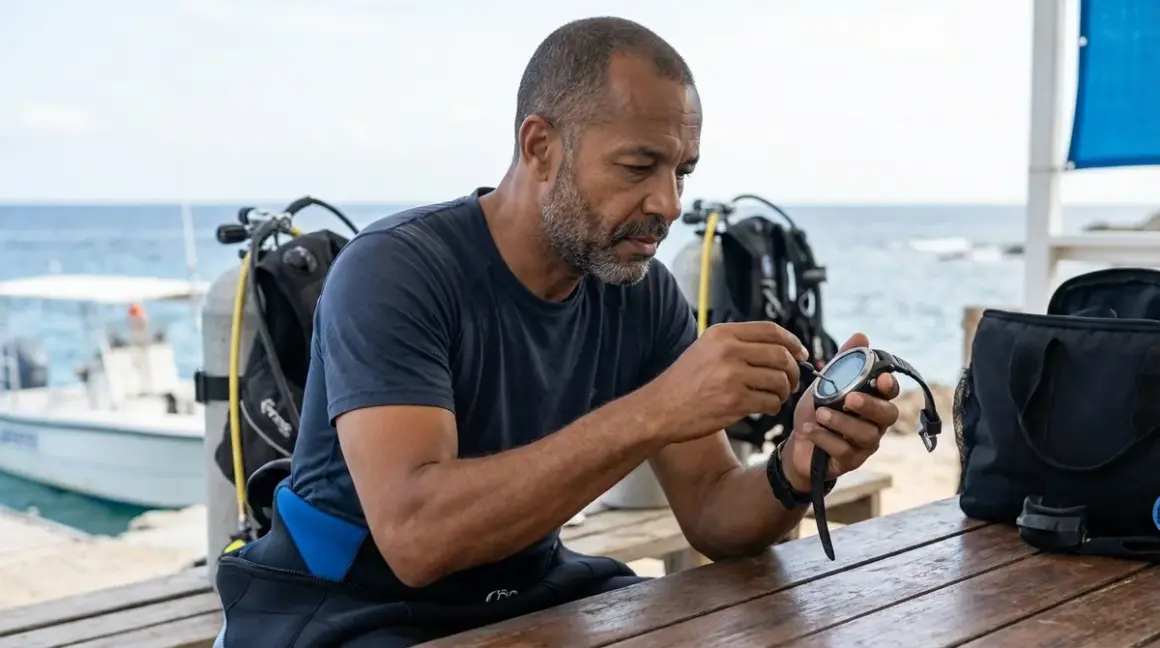

I remember the first time I strapped on a biometric dive computer with integrated heart rate monitoring during a deep wreck dive off North Carolina. Twenty minutes into the dive at 110 feet, the thing started beeping warnings that my heart rate was through the roof—except I felt completely calm. Turns out the optical sensor wasn't making proper contact with my skin, and I was getting garbage data that could've cut my dive short unnecessarily. That's when I learned that knowing how to calibrate biometric dive sensors isn't just about getting accurate numbers—it's about trusting your equipment when it matters most.
In this guide, you'll learn the complete process for calibrating the heart rate monitors, respiratory rate sensors, and skin temperature trackers found in modern biometric dive computers. We'll cover baseline establishment, verification protocols, and troubleshooting steps that actually work underwater. Whether you're using a Garmin Descent Mk3i with optical HR monitoring or a Shearwater Peregrine TX with biometric strap integration, these calibration techniques apply across platforms.
Skill level: Intermediate (requires familiarity with your dive computer's menu system)
Time required: 45-60 minutes for initial calibration, 10-15 minutes for pre-dive verification
Prerequisites: Compatible biometric dive computer, manufacturer's software/app, resting baseline data
What You'll Need
Before you start the calibration process, gather these tools and materials:
- Your biometric dive computer (fully charged, with updated firmware)
- Manufacturer's companion app (installed on smartphone with Bluetooth enabled)
- Medical-grade chest strap or wrist-worn HR monitor (if using external sensor validation)
- Computer or tablet (for manufacturer software access, some platforms require desktop calibration)
- Dive log data (previous 5-10 dives if recalibrating, to identify drift patterns)
- Cotton swabs and 70% isopropyl alcohol (for cleaning optical sensor windows)
- Microfiber cloth (lint-free, for drying sensor contact points)
- Notebook or digital log (to record baseline readings and calibration adjustments)
- Access to a pool or calm water environment (for wet calibration verification—optional but recommended)
You'll also need about 30 minutes when you're well-rested and haven't consumed caffeine for at least 4 hours. I learned this the hard way when I tried calibrating right after my morning espresso and got wildly inflated resting heart rate baselines.
Step 1: Establish Your Resting Biometric Baseline
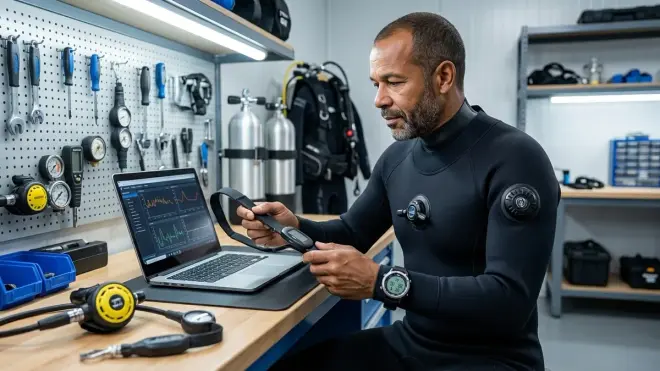
The accuracy of every biometric sensor depends on having a proper reference point. Here's what the manufacturer claims about "auto-calibration"... and here's what actually happens: most dive computers use factory default values that assume you're a 30-year-old male with average fitness. If that's not you—and statistically, it probably isn't—you need to input your actual baseline.
Start by measuring your true resting heart rate for three consecutive mornings before getting out of bed. Use a medical chest strap or finger pulse oximeter—not your dive computer yet. Take the average of those three readings. Mine hovers around 52 BPM because I've been swimming laps for years, but the factory default on my first biometric computer was set to 70 BPM. That 18-beat difference completely threw off the computer's workload calculations.
Next, enter your physical profile data into the dive computer or companion app. This includes:
- Age (affects maximum heart rate calculations and algorithm adjustments)
- Weight in kg or lbs (impacts workload assessment algorithms)
- Resting heart rate (your measured baseline, not the default)
- Maximum heart rate if known (from stress testing, or use 220 minus your age as approximation)
- Activity level (sedentary, moderate, athletic—be honest, this affects threshold calculations)
Access these settings through your dive computer's menu system—usually under System > User Profile or Settings > Biometric Setup. The Dive Computer Biometric Integration Checklist covers the specific menu paths for major manufacturers.
Finally, set your skin temperature baseline. Wear the computer for 2-3 hours while performing normal activities, then check the temperature log. Your average skin temp should fall between 32-34°C (89.6-93.2°F) for wrist-mounted units. If the readings are outside this range, the sensor may need physical cleaning or the contact pressure may be incorrect.
Step 2: Clean and Prepare Optical Sensor Contact Points
I've seen more biometric calibration failures from dirty sensors than from actual hardware problems. The optical heart rate sensors on the back of your dive computer use LED light to detect blood volume changes beneath your skin—any barrier between the sensor and your capillaries will corrupt the data.
Remove any residual salt, sunscreen, or bio-oil buildup from the sensor window. Use a cotton swab dampened (not soaked) with 70% isopropyl alcohol. Gently clean the LED emitter and photodetector lenses in circular motions. You'll see these as small, flush-mounted dots on the back of the watch—usually one green LED and one or two photodetectors. On the Garmin Descent Mk3i, these are arranged in a triangular pattern around the center charging contacts.
Let the alcohol evaporate completely—about 60 seconds—then wipe with a dry microfiber cloth. Don't skip this step. Residual alcohol can irritate your skin during long dives and create an inconsistent contact surface.
If you're using an external chest strap sensor, inspect the conductive electrode pads for corrosion or dried sweat salt. These rectangular fabric patches should feel slightly tacky when properly hydrated. If they're crusty or stiff, rinse them with fresh water and air dry completely before the next calibration step. I replace the electrode pads on my Polar H10 strap every 6 months or 100 dives, whichever comes first, because degraded electrodes produce erratic signals that no amount of calibration can fix.
Step 3: Perform Static Dry Calibration
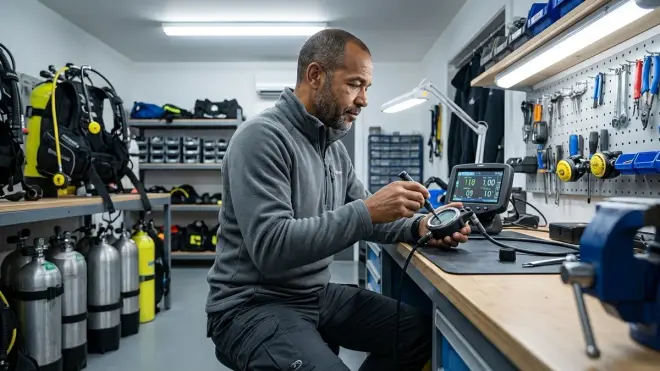
This is where you establish the sensor's accuracy in controlled conditions before introducing the chaos of diving. Sit quietly for 10 minutes in a comfortable position with your dive computer properly positioned—wrist units should be snug but not constrictive, about two finger-widths above your wrist bone. The sensor must maintain consistent contact with your skin without pressing hard enough to restrict blood flow.
Start a biometric calibration session through your dive computer's menu system or companion app. Most manufacturers place this under Tools > Sensor Calibration or Dive > Biometric Setup. The computer will record your heart rate, skin temperature, and respiratory rate (if equipped with accelerometer-based breathing detection) for 5-10 minutes.
During this period, breathe normally and avoid movement. The computer is establishing what your sensors read when you're at true rest. I usually do this calibration while reading or watching something—anything that keeps me still and prevents the fidgeting that corrupts sensor data.
After the calibration period ends, compare the results to your known baseline. Your heart rate should match your measured resting HR within ±3 BPM. Skin temperature should be within 0.5°C of your established baseline. If the readings are outside these tolerances, you have a contact or sensor issue that needs addressing before proceeding.
Most modern dive computers will display a "calibration quality" score or confidence interval. Look for readings above 90% confidence. Anything below 85% suggests the sensor isn't getting clean data, usually from poor contact or electromagnetic interference from nearby devices.
Step 4: Conduct Active Dry Calibration for Exertion Response
Resting calibration is only half the picture. Your biometric sensors need to accurately track your response to physical stress—which underwater means finning against current, ascending while towing a surface marker buoy, or managing an equipment problem.
Perform 5 minutes of moderate exercise while wearing your calibrated dive computer. I use a simple protocol: 2 minutes of walking, 2 minutes of stair climbing or jogging in place, then 1 minute of recovery. The goal is to elevate your heart rate to roughly 60-70% of your maximum—you should be breathing harder but still able to speak in complete sentences.
Monitor your heart rate response on the dive computer display. It should climb steadily during exertion and begin declining within 30-45 seconds of stopping. If there are sudden spikes, dropouts (where HR reads zero or implausibly low), or failure to register increased exertion, your sensor contact needs adjustment or your strap/band is too loose.
After exercise, let your heart rate return to within 10 BPM of resting baseline, then check the computer's recorded data in the activity log. You're looking for a smooth, continuous trace without gaps or impossible values (like a jump from 100 BPM to 200 BPM in one second). This data quality directly translates to how reliably your computer will track workload and breathing rate underwater, where you can't simply glance at your chest to verify sensor placement.
Document your maximum recorded heart rate during this test. Your dive computer uses this value to calculate exertion thresholds and trigger workload warnings. For context, I hit about 145 BPM during this calibration protocol, which is roughly 70% of my age-predicted maximum. Your computer should flag exertion warnings when you sustain heart rates above 80% of your calibrated maximum—a useful safety alert when task-loading underwater.
Step 5: Verify Wet Calibration in Pool or Shallow Water
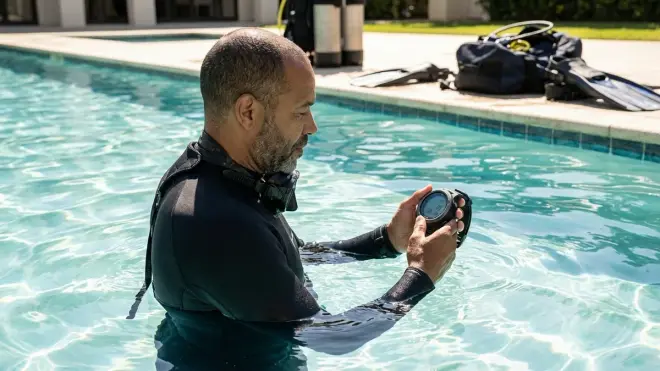
Here's the truth about biometric dive sensors: they behave differently underwater. Water temperature affects skin temperature readings. Wetsuit compression changes sensor contact pressure. And the cardiovascular response to immersion—the so-called "dive reflex"—can drop your heart rate by 10-20 BPM independent of exertion level.
Enter chest-deep water (pool, quarry, or calm ocean shallows) while wearing your dive computer and any exposure protection you typically use. If you dive in a 5mm wetsuit, do this calibration wearing that wetsuit. The neoprene compression and thermal insulation affect sensor readings, and you want to calibrate for your actual diving conditions.
Immerse yourself completely for 3-5 minutes while remaining relatively still. Your computer should show a slight heart rate decrease (the mammalian dive reflex kicking in) and a measurable skin temperature drop. Note these values—they represent your baseline "at rest underwater" readings, which differ from your surface baseline.
After establishing wet baseline, swim a controlled circuit at moderate pace—roughly the same exertion level as finning against a mild current. Monitor your heart rate response. It should climb during exertion but likely won't reach the same peak values as your dry calibration. This is normal. Immersion and horizontal body position reduce cardiac workload compared to vertical exercise on land.
Check for sensor dropouts or erratic readings during the swim. If your heart rate reading suddenly flatlines, spikes impossibly, or shows large gaps in the data, you have a wet contact problem. Common causes: inadequate sensor contact pressure (tighten the band one notch), interference from wetsuit sleeves covering the sensor (move the computer to a different position), or water intrusion around the sensor housing (inspect the o-ring seal and sensor window for damage).
I learned to do this pool verification after a dive off Catalina Island where my computer's heart rate monitor simply quit working below 60 feet. Turns out the increased wetsuit compression at depth was pressing the neoprene sleeve against my wrist computer hard enough to block the optical sensor. One notch tighter on the band and relocating the computer slightly higher on my forearm solved the problem permanently.
Step 6: Cross-Reference with Known Accurate External Monitor
Even after careful calibration, your dive computer's biometric sensors can drift over time or show consistent bias compared to medical-grade equipment. Cross-referencing against a validated external heart rate monitor is the only way to verify your calibration produces accurate absolute readings, not just consistent relative readings.
Wear both your calibrated dive computer and a medical-grade chest strap monitor (Polar H10, Garmin HRM-Pro, or similar device paired to a secondary display or phone app) simultaneously during a surface interval or pool dive. Record data from both devices during rest, moderate exertion, and recovery.
Compare the heart rate traces point-by-point. They should agree within ±5 BPM across the entire activity. Small differences (2-3 BPM) are normal—chest strap ECG sensors are the gold standard and slightly more accurate than optical wrist sensors. But if your dive computer consistently reads 10+ BPM higher or lower than the chest strap, you need to apply a correction factor in your dive computer's calibration settings.
Most dive computers allow you to enter a manual offset or correction factor in the biometric calibration menu. This is typically listed as "HR Offset" or "Sensor Correction" in the advanced settings. If your dive computer reads consistently low, enter a positive correction (e.g., +8 BPM). If it reads high, enter a negative correction. The What Is Heart Rate Monitoring in Dive Computers: Complete Guide explains how these corrections are applied to the algorithm.
Repeat this cross-reference check every 50 dives or every 6 months, whichever comes first. Optical sensors drift as the LED output degrades and the photodetectors age. It's a gradual process, but after 18 months of regular diving, I've seen optical heart rate sensors drift by 5-8 BPM from their initial calibration. A quick validation dive with an external monitor catches this before it becomes a problem.
Step 7: Configure Alarm Thresholds and Data Logging
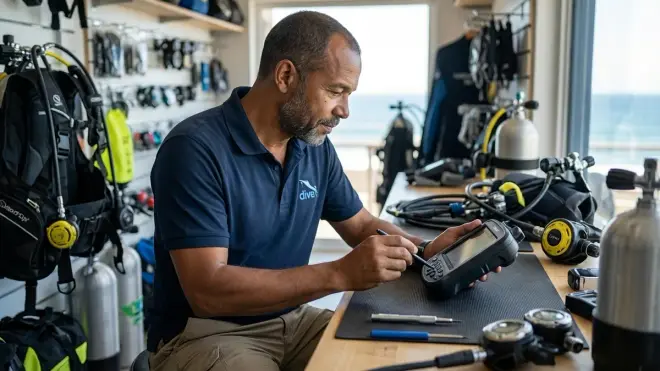
Raw biometric data means nothing if your dive computer can't alert you to physiologically significant changes. This final calibration step ensures your alarm thresholds match your actual physiology, not some factory default.
Set your high heart rate alarm based on your measured maximum heart rate during active dry calibration (Step 4). A good starting point is 85% of your maximum HR. For me, that's about 155 BPM. Above this threshold, I'm working too hard underwater—either fighting current, dealing with task loading, or experiencing the early stages of stress or panic. The alarm gives me a concrete cue to stop, breathe, and assess the situation.
Set your low heart rate alarm at 10 BPM below your resting baseline. For most divers, this alarm rarely triggers and mainly serves as a sensor quality check—if your HR drops impossibly low during a dive, the sensor has likely lost contact or the computer has encountered a software glitch.
Configure your skin temperature alarm to trigger at 2-3°C below your baseline wet temperature (established in Step 5). Significant skin temperature drops during a dive can indicate inadequate exposure protection or the onset of hypothermia. I set mine to 29°C—if my skin temp falls below that during a dive in my 7mm wetsuit, I'm getting cold enough to affect my decision-making and dexterity.
Finally, enable biometric data logging if it's not already active. You want your dive computer recording heart rate, skin temperature, and respiratory rate (if available) at minimum 5-second intervals throughout every dive. This creates a detailed physiological record that helps you identify patterns—like consistently elevated heart rate during descents (possible equalization anxiety) or temperature drops on deeper dives (exposure protection inadequacy).
Understanding Dive Computer Algorithms Explained: Understanding Decompression Models helps you see how this biometric data integrates with decompression calculations to create a personalized dive profile.
Step 8: Document Baseline and Schedule Recalibration
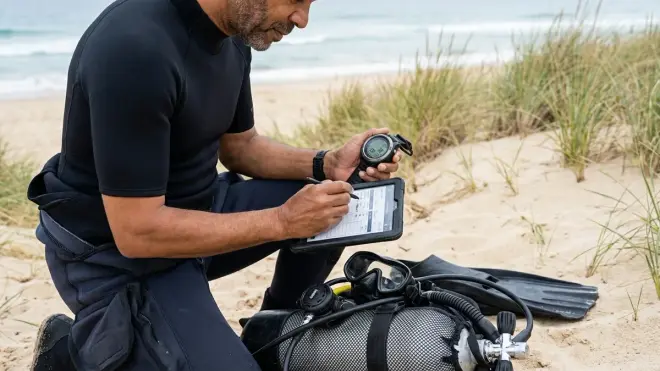
The final step in learning how to calibrate biometric dive sensors is establishing a documentation system so you can track sensor performance over time and know when recalibration is necessary.
Record your calibration results in a dedicated section of your dive log or in a digital spreadsheet. Include:
- Calibration date
- Resting heart rate baseline
- Skin temperature baseline (dry and wet)
- Maximum heart rate achieved during active calibration
- Any offset or correction factors applied
- Firmware version of dive computer
- Battery percentage at time of calibration
This documentation becomes your reference point for troubleshooting. If your biometric readings start seeming off six months from now, you can compare current sensor output to these baseline values and identify drift patterns.
Schedule your next recalibration based on diving frequency and environmental exposure. Heavy use divers (100+ dives per year) should recalibrate quarterly. Recreational divers (20-50 dives per year) should recalibrate every 6 months. Occasional divers can extend to annual recalibration, but should always verify baseline readings if more than 3 months have passed since the last dive.
Replace consumable components according to manufacturer schedules. Optical sensor windows can become scratched or clouded after extended use—most are replaceable during regular service intervals. External chest strap electrodes degrade with sweat and saltwater exposure—replace them annually or when they lose their tacky feel. The Dive Computer Maintenance Checklist: Battery, O-Rings, and Calibration covers the complete service schedule.
I keep a simple Google Sheet with calibration dates, baseline values, and any anomalies noted during dives. It takes 60 seconds to update after each calibration session, and it's saved me from chasing ghost problems multiple times—like when I thought my heart rate sensor was malfunctioning during a series of cold water dives, but checking my log showed my resting baseline had actually dropped by 6 BPM after several months of increased cardio training.
Pro Tips & Common Mistakes
Don't calibrate when you're dehydrated, stressed, or recently caffeinated. I made this mistake calibrating before an early morning dive trip after sleeping poorly and downing two cups of coffee. My resting heart rate was 15 BPM higher than normal, which completely threw off my computer's workload calculations for the next week of diving. Proper calibration requires measuring yourself in a genuinely rested, hydrated, normal state.
Tighten your band more than feels comfortable. The single biggest source of poor optical sensor readings is inadequate contact pressure. Your wrist-mounted dive computer should be snug enough that you can barely slide one finger under the band. It'll feel too tight at first, but proper contact is non-negotiable for accurate biometric data. If you're getting erratic readings despite careful calibration, tightening the band one notch solves the problem 80% of the time.
Verify calibration at the environmental extremes you actually dive. If you do both tropical and cold water diving, you need separate wet baselines for each environment. The cardiovascular and skin temperature responses are completely different between diving in 29°C Caribbean water and 10°C Pacific Northwest water. Your computer should have profile settings that let you switch between these calibrated baselines.
Watch for the "perfect data" fallacy. If your heart rate trace looks suspiciously smooth during a dive—no variation, perfectly steady numbers—your sensor probably isn't working. Real biological data is noisy. Your heart rate varies beat-to-beat even at rest. A flatline or unnaturally smooth trace suggests the sensor has lost contact and the computer is either holding the last valid reading or interpolating garbage data.
Don't trust the first dive after recalibration. Treat your first dive with newly calibrated sensors as a validation dive, not a deep or challenging dive. Stay shallow, dive conservatively, and pay attention to whether the biometric readings match how you actually feel. If the computer says you're working hard but you feel relaxed, or vice versa, something isn't right with the calibration.
For a comprehensive overview of integrating biometric monitoring into your dive planning, see Biometric Dive Safety Checklist: Essential Sensors and Calibration.
Frequently Asked Questions
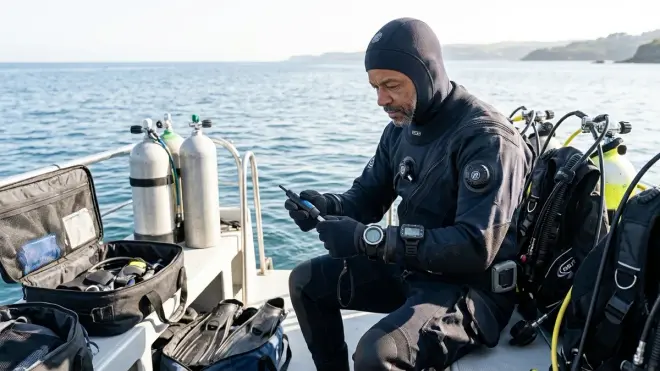
How often should I recalibrate my biometric dive sensors?
You should recalibrate your biometric dive sensors every 50-100 dives or every 6 months, whichever comes first, and always recalibrate if you notice readings that don't match how you physically feel during a dive. Major life changes—significant weight loss or gain, changes in fitness level, or switching to different exposure protection—also require immediate recalibration since these factors directly affect your baseline biometric readings. Heavy-use technical divers should recalibrate quarterly, while recreational vacation divers can extend to annual calibration if diving frequency is low.
Can I calibrate biometric sensors without using a chest strap or external monitor?
You can perform initial calibration using only your dive computer's built-in sensors by following the manufacturer's baseline setup protocol, but you won't be able to verify absolute accuracy without an external reference device. For most recreational diving, this manufacturer-guided calibration provides adequate accuracy for monitoring trends and relative workload changes. However, if you're relying on biometric data for technical dive planning or medical monitoring, cross-referencing against a medical-grade chest strap or finger pulse oximeter during at least your initial calibration is essential to ensure your dive computer isn't showing consistent bias or offset from your true physiological values.
Why does my heart rate reading drop when I go underwater even though I'm swimming hard?
The mammalian dive reflex causes an automatic 10-20 beat-per-minute decrease in heart rate upon face immersion in water, independent of your actual exertion level, which is why your dive computer shows lower heart rates underwater than the equivalent workload would produce on land. Cold water exposure enhances this effect, sometimes reducing heart rate by 25-30 BPM. This is normal physiology, not a calibration error—your biometric dive computer accounts for this in its workload calculations using algorithms that compare your heart rate to your wet baseline rather than your dry baseline. If you're seeing appropriate heart rate elevation during swimming relative to floating at rest underwater, your calibration is working correctly.
What should I do if my biometric readings seem inaccurate after proper calibration?
First verify that your dive computer's firmware is current and battery is above 30%—low battery voltage can cause erratic sensor behavior that mimics calibration problems. Clean the optical sensor window thoroughly and verify proper contact pressure by tightening your band another notch. If readings remain inconsistent, perform the pool verification test from Step 5 wearing your typical exposure protection to rule out wetsuit interference. Persistent inaccuracy despite these troubleshooting steps suggests hardware failure of the optical sensor assembly or photodetector degradation, which requires manufacturer service—most optical heart rate sensors have practical lifespans of 3-5 years or 500-800 dives before component degradation makes them unreliable regardless of calibration quality.
Summary
Learning how to calibrate biometric dive sensors transforms your dive computer from a passive data recorder into a personalized safety monitoring system. The process requires establishing accurate resting baselines, cleaning sensor contact points, performing both static and active calibration protocols, and verifying accuracy in actual wet diving conditions. Cross-referencing against validated external monitors eliminates systematic bias, while proper alarm threshold configuration ensures you receive meaningful alerts when physiological parameters indicate increased risk.
The 45-60 minutes invested in proper initial calibration and the 10-15 minutes for pre-dive verification create a reliable foundation for biometric monitoring that enhances safety without creating false alarms. Document your baselines, schedule regular recalibration sessions, and remember that these sensors are tools for pattern recognition—not absolute medical devices. When your heart rate alarm goes off at 90 feet because you're working too hard against current, that calibrated data gives you objective information to make better decisions underwater.
I still occasionally dive with an external chest strap for validation purposes, especially before challenging technical dives or when I'm testing new exposure protection that might affect sensor contact. It's a simple redundancy check that takes two minutes to set up and provides confidence that the numbers on my wrist actually represent what's happening inside my body. That confidence matters when you're making real-time decisions at depth.