
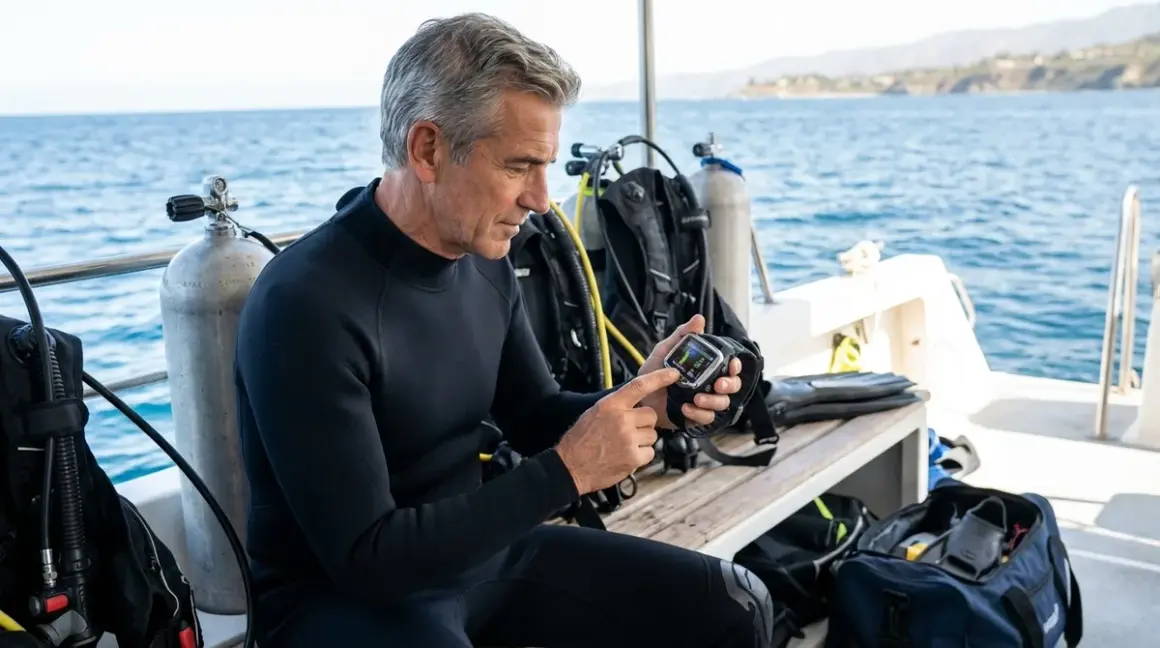

I've been watching the biometric dive computer market evolve for years now, and I'll tell you straight: choosing the right one isn't about buying the newest gadget with the most sensors—it's about understanding what those sensors actually tell you and whether that information improves your diving. In this guide, I'll walk you through how to choose a biometric dive computer that matches your actual diving needs, not the marketing department's vision of what you should want.
You'll learn which biometric features matter for different dive profiles, how to evaluate sensor accuracy and reliability, and what configurations work for recreational versus technical diving. This is practical selection advice based on real-world performance, not spec sheets. If you can operate a standard dive computer and understand basic decompression theory, you're ready for this—expect to spend about 15 minutes working through the decision framework.
What You'll Need
Before you start evaluating biometric dive computers, gather:
- Your dive log (to assess your typical depth range, water temperature, and dive frequency)
- Current dive computer (to understand which features you actually use versus ignore)
- Medical history (cardiovascular conditions, medications, or fitness concerns that affect dive safety)
- Dive profile breakdown (recreational reef dives, wreck penetrations, deep air, technical trimix, etc.)
- Budget parameters (biometric computers range from around $800 to over $2,000)
- Integration requirements (existing transmitter compatibility, smartphone connectivity needs)
- Physical constraints (wrist size, vision quality, cold-water glove accommodation)
You'll also want access to the biometric dive safety checklist to understand sensor calibration requirements before committing to a platform.
Step 1: Understand What Biometric Monitoring Actually Measures
Here's the thing: "biometric" sounds impressive, but you need to know what data these computers actually collect and what that information means underwater. The primary biometric metric is heart rate monitoring, typically measured through optical sensors on the wrist or chest strap integration. Some advanced models like the Garmin Descent Mk3i also track breathing rate when paired with compatible tank transmitters, while others monitor skin temperature as a secondary metric.
I've tested most of the current biometric computers in Florida's varied conditions, and the heart rate data proves most useful for three specific scenarios: detecting elevated stress responses during challenging dives, monitoring exertion levels during strong current diving, and identifying potential decompression stress through post-dive heart rate patterns. The breathing rate calculation—derived from tank pressure changes measured by the transmitter—provides real-time breathing efficiency feedback that I've found genuinely useful for newer divers who don't yet have good air consumption awareness.
What biometric computers don't do, despite some marketing claims, is directly measure dissolved nitrogen saturation or replace conservative dive planning. They use your physiological data to adjust decompression algorithms based on workload and stress indicators, but you're still bound by the same fundamental physics. The computer might suggest longer safety stops if your heart rate indicates elevated workload, or flag a dive profile as higher risk if your breathing rate shows inefficient gas consumption.
The sensor accuracy matters tremendously here. Optical wrist-based heart rate monitors can lose accuracy in cold water when peripheral vasoconstriction reduces blood flow to your wrists, or during rapid ascents when you're finning hard. I've seen heart rate readings drop to zero or spike to impossible 200+ BPM during these scenarios—not because the diver's heart stopped or exploded, but because the sensor lost proper skin contact. Chest strap systems using electrical heart rate monitoring are more reliable but require additional equipment and pre-dive setup.
Step 2: Match Biometric Features to Your Dive Profile
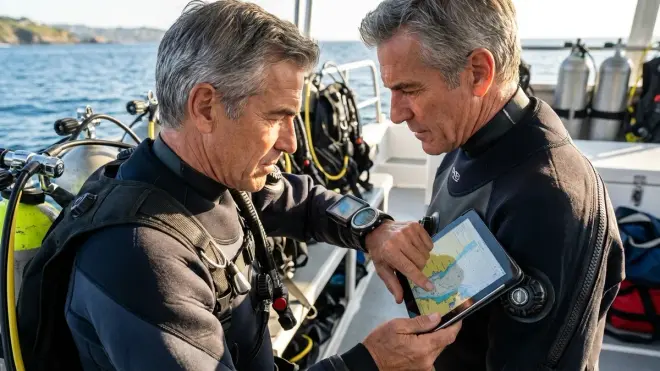
Not every diver benefits equally from biometric monitoring, and this is where I see people waste money on features they'll never meaningfully use. If you're doing shallow recreational reef diving in warm water at 40-60 feet, heart rate monitoring might provide interesting post-dive data, but it's not giving you actionable information that changes your dive plan or improves safety. Your decompression obligation at those depths is minimal regardless of your heart rate.
Where biometric monitoring starts earning its keep is in more demanding dive profiles. Deep air diving beyond 100 feet, where narcosis and workload increase dramatically, benefits from real-time heart rate feedback. I tell people that if your heart rate climbs above your normal exertion level at depth, that's useful information—you might be narced and not recognizing it, or fighting current harder than you realize. The computer can factor this elevated workload into its decompression calculations and suggest more conservative ascent profiles.
Technical diving with extended decompression obligations represents the sweet spot for biometric computers. When you're hanging on a line at 20 feet for 30 minutes, elevated heart rate or irregular breathing patterns can indicate decompression stress, cold stress, or equipment problems before they become critical. The Shearwater Peregrine TX integrates this physiological data with its Bühlmann ZHL-16C algorithm to provide what amounts to real-time decompression adjustment based on your actual physiological state, not just theoretical tissue loading.
Cold water diving creates its own decision matrix. If you're diving water below 50°F regularly, you need to understand that optical heart rate sensors become progressively less reliable as peripheral blood flow decreases. I've logged hundreds of dives in 45-52°F Atlantic water off North Carolina, and wrist-based sensors are inconsistent at best once you're below 48°F. If cold water is your primary environment, you either need a chest strap system or you should question whether biometric monitoring is worth the investment.
For photography divers who spend significant time stationary at depth—something I cover more thoroughly in how to master buoyancy control for underwater photography—breathing rate monitoring provides genuinely useful feedback about your air consumption during those long composition setups. I've watched my own breathing rate data show exactly how much more gas I consume when I'm focused on getting a particular shot versus just swimming the reef.
Step 3: Evaluate Algorithm Implementation and Conservatism
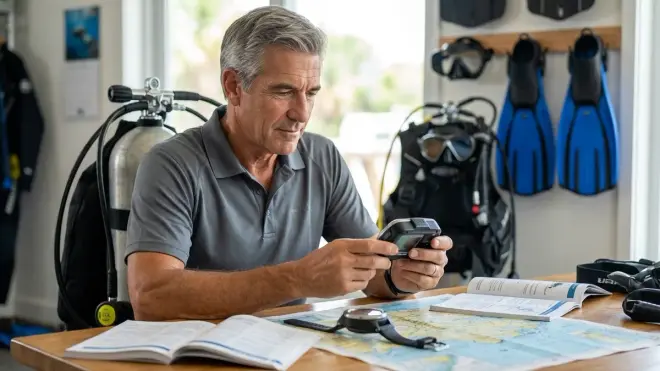
The biometric data is only as useful as what the computer does with it, and this is where the manufacturers diverge significantly. You need to understand how each computer's decompression algorithm incorporates physiological monitoring into its calculations. The two dominant approaches are adaptive algorithms that continuously adjust decompression requirements based on real-time biometric data, and flagging systems that alert you to elevated risk without changing the core algorithm.
Adaptive algorithms—used by computers like the Garmin Descent series—actively modify your no-decompression limits and ascent schedules based on heart rate and breathing rate. If your heart rate stays elevated throughout a dive, the algorithm assumes higher metabolic workload and faster nitrogen uptake, resulting in reduced NDL times or extended safety stop recommendations. I've seen this create NDL reductions of 4-8 minutes on deep dives where heart rate remained above 120 BPM continuously.
The alternative approach, employed by many Shearwater models when paired with biometric sensors, maintains the standard Bühlmann algorithm but provides physiological alerts when your metrics fall outside normal parameters. The computer doesn't change your decompression schedule, but it flags elevated heart rate, rapid breathing, or unusual patterns for your attention. You then make the decision to extend safety stops, shallow up, or abort the dive.
Here's where my bias shows: I prefer the flagging approach for experienced divers who understand their bodies and can make informed decisions, and the adaptive approach for newer divers who benefit from the computer making conservative adjustments automatically. There's no objective "better" system—it depends on whether you want the computer providing information or making decisions.
You also need to consider algorithm conservatism baseline. Some biometric computers start with relatively liberal base algorithms and use physiological data to add conservatism only when indicated. Others start conservative and can become very restrictive when biometric data shows elevated stress. I've used computers that reduced my NDL to nearly zero on what should have been straightforward 90-foot dives because my heart rate stayed slightly elevated—conservative to the point of being impractical.
Check whether the computer allows you to adjust the biometric algorithm's sensitivity or disable it entirely when you don't want that input. The best implementations let you tune how aggressively the computer responds to physiological data, or turn off biometric adjustments while keeping the monitoring and logging functions active. You'll want this flexibility because sometimes your heart rate is elevated for reasons that have nothing to do with dive risk—pre-dive anxiety, caffeine, or just your normal response to cold water entry.
Step 4: Assess Display Design and Readability Underwater
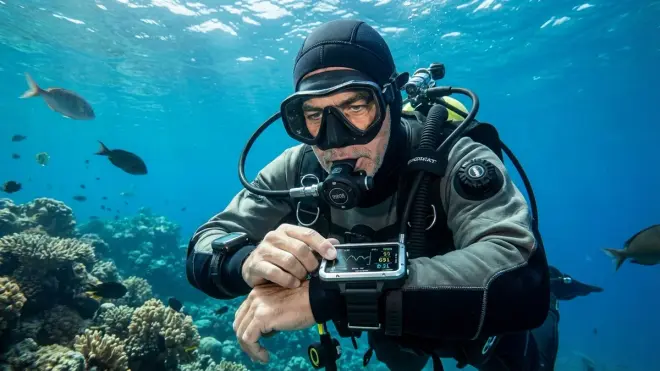
I cannot overstate how important display quality becomes when you're dealing with the additional data fields biometric monitoring creates. Standard dive computers show depth, time, NDL, and maybe tank pressure—four data points you can glance at quickly. Biometric computers add heart rate, breathing rate, and often tissue loading bar graphs or workload indicators, creating information density that can overwhelm smaller displays.
Screen size matters more than you'd think. Wrist-mounted biometric computers typically range from 1.2 to 1.4 inches in diameter, and those 0.2 inches make a significant difference in how many data fields you can actually read at a glance. I've used computers where the heart rate display was relegated to a tiny corner number that required me to stop swimming and hold the screen close to my mask to read—useless for real-time monitoring. The better implementations use larger numerals and high-contrast zones that let you verify your heart rate with a quick wrist turn.
Color displays versus monochrome represents another decision point. Color screens like those on the Garmin Descent series look spectacular and allow for intuitive color-coding—green for normal heart rate, yellow for elevated, red for concerning. Monochrome displays rely on contrast and numeric values, which sounds less sophisticated but actually proves more reliable in challenging visibility. I've had color displays wash out completely in bright tropical midday sun while monochrome screens remained perfectly legible. If you dive varied conditions, consider which environments you'll dive most frequently.
The data field customization options determine whether you can configure the display to show what you actually care about. Every biometric computer I've tested comes with default layouts that someone in marketing thought looked good, and every one of those defaults shows too much information or the wrong information for my diving. You want the ability to create custom screens that show your critical metrics—typically depth, NDL, tank pressure, and heart rate—without the clutter of secondary data you don't need during the dive.
Don't forget about button versus touchscreen operation in this equation. Touchscreens work beautifully for configuring settings on the surface but become problematic underwater, especially with gloves. Several biometric computers use hybrid approaches with touchscreens for setup and physical buttons for underwater navigation. That's the right answer in my experience—I don't want to be trying to swipe through menu screens at 80 feet with 5mm gloves on.
Step 5: Verify Sensor Placement and Wearability
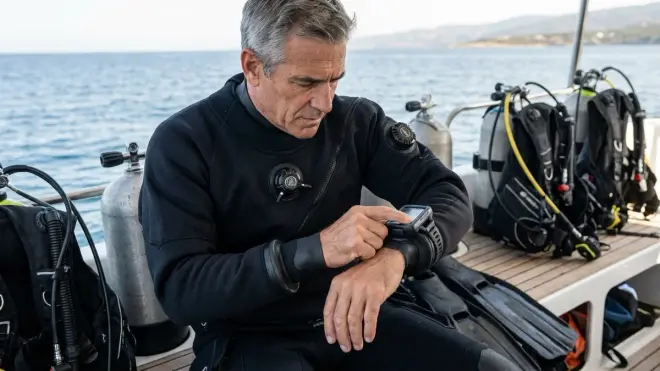
The physical design of how the biometric sensors contact your body dramatically affects both accuracy and comfort, and this is something you absolutely cannot evaluate from product photos or spec sheets. You need to understand the sensor type and mounting location for each computer you're considering.
Wrist-mounted optical sensors are by far the most common implementation—these are the green LED arrays on the back of the watch case that shine light through your skin to detect blood flow. They work reasonably well in warm water when properly fitted, but they require consistent, firm contact against your skin. Too loose and the sensor loses contact during movement; too tight and you're cutting off circulation and creating discomfort during long dives. I wear my biometric computer one notch tighter than I'd wear a standard watch, which feels slightly uncomfortable on the surface but maintains sensor contact underwater.
The sensor positioning on your wrist matters more than most manufacturers acknowledge. Optical heart rate monitoring works best over the radial artery on the inside of your wrist, but that's exactly where your BC inflator hose, drysuit inflator, and other equipment tends to cross your arm. Some computers position the sensor array slightly off-center to avoid this conflict, while others assume you'll wear the computer on your right wrist away from most hose routing. Pay attention to your current equipment configuration—if you're running a wrist-mounted compass, multiple hoses, or backup lights on your arms, you may not have a good location for consistent optical sensor contact.
Chest strap heart rate monitors eliminate most of the cold-water accuracy problems and provide more reliable data at depth, but they add pre-dive setup time and one more piece of equipment that can fail or be forgotten. I've used chest strap systems in cold water where wrist sensors were useless, but I've also had chest straps flood, shift during entry, and generally be annoying. The Suunto D5 supports both wrist optical sensors and external chest strap integration via Bluetooth, giving you options based on conditions—that's the kind of flexibility I appreciate.
For actual wearability beyond just the sensor, consider the watch profile thickness. Biometric dive computers tend to be thicker than standard dive watches due to the additional sensor arrays and battery capacity requirements. Most measure 15-18mm in thickness, which sounds modest but creates problems sliding under drysuit seals or wetsuit cuffs. I've had to cut the wrist seal on one drysuit to accommodate a particularly thick biometric computer—not the end of the world, but something to consider if you already own your exposure suit.
Step 6: Determine Integration Requirements and Compatibility
Biometric computers don't operate in isolation—they integrate with tank transmitters, smartphones, desktop software, and in some cases your existing dive computer ecosystem. Understanding these compatibility requirements before purchase prevents expensive surprises later.
Most biometric computers that monitor breathing rate require a wireless air integration transmitter mounted on your first stage. These transmitters cost $300-400 and come in several incompatible flavors: Suunto uses proprietary transmitters, Shearwater and Garmin use the PPS/MH8A standard, and older systems may use other protocols entirely. If you already own a transmitter from your current AI computer setup, verify whether your prospective biometric computer supports it. I learned this lesson the expensive way years ago—bought a computer without checking compatibility and ended up spending another $350 on a new transmitter.
The transmitter frequency and interference characteristics matter in real-world use. Multiple divers running wireless AI on the same dive can create interference if their transmitters broadcast on overlapping frequencies. Modern PPS transmitters use frequency-hopping to minimize this, but I've still seen situations where multiple computers on crowded dive boats interfere with each other. This isn't typically a safety issue since you can always check your analog SPG, but it's annoying when your fancy biometric computer can't maintain a tank pressure reading because someone else's transmitter is stepping on your signal.
Smartphone connectivity via Bluetooth has become standard on current-generation biometric computers, but the quality of the supporting apps varies wildly. Some manufacturers provide excellent logbook apps that graph your heart rate against depth and time, highlight moments of elevated workload, and provide genuinely useful analysis of your physiological patterns across multiple dives. Others provide barely-functional apps that just transfer dive data without any meaningful analysis. I recommend actually downloading and exploring the app before committing to a computer—the quality of post-dive analysis often determines how much value you extract from the biometric data you paid extra to collect.
For technical divers, multi-gas and trimix support needs to extend through the entire biometric system. If you're running multiple decompression gases, the computer needs to factor gas switches into its physiological calculations—oxygen-rich decompression gases affect your heart rate and metabolic rate differently than bottom mix. Not all biometric computers handle this well, and some disable certain biometric features when you switch to technical diving modes.
Step 7: Consider Battery Life and Service Requirements
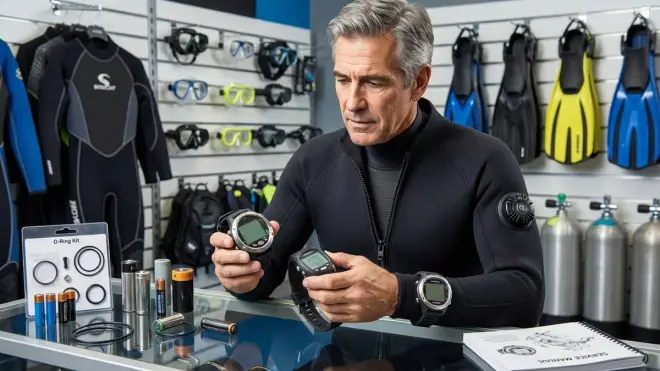
Biometric monitoring is power-hungry, and the battery life implications affect both convenience and total cost of ownership. You need to understand battery type, realistic battery life under biometric monitoring, and replacement or recharge logistics.
Most current biometric dive computers use rechargeable lithium-ion batteries rather than user-replaceable coin cells. This makes sense given the power demands—a biometric computer running optical sensors, tank pressure transmission reception, and Bluetooth connectivity drains batteries far faster than a simple computer. Typical battery life ranges from 20-35 hours of dive time depending on which features you enable, which translates to anywhere from 15-40 dives for most recreational divers.
Here's what the manufacturers don't advertise clearly: that battery life specification assumes optimal conditions. Turn on the backlight frequently, dive in cold water where the battery chemistry becomes less efficient, or enable continuous GPS tracking between dives, and your actual battery life drops significantly. I've had biometric computers die after just 12 dives on a Caribbean liveaboard because I didn't realize the GPS logging was running continuously between dives, draining 15% battery per day even when I wasn't diving.
The charging logistics become part of your dive planning. USB charging sounds convenient until you're on a remote dive boat without reliable charging access, or you forget your proprietary charging cable. I keep a second charging cable in my save-a-dive kit specifically for this reason—the cables are usually $30-40 but worth it when your computer dies the third day of a week-long trip. Some computers like the Garmin Descent Mk2i use standard USB-C charging, while others require proprietary magnetic or clip-on chargers. Standard USB-C is obviously preferable for travel.
For computers that do use replaceable batteries, factor in the service interval. Many biometric computers require annual factory service to maintain waterproof integrity when the battery is replaced, at costs typically ranging from $80-150 plus shipping and the weeks without your computer. That's a real cost of ownership that adds up over the computer's lifespan. I've calculated that the five-year cost difference between a $900 computer with rechargeable batteries and an $800 computer with annual $100 service requirements is essentially zero—the convenience factor becomes the deciding variable.
The battery replacement timeline for rechargeable systems typically ranges from 300-500 charge cycles before capacity degrades noticeably. For recreational divers averaging 30-50 dives per year, that's roughly 4-6 years before battery replacement becomes necessary. Some manufacturers offer battery replacement services for $150-200, while others effectively consider the computer disposable—verify the service options before purchase. I've had several conversations with divers stuck with aging computers that still work fine except for dying batteries that can't be economically replaced.
Step 8: Calculate Total Cost and Feature Value
Now that you understand the technical requirements, you need to do an honest assessment of what this technology is actually worth to your diving. Biometric dive computers typically cost $300-700 more than equivalent non-biometric models, and you need to evaluate whether that premium delivers value for your specific dive profile.
Start by listing the incremental features you're paying for: heart rate monitoring, breathing rate calculation, adaptive decompression algorithms, enhanced physiological logging, and the associated app analysis tools. Now honestly assess how many of those features will change your diving behavior or improve your safety margin. If you're a recreational reef diver staying well within NDLs on shallow Caribbean dives, the adaptive algorithm and workload monitoring probably aren't providing actionable information that affects your dive planning.
Compare that to technical divers doing extended decompression dives or deep air profiles where physiological monitoring provides real safety value. For that demographic, the $500 premium for biometric monitoring represents genuine risk reduction and enhanced situational awareness. I've been diving long enough to remember when dive computers themselves were considered expensive luxuries—some of those early skeptics were proven right for the casual vacation diver who does ten dives per year, and dead wrong for the committed diver logging 100+ dives annually.
The opportunity cost matters too—that $500-700 premium could instead buy a quality tank transmitter for your non-biometric computer, or go toward better thermal protection, or fund another week of diving. I tell newer divers that money spent on actual dive experience almost always delivers better safety and enjoyment returns than money spent on incremental gear features. Get your core equipment dialed in first—a well-fitted buoyancy compensator, proper thermal protection, and a reliable standard dive computer—before adding biometric monitoring to the mix.
Consider the data quality versus actionability equation. Biometric computers generate impressive-looking graphs showing your heart rate progression through a dive, but what are you actually going to do with that information? If you're analyzing the data, identifying patterns, and adjusting your diving technique or fitness regimen based on the insights, that's value. If you're just glancing at the pretty graphs and never changing behavior, you've paid for a data logging feature that doesn't affect outcomes.
For divers who are serious about performance optimization—improving air consumption, reducing post-dive fatigue, or managing the physiological stress of demanding dive profiles—biometric monitoring provides measurable value. You can track how your heart rate responds to different swim paces, see how much your breathing efficiency has improved with experience, and quantify the physical demands of specific dive sites. That's useful information for the analytical diver who approaches equipment and technique methodically. For everyone else, it's interesting but not essential.
Pro Tips & Common Mistakes
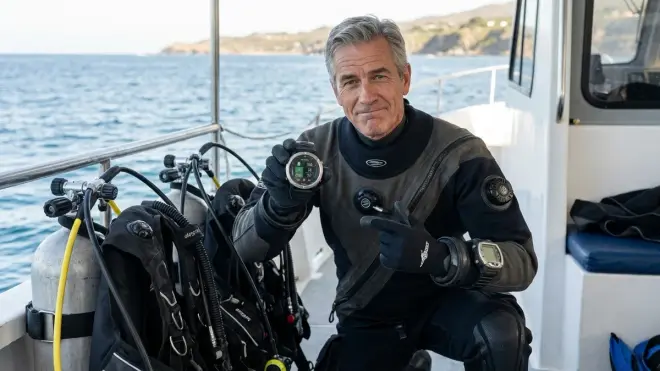
The biggest mistake I see people make is buying a biometric computer based on marketing promises without considering whether they'll actually use the data. Commit to actually reviewing your biometric dive logs and analyzing patterns before you invest in this technology—otherwise you're just paying extra for numbers you'll ignore. I recommend using the manufacturer's demo app with sample data first to see if you find the analysis interface useful and intuitive.
Here's something that bites people repeatedly: don't trust the optical heart rate sensors without verification. For your first several dives with any new biometric computer, manually check your pulse at safety stops and verify the computer's readings are accurate. I've tested computers that consistently read 20-30 BPM low in cold water, rendering the adaptive algorithm useless. If your sensor isn't accurate in your typical conditions, you either need to switch mounting locations, try a different strap tension, or consider whether biometric monitoring will work for you at all.
Get the strap fit exactly right from the start—this is more critical for biometric computers than standard dive watches. The computer should be snug enough that the sensor maintains consistent contact during swimming motion, but not so tight that you're cutting off circulation. I do a simple test: after strapping the computer on, I should be able to slide one finger under the band with slight resistance. Too loose and I can fit two fingers easily; too tight and I can't get a finger under at all.
Calibrate your baseline metrics during relaxed, low-stress dives before you start trusting the computer's physiological alerts. Your "normal" heart rate during an easy reef dive at 40 feet establishes the baseline the computer uses to identify elevated stress on harder dives. Some computers have explicit calibration procedures, while others just learn your patterns over the first 5-10 dives. Don't make critical decisions based on biometric alerts until the computer has enough data to know what normal looks like for your physiology.
Pay attention to sensor maintenance—those optical arrays on the back of the watch case need to stay clean and scratch-free for accurate readings. Rinse the sensor area carefully after every dive, and check for any scratches or damage to the glass or lens covering. Even minor surface abrasions can scatter the LED light and reduce accuracy. I keep a microfiber cloth specifically for cleaning the sensor area, and I inspect it visually before every dive trip.
One mistake that costs people money: buying into a biometric ecosystem without verifying the upgrade and longevity path. Some manufacturers have a track record of abandoning previous-generation products when new models launch—your three-year-old biometric computer might lose app support or firmware updates, stranding you with hardware that still works but software that's increasingly buggy or incompatible. Research the manufacturer's history of supporting older products before committing.
Frequently Asked Questions
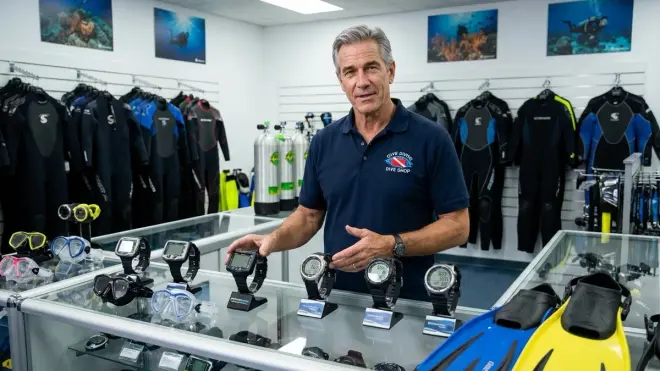
Do biometric dive computers actually improve dive safety or are they just marketing hype?
The honest answer depends entirely on your dive profile and how you use the data. For recreational divers staying well within no-decompression limits on shallow tropical reefs, biometric monitoring provides interesting data but rarely affects safety outcomes—you're not operating close enough to your physiological limits for the real-time monitoring to matter. For technical divers doing extended decompression or deep dives where workload significantly affects decompression stress, biometric monitoring provides actionable information that can legitimately improve safety margins. The technology works, but only delivers meaningful safety value when you're diving profiles where physiological stress becomes a relevant variable in your risk management.
Are wrist-based optical heart rate sensors accurate enough for reliable dive monitoring?
In warm water above 75°F with proper strap tension, modern optical sensors are reasonably accurate—typically within 5-8% of chest strap electrical heart rate monitors, which is adequate for dive monitoring purposes. Accuracy degrades significantly in water below 50°F when peripheral vasoconstriction reduces blood flow to your wrists, and during rapid movement or ascents when the sensor can lose consistent skin contact. I've had optical sensors completely lose tracking in cold water or report physiologically impossible readings during ascents. If you dive primarily cold water, chest strap systems provide more reliable data, though they add complexity and pre-dive setup requirements.
Can I use a biometric dive computer with multiple tank transmitters for sidemount or technical diving?
Most current biometric dive computers support two transmitters maximum, which works for standard sidemount configurations with independent doubles. You'll typically see both tank pressures displayed simultaneously, and the computer can calculate total breathing rate across both tanks. For technical diving with stage bottles or multiple deco gases, you're limited to monitoring two at a time—usually your back gas and one stage. The breathing rate calculations become less meaningful once you start switching between multiple gases with different consumption rates. Check your specific computer's technical diving support in the manual—some models disable certain biometric features entirely when you switch to technical modes or multi-gas configurations.
How often do biometric dive computers need calibration or sensor service?
Optical heart rate sensors don't require periodic calibration in the traditional sense, but they do need an initial learning period of 5-10 dives for the computer to establish your baseline physiological patterns. After that, accuracy depends primarily on keeping the sensor clean and ensuring proper strap fit—no scheduled calibration intervals. Battery service for rechargeable models is the main maintenance requirement, and some manufacturers recommend annual pressure testing and o-ring service just like any dive computer. The sensors themselves typically don't degrade over time unless physically damaged, but the lithium-ion battery capacity will decrease after 300-500 charge cycles. More details on maintaining these systems can be found in the dive computer maintenance checklist.
Summary
Choosing a biometric dive computer comes down to honest assessment of your diving style, the conditions you regularly face, and whether real-time physiological monitoring provides actionable information for your typical profiles. The technology works and delivers genuine value for technical divers, cold-water divers managing thermal stress, and recreational divers interested in performance optimization and air consumption improvement. For casual vacation divers staying well within recreational limits, the $500-700 premium over standard dive computers rarely justifies itself.
Focus on getting sensor accuracy right for your conditions—optical wrist sensors for warm-water diving, chest strap systems if you dive cold water regularly. Verify the algorithm implementation matches your preference for computer-adjusted decompression versus alerts-only approaches. Make sure the display is actually readable with your data fields configured, the battery life fits your diving frequency, and the supporting app provides analysis tools you'll actually use.
The best biometric dive computer is the one that delivers physiological data you'll act on, in conditions where that data affects your safety margins, at a price point that makes sense for your dive frequency. Everything else is just expensive data logging you'll never look at twice.