


I've watched more dive computers die in the middle of liveaboard trips than I care to count. Dead batteries on day three of a week-long Socorro run. Corroded contacts in Palau. Screens that cracked after the fifth dinghy ride. Here's the thing: the best dive computers for liveaboards aren't necessarily the best computers for weekend warriors. When you're doing four to five dives a day, seven days straight, miles from the nearest dive shop, you need something that won't quit on you—and that means prioritizing battery life, durability, and algorithm conservatism over flashy features you'll never use. Quick verdict: For most liveaboard diving, the Shearwater Perdix AI delivers the best combination of battery endurance, field-serviceability, and reliable decompression algorithms.
What to Look For in the Best Dive Computers for Liveaboards
After four decades of diving and countless liveaboard trips from the Bahamas to Indonesia, I've developed strong opinions about what separates a reliable liveaboard computer from one that'll leave you sitting out dives while everyone else is exploring the reef.

Battery Life and User-Replaceability
Battery runtime matters more on liveaboards than anywhere else. I tell people to calculate conservatively: if you're doing five dives a day for seven days, that's 35 dives. Add in surface intervals where the computer stays active, plus pre-dive checks and post-dive log reviews, and you're looking at 40-50 hours of active use. Standard lithium-ion rechargeable computers claim 15-20 hours of dive time, which sounds adequate until you realize that's under ideal conditions with moderate screen brightness and no AI transmitter connected. In practice, I've seen rechargeable computers drain to critical levels by day four or five.
User-replaceable AA batteries are superior for extended trips. The Shearwater models using standard AA lithium batteries deliver 30-40 hours of actual dive time, and you can swap them yourself in about ninety seconds with a coin. I keep spare AAs in a waterproof pill bottle in my gear bag. You can't do that with proprietary rechargeable units—if the battery dies mid-trip, you're borrowing a computer or sitting out dives. Some operators keep charging stations in the camera room, but I've been on enough boats with unreliable electrical systems that I don't trust them.
Algorithm Conservatism and Multi-Day Repetitive Dive Handling
Liveaboard diving beats up your body differently than weekend diving. You're doing repetitive deep dives, day after day, often in remote locations hours from a recompression chamber. The decompression algorithm your computer runs directly affects your tissue loading over the course of the trip.
I've seen divers using aggressive algorithms—particularly older RGBM variants without proper gradient factor adjustments—end up exhausted and bent by day five of a Red Sea trip. The computers technically kept them within no-decompression limits, but the cumulative nitrogen loading was too much. Modern Bühlmann ZHL-16C algorithms with adjustable gradient factors (like what Shearwater uses) let you dial in conservatism. I run 40/85 gradient factors on liveaboards, which adds a few minutes to shallow stops but keeps my head clear and my joints loose.
Pay attention to how the algorithm handles surface intervals between multiple dives per day. Some computers off-gas tissue compartments too aggressively during one-hour surface intervals, which can lead to sawtooth profiles that increase bubble formation risk. You want a computer that penalizes repetitive diving appropriately—it should get progressively more conservative as the week goes on, not treat your fifth dive of the day the same as your first.
Durability and Saltwater Resistance
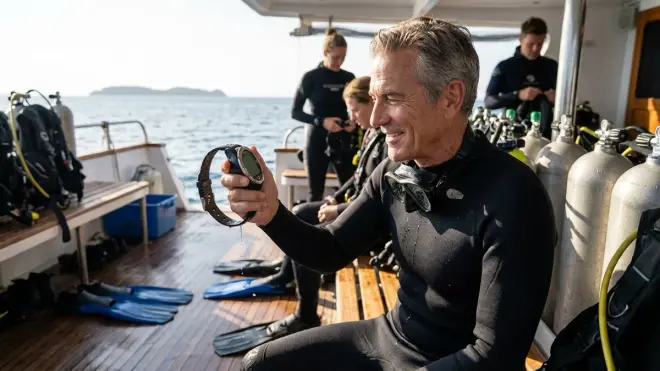
Marine environments destroy electronics. I've watched the screen delamination epidemic with certain Suunto models over the years—computers that looked fine on Saturday but showed moisture intrusion by the following Tuesday after a week of saltwater exposure and daily rinsing. The failure mode usually involves o-ring degradation at the battery compartment or screen seal.
Look for computers with marine-grade o-ring specifications (Viton or silicone, not standard Buna-N) and user-serviceable seals. The battery compartment should use double o-rings with grease channels. Screens should be bonded rather than pressure-fitted. Shearwater publishes their o-ring specs and sells replacement kits; many manufacturers don't, which tells you something about their expectation of field serviceability.
Case materials matter less than you'd think—I've seen polycarbonate computers outlast stainless steel housings because they flex slightly under impact rather than transferring shock to internal components. That said, avoid anything with exposed metal charging contacts. I've seen too many contacts corrode into uselessness after a week of saltwater exposure, even with daily freshwater rinses. Magnetic charging is better, but best is no external charging at all—just swap the battery.
Air Integration and Transmitter Reliability
Wireless AI transmitters add complexity and failure points. I'm not against AI—it's genuinely useful for gas planning and SAC rate tracking on multi-dive days—but transmitter reliability varies wildly by manufacturer. I've personally experienced two different transmitter brands that worked fine in quarry diving but developed intermittent signal loss beyond 60 meters depth or in high-salinity conditions like the Red Sea.
If you're running AI on a liveaboard, you need redundant gas monitoring. I still mount an analog SPG on my first stage and treat the transmitter as supplementary information, not primary. The transmitter o-ring and battery are serviceable components—bring spares and know how to swap them. Most transmitters use CR2 or CR2450 batteries rated for 100-200 hours, which should cover a week-long trip, but I've seen batteries fail prematurely if they sat in storage partially discharged.
Signal interference is real. On crowded liveaboard decks with 20 divers entering the water simultaneously, all running AI transmitters on similar frequencies, I've watched computers temporarily lose signal during descents. Better manufacturers use frequency-hopping spread spectrum (FHSS) protocols to minimize interference, but it's still something to be aware of. Know how to manually switch your computer to gauge mode if your transmitter dies.
Screen Readability and Interface Simplicity
You're checking your computer constantly in low-visibility conditions, during dawn dives, and at depth where cognitive load is higher. A screen that's perfectly readable in a pool becomes illegible at 35 meters in turbid water with surge kicking up sediment.
High-contrast color TFT screens with adjustable backlighting are superior to older LCD or OLED displays. The Shearwater color screens remain readable in direct tropical sunlight on the surface and at depth with minimal backlight power draw. Some OLED displays look stunning in showrooms but wash out in bright conditions or drain batteries quickly when you need high brightness.
Button layout matters more than you'd expect. I prefer computers with four physical buttons over touchscreens—touchscreens are unusable with thick gloves and can register false inputs from water pressure or accidental palm contact. The button arrangement should be intuitive enough that you can navigate menus at depth without thinking. I've seen divers waste bottom time fumbling through three-button interfaces trying to find their compass heading or switch gas mixes.
Nitrox and Multi-Gas Capability
Most liveaboards offer enriched air nitrox as standard, and many technical-oriented boats provide 32% for the first dive, 36% for shallower second dives, and sometimes 40-50% for deco bottles on deeper profiles. Your computer needs to handle multiple gas mixes without requiring surface programming between dives. Nitrox mode should be easily switchable with clear confirmation of the active mix displayed on the main dive screen.
Beyond basic nitrox, consider whether you might want trimix capability later. Even if you're not tech diving now, a computer that supports helium mixes costs only marginally more and preserves upgrade path. I've seen too many divers outgrow recreational-only computers within two years and have to buy a second computer for technical training.
Our Top Picks for Liveaboard Dive Computers
Shearwater Perdix AI
The Shearwater Perdix AI🛒 Amazon is my default recommendation for serious liveaboard divers who want a computer that won't quit mid-trip. It runs on a single AA battery (lithium primary gives you 40+ hours of dive time), supports full trimix with configurable gradient factors, and has wireless AI that actually works reliably in real-world conditions. I've personally logged over 300 dives on Perdix computers across multiple units, including a week-long Cocos Island trip where I did 32 dives without a battery change.
Pros:
- User-replaceable AA battery with 30-40 hour runtime (50+ with alkaline in emergencies)
- Bühlmann ZHL-16C with adjustable gradient factors (30/70 to 100/100 range)
- Color TFT screen readable in direct sunlight and at depth with minimal backlight
- Full trimix support up to five gases with real-time gas switching
- Wireless AI transmitter with reliable FHSS signal protocol
- Field-serviceable o-rings and published maintenance specs
- Digital compass with tilt compensation
- Dive log capacity for 1000+ hours with full profile data
- Bluetooth connectivity for dive log downloads and firmware updates
Cons:
- Screen size (2.2 inches) smaller than some competitors—older divers may find text small
- No rechargeable battery option for divers who prefer integrated charging
- Price point around $1,200-$1,300 puts it out of reach for budget-conscious divers
- Button layout takes initial familiarization—not immediately intuitive for first-time users
Garmin Descent Mk2i
The Garmin Descent Mk2i🛒 Amazon is what I recommend to divers who want a single device for topside fitness tracking and diving. It's a legitimate smartwatch that happens to have surprisingly competent dive computer functionality. The rechargeable battery gives you about 20 hours of dive mode, which is adequate for most week-long liveaboards if you charge it every other day. I've used one on three different liveaboard trips and found the integration with Garmin's fitness ecosystem genuinely useful for tracking post-dive activity and sleep quality.
Pros:
- Integrated GPS dive site mapping with surface location tagging
- Full smartwatch functionality (notifications, fitness tracking, music storage)
- Wireless AI with SubWave sonar communication technology—works reliably to 200 meters
- Rechargeable battery with 6-day smartwatch mode or 20 hours dive mode
- Multiple dive modes (single gas, multi-gas nitrox, gauge, CCR, trimix)
- Built-in altimeter for altitude diving calculations
- PowSapphire lens scratch-resistant to most impacts
- Topside maps and activity tracking useful during liveaboard surface intervals
Cons:
- Battery life requires charging every 2-3 days on heavy dive schedules
- Proprietary charging cable is a single point of failure—bring a backup
- SmartWatch features drain battery even when not diving if left in default mode
- Sapphire lens can still crack under direct impact to sharp metal objects
- More complex interface with steep learning curve compared to dive-only computers
- Firmware updates sometimes introduce bugs that require subsequent patches
Ratio iX3M 2 Deep
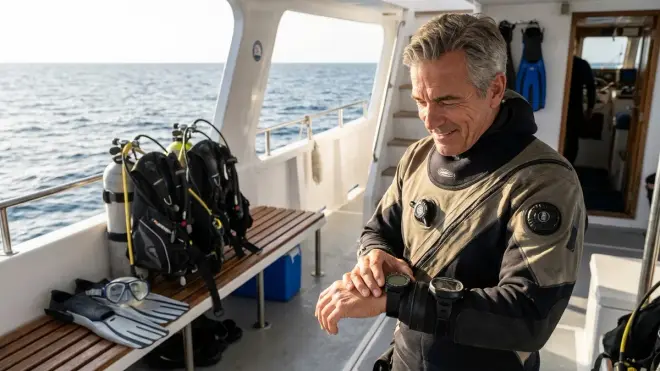
The Ratio iX3M 2 Deep🛒 Amazon is a technical diving computer that handles liveaboard use cases remarkably well. It supports up to ten gas mixes (including CCR setups), runs a conservative variant of Bühlmann with adjustable gradient factors, and has one of the largest color screens on the market at 2.4 inches diagonal. The rechargeable lithium-ion battery delivers about 15-18 hours of dive time in my real-world testing, which means you'll need to charge it every other day on intensive dive schedules.
Pros:
- Massive 2.4-inch color TFT display readable at extreme depth
- Supports up to ten programmable gases with automatic gas switching
- CCR-compatible with setpoint controls and CO2 monitoring capability
- Bühlmann ZHL-16B/C with VPM-B option and full gradient factor customization
- Wireless AI with dual transmitter support for sidemount configurations
- USB-C rechargeable battery (standard cable, not proprietary)
- Digital compass with 3D tilt compensation
- Haptic vibration alerts for ascent rate violations and gas switch reminders
- Memory capacity for 500+ hours of dive profiles
Cons:
- USB-C charging port is exposed and vulnerable to saltwater intrusion if not sealed properly
- Battery runtime of 15-18 hours requires mid-trip charging on extended liveaboards
- Large case diameter (56mm) doesn't fit comfortably under tight wetsuit sleeves
- Menu system is feature-rich but overwhelming for recreational-only divers
- Price around $1,600 makes it overkill unless you're doing technical diving
Suunto D5
The Suunto D5🛒 Amazon is Suunto's answer to the Garmin dive watch category—a wrist-worn computer with topside smartwatch features and compact dive functionality. I've tested it on two liveaboard trips and found it adequate for recreational diving within its limitations. The Fused RGBM 2 algorithm is noticeably more conservative than Bühlmann implementations, which some divers appreciate and others find overly restrictive after multiple deep dives.
Pros:
- Compact dive watch form factor (43mm case diameter) fits under wetsuits easily
- Color matrix display with good sunlight readability
- Wireless AI with Tank POD transmitter integration
- Rechargeable battery with 6-12 hours dive time depending on AI use
- Vibration alerts for alarms and notifications
- Four nitrox mixes (21-99% O2) with gas switching
- Bluetooth for dive log syncing and firmware updates
- Relatively affordable around $800-$900
Cons:
- Fused RGBM 2 algorithm is very conservative and can lock you out after aggressive profiles
- Battery life of 6-12 hours requires daily charging on liveaboards
- Proprietary magnetic charging cable is fragile and expensive to replace
- Screen size (1.2 inches) makes readability challenging for older divers
- No user-replaceable battery—if it dies mid-trip, you're done diving
- Algorithm won't let you dive for 48 hours if you violate decompression stops
Oceanic OCi
The Oceanic OCi🛒 Amazon is a wrist-mounted computer that's been around in various iterations for years. It runs the Pelagic Z+ algorithm (dual-algorithm with DSAT and PZ+), supports wireless AI, and uses a user-replaceable CR2450 battery that should give you 30-40 hours of dive time. I've used Oceanic computers going back to the late 1990s and they've been consistently reliable, if somewhat conservative in their calculations.
Pros:
- User-replaceable CR2450 battery (30-40 hour runtime)
- Dual algorithm option (DSAT more liberal, PZ+ more conservative)
- Wireless AI with reliable Pelagic transmitter ecosystem
- Four nitrox mixes (21-100% O2) with gas switching
- Large segmented LCD display with excellent contrast at depth
- Gauge mode and freedive mode in addition to dive computer function
- Deep stop calculation available in PZ+ algorithm
- Price around $600-$700 is reasonable for features offered
Cons:
- Segmented LCD display is dated compared to modern color TFT screens
- DSAT algorithm can be aggressive for multi-day repetitive diving
- No gradient factor adjustment—you're locked into algorithm defaults
- Battery compartment o-ring requires periodic replacement and greasing
- No compass or advanced navigation features
- Plastic case feels less premium than competitors despite adequate durability
Mares Puck Pro Plus
The Mares Puck Pro Plus🛒 Amazon is my budget pick for divers who need a reliable liveaboard computer without spending over $300. It's a basic, no-nonsense wrist computer with nitrox support and a user-replaceable CR2450 battery. The RGBM algorithm is reasonably conservative, and the large segmented display is actually easier to read than many fancier color screens. I keep one as a backup computer in my gear bag.
Pros:
- Exceptionally affordable around $250-$300
- User-replaceable CR2450 battery (40+ hour runtime)
- Large segmented LCD display with excellent visibility in low light
- Single-button interface is nearly impossible to screw up underwater
- RGBM algorithm with automatic altitude adjustment
- Three nitrox mixes (21-99% O2)
- Logbook capacity for 36 hours of dive time with 60-second sampling
- Durable polycarbonate case survives rough handling
Cons:
- No wireless AI—you need a separate SPG
- Single-button interface is simple but menu navigation is tediously slow
- No compass or advanced navigation features
- No gradient factor customization or algorithm adjustability
- Small internal memory limits long-term dive log storage
- No Bluetooth connectivity—data download requires optional USB interface
Frequently Asked Questions
How long should a dive computer battery last on a week-long liveaboard?
For a week-long liveaboard with 25-35 dives, you need a computer with at least 30 hours of rated dive time, which translates to about 40-50 hours of total powered-on time including surface intervals. In my experience, user-replaceable AA lithium batteries (like those in Shearwater computers) reliably deliver 40+ hours, while rechargeable computers typically need charging every 2-3 days. I always bring backup batteries or charging equipment, and I calculate battery life conservatively—manufacturer ratings are best-case scenarios. If you're running wireless AI with the screen backlight cranked up, expect actual runtime to be 60-70% of the published spec.
Should I use a more conservative algorithm on liveaboards than on weekend dives?
Absolutely. The cumulative nitrogen loading from four to five dives per day, seven days in a row, is physiologically different from single-day diving with 24-hour off-gassing periods between dive days. I run my gradient factors at 40/85 on liveaboards versus 50/90 for weekend diving, which adds maybe five minutes total to my shallow stops but keeps me feeling sharp. I've seen too many divers using aggressive algorithms end up with severe fatigue, joint pain, or actual DCS by day five or six of a trip. Understanding how decompression algorithms work helps you make informed decisions about conservatism adjustments—you're not just blindly following numbers.
What happens if my dive computer fails mid-trip on a remote liveaboard?
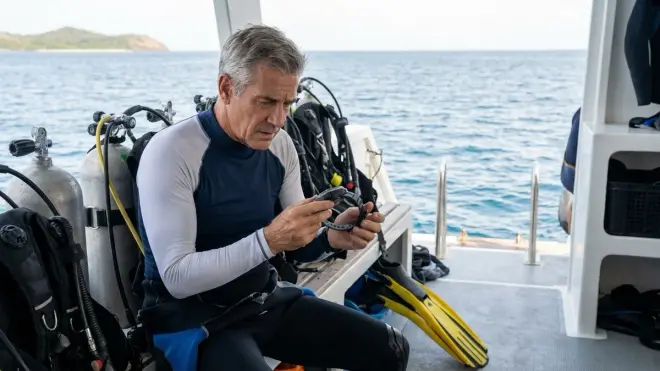
This is why I carry a backup computer and maintain my gear religiously. If your primary computer dies and you don't have a backup, you're either borrowing a computer from another diver (and following their more conservative profile), diving in gauge mode with manual tables (requires significant training and adds risk), or sitting out dives for the rest of the trip. Most reputable liveaboard operators have a rental computer or two onboard, but I've been on boats where equipment availability was limited. The best solution is redundancy: dive with two computers from day one, so they're both tracking your tissue loading identically. If one fails, the other has your complete nitrogen history. This is standard practice in technical diving and increasingly common in recreational liveaboard diving.
Do I need wireless AI on a liveaboard or is a backup SPG sufficient?
You don't need wireless AI, but it's genuinely useful on liveaboards where you're doing multiple deep dives daily and gas management becomes more critical. AI gives you real-time SAC rate calculations, predictive time remaining that accounts for your actual consumption rather than generic averages, and automatic logging of gas usage patterns across dives. That said, I never dive with AI as my only pressure gauge—I always have a mechanical SPG as backup. Transmitters can fail, batteries die, and signal interference happens. The SPG is your primary instrument; the AI is supplementary data that improves your diving but isn't essential for safety. Understanding liveaboard equipment requirements includes knowing what's mandatory versus optional for different operations.
Can I use the same dive computer for technical diving and recreational liveaboards?
Yes, and I actually recommend it. A technical-capable computer like the Shearwater Perdix or Ratio iX3M handles recreational diving perfectly well—you just ignore the features you don't need. The advantage is that the decompression algorithms in technical computers are generally more sophisticated and configurable than recreational-only models. You can run conservative gradient factors for liveaboard diving, and if you eventually pursue technical training, your computer supports trimix, multiple deco gases, and advanced planning. The interface is more complex, which means a steeper learning curve, but once you understand the menu system, you have much more control over your dive profiles. I've been diving Shearwater computers for both recreational liveaboards and technical cave diving for years—one computer, properly configured for the dive type, handles everything.
The Verdict
After thousands of dives on liveaboards from the Caribbean to the Pacific, my top recommendation for most divers remains the Shearwater Perdix AI. The combination of user-replaceable battery, reliable wireless AI, and configurable Bühlmann algorithm makes it the most versatile and dependable option for extended trips. If you need smartwatch functionality alongside dive computer features, the Garmin Descent Mk2i is a solid choice, but be prepared to charge it every other day. For budget-conscious divers, the Mares Puck Pro Plus delivers reliable basic functionality at a fraction of the cost—just add a separate SPG.
The worst thing you can do is bring a computer you don't trust or don't understand. Choosing the right dive computer means matching features to your actual diving, not aspirational diving. And regardless of which computer you choose, bring spare batteries, know how to perform basic o-ring maintenance, and run conservative settings. Your computer is life-support equipment, not a fashion accessory—treat it accordingly, and it'll keep you safe through years of incredible liveaboard adventures. I'll see you on the deck somewhere, probably with backup computers clipped to both wrists and spare batteries in a pill bottle, because that's how you do this right.