
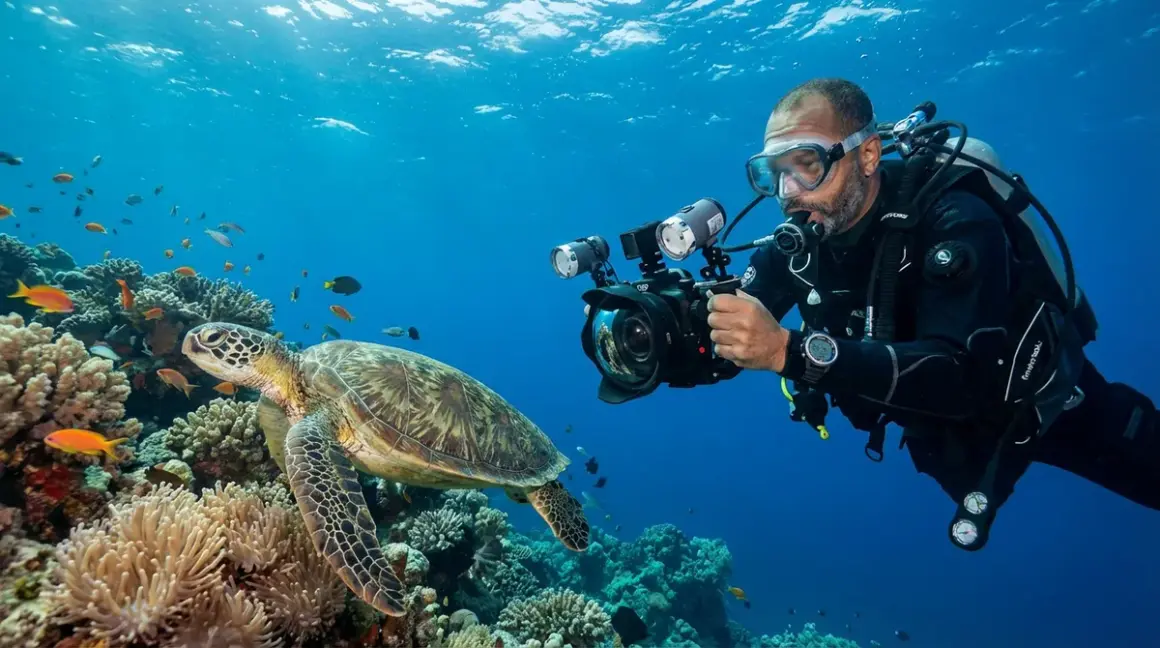

I still remember the first time I reviewed my dive photos from a spectacular reef in Cozumel—brilliant corals I'd just seen minutes earlier looked like a muted gray-blue mess on my camera screen. That frustrating moment pushed me to actually understand underwater color correction and how water absorbs different wavelengths of light. Whether you're capturing images for your logbook or just trying to understand why that video of you practicing your buoyancy skills looks so monochromatic, knowing how color disappears underwater—and what you can do about it—changes how you experience and share your dives.
What Is Underwater Color Correction?
Underwater color correction is the process of restoring the natural colors that water absorbs as light travels through it. When you descend, you're not just entering a different environment—you're entering a completely different light spectrum where reds disappear first, followed by oranges and yellows, until everything takes on that familiar blue-green cast we associate with underwater scenes.
The physics is straightforward: water molecules absorb light energy, and they're particularly good at absorbing longer wavelengths. Red light, with its wavelength around 700 nanometers, gets absorbed within the first 15 feet of descent in clear water. By 30 feet, oranges are muted. At 60 feet, even yellows start fading. This isn't some camera defect—it's happening to your eyes too, though your brain does an impressive job compensating so you don't always notice how much color you've actually lost.
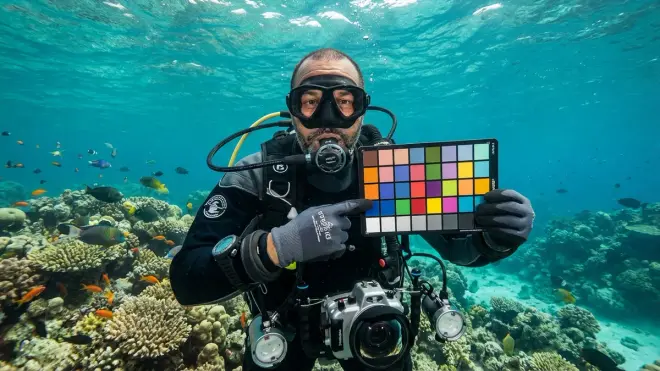
Color correction attempts to reintroduce those missing wavelengths, either by adding artificial light that contains the full spectrum (like strobes or video lights), using physical filters that block the abundant blue-green light to rebalance the color ratios, or applying digital processing that mathematically compensates for the known absorption patterns at specific depths. Each method has tradeoffs in terms of complexity, image quality, and situational effectiveness.
I've tested all three approaches across everything from shallow Caribbean reefs to deep Pacific Northwest wreck dives, and understanding which correction method works for your specific diving scenario makes the difference between "I guess that's a fish" and actually showing people the electric blue parrotfish you saw.
How Underwater Color Loss Works
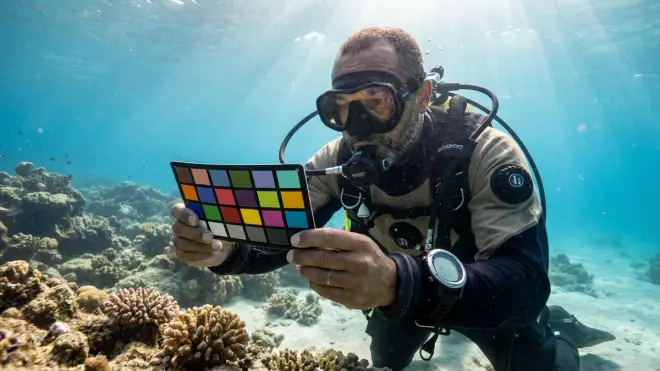
Light behaves differently in water than in air, and the changes start the moment it hits the surface. When sunlight penetrates water, it encounters a medium that's roughly 800 times denser than air, and that density comes with consequences for your visibility and color perception.
Absorption is selective and predictable. Red wavelengths get absorbed first—typically within 10-20 feet in clear tropical water, faster in temperate or low-visibility conditions. I've photographed the same red soft coral at 15 feet and 45 feet in Indonesia, and the deeper shot looks brown-gray without correction. Orange light typically survives to about 25-30 feet before significant loss. Yellow holds on until around 50-60 feet. By the time you're at 100 feet on a deep wreck dive, you're essentially working with blue and green wavelengths only, which is why everything takes on that monochromatic appearance.
Distance matters as much as depth. This is the part many new underwater photographers miss—it's not just about how deep you are, but how far your subject is from your camera. Light travels from the surface to your subject (losing color along the way based on depth), then reflects back to your camera lens (losing more color based on the distance between you and the subject). If you're photographing a sea turtle from 10 feet away at 40 feet of depth, the light has traveled 50 feet total, absorbing reds, oranges, and most yellows. Get within two feet of that turtle, and you've only got 42 feet of total light path—you've preserved significantly more color just by getting closer.
Scattering reduces contrast and sharpness. Beyond absorption, suspended particles in water—plankton, sediment, organic matter—scatter light in all directions. This creates backscatter in photos and reduces overall contrast. It's why that seemingly clear water still gives you softer, hazier images than you'd get on land. The NOAA Ocean Explorer program has documented how light scattering affects visibility conditions across different water bodies, which directly impacts your correction strategies.
The interaction between absorption and scattering is why identical camera settings produce vastly different results in the kelp forests off California versus the gin-clear water around Bonaire—you're not just dealing with different visibility, but fundamentally different optical environments.
Why Underwater Color Correction Matters
If you're just diving for the experience, you might wonder why color correction is worth understanding—after all, the ocean looks beautiful in blue-green tones. But once you start capturing images or video to share your dives, or even just to document your progression as a diver, accurate color becomes critical for several practical reasons.
Memory and identification accuracy. When I'm teaching marine life identification courses, students who rely on uncorrected photos often can't distinguish between species that differ primarily in coloration. That "gray fish" could be a dozen different species depending on whether it's actually red, orange, or brown. For your logbook, for citizen science contributions, or just for remembering what you actually saw, color-corrected images preserve information that monochromatic shots completely lose.
Composition and subject separation. On land, we naturally use color contrast to separate subjects from backgrounds—a red flower against green leaves, a yellow sign against a blue sky. Underwater, when everything shifts toward the same blue-green range, that separation collapses. Proper color correction restores the visual hierarchy that makes your main subject pop instead of blending into the reef behind it. I've seen the same shot of a lionfish transform from "where is it?" to immediately eye-catching just by restoring the reds and oranges that define its form.
Sharing the actual experience. There's a disconnect between what diving feels like and what uncorrected underwater footage looks like. When you show friends and family your dive videos and everything is murky blue, you're not sharing the vibrant coral garden you experienced—you're sharing a technically accurate but experientially false representation. Color correction bridges that gap, letting you show people what you actually saw once your brain had compensated for the color loss.
Skill development for underwater photography. Understanding color correction forces you to master buoyancy control, shooting distance, and lighting techniques. You can't correct your way out of being 15 feet from your subject or kicking up sediment. The technical knowledge makes you a better underwater photographer because it reveals the physical limitations you need to work within.
Types and Methods of Color Correction
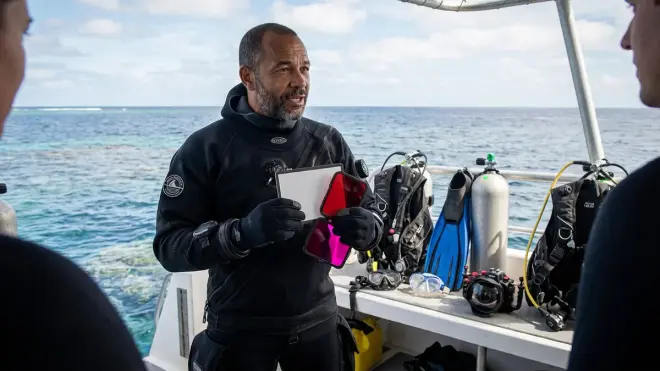
Physical filters are the simplest entry point—transparent colored sheets (typically magenta or red) that attach to your camera housing's lens port. They work by blocking the overabundant blue-green wavelengths, which rebalances the color ratios hitting your sensor. I use a MagicFilter on my GoPro for shallow reef documentation dives in clear water, and it's genuinely magical how much natural color it restores between 15-60 feet without any post-processing.
The limitation: filters are depth-specific and work best in clear, blue water with good natural light. Use the same red filter at 90 feet and you'll just make an already dark scene darker by blocking the only wavelengths that made it down there. In green water (common in temperate zones), red filters can actually make things worse because the water isn't predominantly blue—different colored water requires different filter corrections.
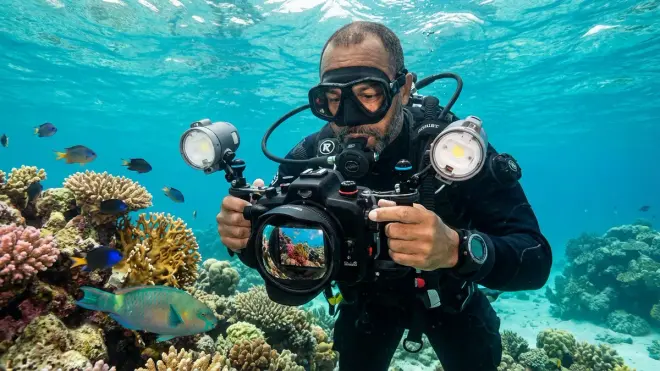
Artificial lighting is the most powerful correction method because you're literally bringing full-spectrum light with you. Strobes and video lights emit white light containing all wavelengths, including the reds and oranges that natural sunlight has already lost at depth. Position a strobe close to your subject, and you're illuminating it with light that's only traveled a few feet through water, preserving nearly full color.
The tradeoff: artificial lighting requires more gear, more careful packing in your dive bag, more training to position effectively, and more power management. Video lights drain batteries quickly. Strobes add complexity to your underwater photography setup and require understanding of positioning to avoid backscatter. But for macro photography or any situation where you can get a light source within a few feet of your subject, nothing else comes close to the color accuracy you achieve.
Digital post-processing is what most modern cameras and editing software do—mathematically adjusting the color channels based on depth data or user input. Many current-generation dive computers and action cameras with depth sensors can apply automatic correction that shifts the color balance based on your actual depth. In Adobe Lightroom or similar software, you're manually adjusting white balance, increasing reds while decreasing blues, and fine-tuning until the image looks natural.
This method is incredibly flexible—you can correct shots taken at any depth, in any water condition, without having committed to a specific filter or lighting setup during the dive. The downside: you can't recover color information that was never captured. If your subject is 12 feet away at 70 feet depth, no amount of post-processing will restore the reds that were completely absorbed before light reached your sensor. Digital correction works best when you've minimized the light path distance during capture and are just fine-tuning what the sensor actually recorded.
Hybrid approaches combine these methods. I typically shoot with a red filter in shallow tropical water (0-40 feet), then remove it and rely on strobes for macro work at depth, then apply minor white balance adjustments in post-processing to perfect the final image. The filter handles the overall blue cast, the strobes illuminate close subjects with full-spectrum light, and post-processing corrects for the specific water conditions that day (slightly green tint from recent plankton bloom, for example). Each method compensates for the limitations of the others, giving you the most latitude to capture accurate color across varying conditions in a single dive.
Frequently Asked Questions About Underwater Color Correction
What depth do you lose color underwater?
Red light is absorbed within the first 10-20 feet underwater in clear conditions, orange disappears by about 25-30 feet, and yellow is significantly reduced by 50-60 feet. By 100 feet, you're working almost exclusively with blue and green wavelengths, which is why everything appears monochromatic at depth without artificial lighting or correction filters.
Can you color correct underwater photos after the dive?
Yes, digital post-processing can restore color balance through white balance adjustments and selective color channel manipulation, but you cannot recover color information that was never captured by the camera sensor. The closer you were to your subject and the shallower your depth during capture, the more successful post-processing correction will be, because more color wavelengths actually reached your sensor.
Do red filters work for underwater video?
Red filters work very effectively for underwater video in clear, blue water between approximately 15-60 feet depth, automatically correcting the blue-green color cast without requiring post-processing of every frame. They become less effective in green water conditions, at depths below 70 feet where insufficient red light remains, or in low-visibility environments where artificial lighting provides better correction.
Why do underwater photos look blue without correction?
Underwater photos look blue because water selectively absorbs longer wavelengths (reds, oranges, yellows) while transmitting shorter wavelengths (blues and greens), creating an imbalanced color spectrum that heavily favors blue-green tones. Your camera sensor records this actual light spectrum without the brain's automatic compensation that helps your eyes perceive more balanced colors when diving.
What is the best way to restore color underwater?
The most effective color restoration method depends on your depth and shooting distance—physical red filters excel in clear, shallow water (15-60 feet) for wide-angle shots, artificial strobes or video lights provide superior correction for close subjects at any depth by bringing full-spectrum light to your subject, and digital post-processing offers flexible correction for shots where you minimized camera-to-subject distance during capture but need refinement for specific water conditions.
Getting Color Correction Right on Your Dives
The color correction method you choose should match your actual diving—not some idealized version of it. When I'm doing checkout dives with Open Water students in 30 feet of clear Caribbean water, a simple screw-on red filter on my action camera captures perfectly usable footage without thinking about it. When I'm documenting equipment performance on a 110-foot wreck in cold Pacific water, that same filter is useless, and I rely entirely on video lights positioned close to my subject and accept that wide environmental shots will need aggressive post-processing.
Start by understanding your typical diving depth range and water conditions. Tropical reef divers spending most of their time between 20-60 feet in clear water get immediate, dramatic improvement from basic red filters with essentially zero learning curve. Temperate water divers or those regularly exceeding 70 feet should invest time learning proper lighting technique, as filters won't help in the green water and low-light conditions you're working in. Photographers who want maximum flexibility across conditions need to build competency in all three correction methods and learn when each applies.
The technical knowledge matters less than the practical application: get closer to your subject. Every foot of water between your lens and what you're shooting costs you color, sharpness, and contrast. I've seen divers with expensive strobes and professional housings produce worse images than someone with a basic compact camera and red filter, simply because they haven't internalized that distance is the enemy. Your buoyancy control skills directly determine your color correction success, because perfect correction of a subject that's 15 feet away still produces a mediocre image.
Master the method that matches your diving, minimize your shooting distance, and the colors you capture will finally match the reef you actually experienced.